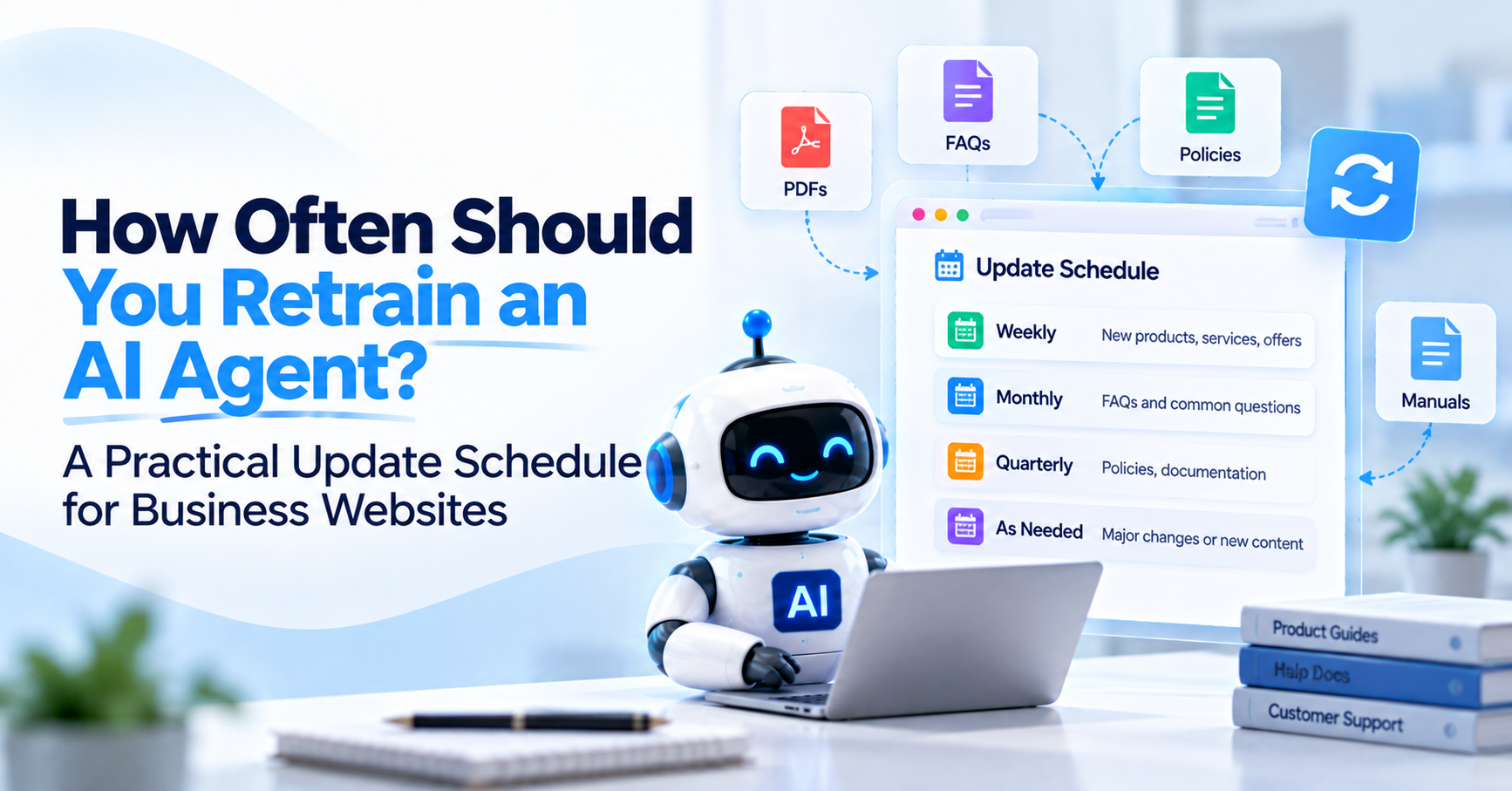
An AI agent can give the correct answer today and an outdated answer next month even if nothing is technically wrong with the AI. The business changed.
A product was replaced. Pricing increased. A service was removed. The return period changed. A new plan launched. A troubleshooting document was updated. A support team changed its onboarding process.
If those changes reach the website or internal documentation but not the AI agent's knowledge, customers are effectively speaking with an older version of the business.
That is why learning how to train AI chatbot systems is only half of the job. The other half is deciding when that knowledge needs to be refreshed.
For most modern website AI agents, the answer is not “retrain everything every 30 days.” A better strategy combines event-driven updates with scheduled reviews.
When an important business fact changes, update the agent immediately or as soon as operationally practical. For information that changes gradually, use a regular refresh schedule based on how frequently the source changes and how harmful an outdated answer would be.
The right cadence therefore depends on the content.
Pricing may need updating the same day it changes. Product catalogs may need daily or frequent synchronization. Stable company information may only require occasional review. Live order status should not depend on chatbot retraining at all.
This guide explains how to build that schedule without constantly rebuilding your AI agent.
How Often Should You Retrain an AI Agent?
You should update an AI agent whenever important source information changes, then run periodic reviews to catch knowledge that changed without being noticed. For a business website, this usually means using two update triggers.
The first is event-based.
A product, price, policy, service, document, or important website page changes, so the agent's knowledge is updated as part of the same business change.
The second is scheduled.
Your team reviews or refreshes the knowledge at an appropriate interval even if nobody reported a specific change.
This combination works better than relying on a single fixed schedule. A monthly refresh cannot protect you if a return policy changes tomorrow.
At the same time, relying only on employees to remember every chatbot update eventually allows less obvious information to become stale.
Does “Retraining” Mean Retraining the AI Model?
Usually no. When businesses talk about retraining a website chatbot or AI agent, they usually mean refreshing the business knowledge available to the system rather than training the underlying language model again from scratch.
A website-trained AI agent commonly works with a separate knowledge layer containing website pages, FAQs, policies, manuals, product information, support documentation, and other approved sources.
When a visitor asks a question, relevant knowledge is retrieved and supplied to the AI for the response.
If your shipping policy changes, you normally update or reprocess the shipping-policy source.
You do not need to rebuild the underlying language model because one business rule changed.
This distinction makes modern business AI much easier to maintain. The existing guide on how to train a chatbot on website content explains the initial training process in more detail. This article focuses on what should happen after that first version is already running.
Use Change Risk to Decide the Update Frequency
The best update schedule is based on two questions: how frequently does this information change, and how serious would an outdated answer be? Those questions matter more than the file type.
A pricing page and an About page are both website pages, but they do not deserve the same refresh priority.
If your chatbot gives yesterday's office history, almost nothing may happen.
If it gives yesterday's promotional price after the offer ended, the customer experience can become much more difficult.
A practical starting schedule looks like this:
| Knowledge Type | Practical Update Trigger | Suggested Review Rhythm |
|---|---|---|
| Pricing, plans, promotions | Whenever pricing or offer terms change | Same day plus regular checks |
| Returns, refunds, warranties, cancellation policies | Whenever the policy changes | Same day plus monthly review |
| Products, services, features | Whenever something launches, changes, or is removed | Daily to weekly for changing catalogs, monthly for stable businesses |
| FAQs | When new recurring questions appear or answers change | Weekly to monthly |
| Help center and troubleshooting | When product behavior or support procedures change | Weekly to monthly depending on change frequency |
| Manuals and uploaded documents | Whenever a new version replaces the old one | Review on every document release |
| Company information, locations, hours | Whenever operational details change | Monthly to quarterly review |
| Selected evergreen educational content | When facts, screenshots, processes, or recommendations change | Quarterly review |
| Live inventory, account status, order status | Do not depend on periodic retraining | Use a live integration where required |
These are practical starting points, not universal rules. A fast-moving ecommerce store and a small professional-service website should not have identical refresh schedules.
Update Pricing as Soon as the Price Changes
Pricing should be treated as high-priority knowledge because outdated pricing can directly affect a purchase decision.
Suppose your Professional plan changes from $79 to $99.
The website is updated at 10 AM.
The chatbot is still using yesterday's knowledge.
A visitor arrives at noon and asks: “How much is the Professional plan?”
If the chatbot says $79, the knowledge-update process has already failed. For important commercial information, the website update and chatbot update should ideally belong to the same publishing workflow.
When the pricing team changes the public source, whoever owns the AI knowledge should know that the source needs refreshing.
Do not wait for the next monthly chatbot review when the business already knows an important fact changed today. The same principle applies to temporary promotions. When an offer starts or ends, the AI should follow the same schedule.
Update Policies Immediately When the Customer Rule Changes
Return, refund, warranty, subscription, cancellation, shipping, and payment policies should be refreshed when the policy becomes effective. These are not good candidates for slow updates because customers may make decisions based on them.
Imagine your return period changes from 30 days to 14 days.
The website now displays 14 days, but an uploaded policy PDF still contains the old rule.
The chatbot may retrieve either source.
This is not simply a retraining problem. It is a knowledge-governance problem.
The new policy should replace the old active source, and supporting FAQs or help content should be checked for the same rule.
If several sources repeat an important policy, change management needs to cover all of them. The previous guide on uploading documents to an AI chatbot explains why leaving old PDFs active can cause this type of conflict.
Update Products When the Catalog Changes
Product knowledge should follow the pace of the catalog. For an ecommerce store launching and removing products every day, a monthly crawl is unlikely to be sufficient.
For a manufacturer selling a stable catalog that changes only several times each year, daily retraining may create little additional value. The same rule applies to product features.
If a product changes compatibility, materials, dimensions, supported integrations, packaging, warranty conditions, or another customer-facing characteristic, the AI needs the updated information.
But be careful with inventory.
A product page can teach the AI: “This jacket comes in black, navy, and green.”
It should not be relied on to answer: “Is black medium available at this exact moment?”
if inventory changes continuously. Live stock usually belongs in an ecommerce integration or another real-time system rather than a periodically refreshed knowledge base.
That distinction helps prevent businesses from solving a live-data problem with more frequent crawling.
Update Services When Your Actual Offering Changes
Service businesses often have slower-moving websites, but their knowledge can still become outdated.
A company may add a new service, stop offering an old one, change geographic coverage, restructure packages, modify project requirements, or update its process.
Those changes should trigger a knowledge refresh.
Suppose an agency no longer provides standalone logo design, but an old service page remains in the chatbot knowledge.
A visitor asks: “Can you create only a logo for us?”
The agent may confidently guide the prospect toward a service the company no longer sells. This is why removing knowledge matters as much as adding it.
When the business changes, check whether the agent needs to learn something new and whether it needs to forget something old.
Update SaaS Features and Plans When the Product Changes
SaaS knowledge can become stale quickly because features, plan limits, integrations, onboarding steps, and documentation may change independently.
If a feature moves from the Enterprise plan to Professional, update the relevant sources.
If a new integration launches, make it available to the agent.
If an integration is discontinued, remove outdated claims.
If a free trial changes from 14 days to 7 days, every source that describes the trial should be reviewed.
The more product questions your AI handles, the more tightly chatbot knowledge maintenance should connect with your product-release process.
A useful internal workflow is simple: Product change approved → customer-facing documentation updated → chatbot knowledge refreshed → relevant test questions run.
The AI should not be the last system anybody remembers weeks after a release.
Update FAQs When Customers Start Asking New Questions
FAQs should evolve from real customer conversations. A business may launch an AI agent with 50 well-written FAQs and discover within a week that customers repeatedly ask questions nobody anticipated. That is valuable information.
If a new question appears occasionally, human support may be enough. If it appears repeatedly and has a clear approved answer, it may deserve a place in the chatbot knowledge.
For example, a SaaS company may discover that visitors repeatedly ask: “Can I migrate data from our current platform?”
If the answer matters to many prospects but is poorly documented on the site, create or improve the authoritative content and then make it available to the chatbot.
This is why training should become a feedback loop rather than a one-time upload. Customers show you which knowledge they need.
Update Help Content When Support Procedures Change
Support content should be refreshed whenever the instructions your team would give a customer have changed. A help article can become outdated after a product redesign even when the underlying feature still exists. Suppose the original guide says:
“Open Settings, select Billing, then click Manage Plan.”
The product interface changes and the new path is:
“Workspace Settings, Subscription, Manage.”
The old guide still describes a real feature but gives the wrong procedure. If your chatbot continues using it, customers may believe the AI is malfunctioning when the real problem is outdated documentation.
Support teams should therefore treat AI knowledge as another customer-facing destination when they update help-center articles and troubleshooting guides.
Replace Manuals When New Versions Are Released
Uploaded manuals should follow version control.
If a manufacturer releases Product X version 4, do not simply upload the version 4 manual beside versions 2 and 3 without deciding which customers still need the older instructions.
If all versions remain supported, keep them clearly identified.
If only the newest version should be used, remove or archive the previous manual outside the active chatbot knowledge.
A chatbot cannot reliably know which manual represents the current product when the business provides several contradictory sources without context. This is especially important when differences affect setup, compatibility, safety, warranty, or troubleshooting instructions.
How Often Should You Recrawl a Website?
Recrawl frequency should match the pace and importance of website changes rather than following one schedule for the entire site.
A store changing products and promotions daily may benefit from frequent knowledge updates.
A SaaS company may refresh after product releases and run regular checks during the week.
A professional-services website that changes only occasionally may need event-based updates plus monthly or quarterly reviews.
The key is to avoid treating scheduled crawling as a substitute for change management. If your pricing changed this morning, waiting six days for the normal weekly crawl is still too slow. Use scheduled chatbot website crawling as a safety net for ongoing freshness.
Use scheduled chatbot website crawling as a safety net for ongoing freshness.
Use event-driven updates for changes you already know matter. Agent Best AI supports website-based knowledge updates as part of its website training and deployment process, allowing the chatbot knowledge to remain aligned as products, services, pricing, policies, and other website information change.
Should Every Website Page Be Refreshed at the Same Frequency?
No. High-value changing pages should receive more attention than stable supporting pages.
Your pricing page may need immediate refresh.
Your product catalog may change daily.
Your return policy may change several times per year but still deserve immediate action when it does.
Your About page may stay the same for years.
Treating all pages as equally volatile wastes effort and can still leave important information stale between scheduled crawls. A better knowledge architecture identifies high-risk sources.
For most customer-facing websites, those are often pricing, plans, products, service scope, policies, help instructions, promotions, and frequently updated documentation.
The guide on which pages a website-trained AI agent should learn first can also help identify which pages deserve the strongest update controls.
Should You Retrain Every Time You Edit a Sentence?
No. Not every wording change requires an urgent chatbot update.
If your marketing team changes: “Fast customer support”
To: “Get customer support faster”
the underlying business fact has not materially changed. Waiting for the normal refresh cycle may be perfectly reasonable.
But if the edit changes: “Support is available Monday to Friday”
To: “Support is available seven days a week”
the meaning changed. That should reach the chatbot quickly. This creates a useful distinction between editorial changes and factual changes. Editorial changes alter presentation. Factual changes alter what the agent should tell a customer. Prioritize the second category.
Do New Blog Posts Require Immediate Chatbot Retraining?
Usually not, unless the new article contains information the AI agent needs for customer conversations. A new educational blog may have value for organic search without becoming important chatbot knowledge.
If you publish: “10 Ecommerce Trends for 2027”
your support agent may not need it. If you publish an authoritative guide explaining a newly launched product feature that customers are already asking about, it may be useful.
Do not automatically make every content-marketing publication part of the AI knowledge base. Chatbot knowledge should follow customer usefulness, authority, and freshness rather than the website publishing calendar.
What About Deleted Website Pages?
Deleted or retired information should be treated as a knowledge update too. Businesses often think about teaching the AI new information but forget about removing what is no longer true. Suppose you discontinue a service and delete its page.
If the chatbot's knowledge still contains an older indexed copy, it may continue answering questions as though the service exists. The same applies to expired promotions, discontinued products, previous policies, and obsolete documentation.
Your update process should therefore cover additions, modifications, and removals. Knowledge freshness is not only about learning. It is also about unlearning information the business no longer stands behind.
When Should Uploaded Documents Be Updated?
Uploaded documents should be updated whenever their authoritative content changes, not merely because a calendar reminder says a month has passed.
A policy PDF should change with the policy.
A pricing document should change with pricing.
A manual should change with the product version.
A support document should change with the support process.
That said, periodic review is still useful because forgotten files are common. A company may update its website and forget that an old PDF remains active inside the chatbot.
A monthly or quarterly knowledge audit can identify those hidden sources even when the main update process failed. This is one reason a controlled AI chatbot knowledge base is easier to maintain than a large collection of files nobody owns.
Do Live Data Sources Need Retraining?
No. Live transactional data should normally be retrieved from the source system when the user asks for it rather than periodically copied into the chatbot knowledge base. This distinction is critical.
Your website knowledge might say: “Orders normally ship within two business days.”
A live system should answer: “Has my order shipped?”
Your documentation might say: “The Professional plan includes 20 users.”
An authenticated account system should answer: “How many seats are currently used in my account?”
Your product information might describe available variants.
An inventory system should answer: “Is size medium currently in stock?”
If the answer can change minute by minute, increasing the retraining frequency is usually the wrong architecture. Connect the agent to the system that owns the live information.
How Do You Know Your AI Agent Needs Retraining?
Your AI agent needs a knowledge update when it gives an answer that was correct in the past but is no longer aligned with the current business, or when important new information is missing.
Not every bad response means the knowledge is stale. Suppose the correct policy exists in the knowledge base, but the agent retrieved the wrong section. That may be a retrieval-quality problem.
Suppose two documents contain different policies.
That is a source-conflict problem.
Suppose no source contains the answer.
That is a knowledge-gap problem.
Suppose the source contains the previous policy.
That is a freshness problem.
Diagnosing the correct problem matters because simply recrawling the same unchanged content will not fix all four situations.
Before retraining, ask: “Is the source wrong, missing, conflicting, poorly retrieved, or simply outdated?”
That question leads to the correct fix much faster.
Repeated Human Handoffs Can Reveal Stale or Missing Knowledge
A sudden increase in handoffs around one topic can be a useful signal. Suppose the chatbot previously handled most subscription questions but customers suddenly keep asking for human assistance after a new pricing structure launches.
That may indicate that the new plans are missing from the agent's knowledge or that old content is still creating confusion. Handoff data should therefore be treated as more than a support metric.
It can be a knowledge-maintenance signal. Review recurring escalations to determine whether better or newer content could handle some of those conversations automatically.
Not every handoff should be eliminated. Complex, sensitive, or relationship-based conversations may belong with people. The goal is to identify avoidable handoffs caused by stale information.
Customer Corrections Are an Important Warning
If visitors begin telling the chatbot:
“That's not the price anymore.”
“That policy changed.”
“You don't sell that product now.”
“That setup screen doesn't exist.”
treat those messages seriously.
The customer may occasionally be mistaken, so do not automatically rewrite knowledge from user claims. But repeated corrections deserve investigation. Compare the agent's answer with the authoritative business source.
If the source changed but the agent did not, refresh the knowledge.
If the website itself is outdated, correct the website first.
Your AI should not become a separate version of the business.
It should reflect the approved business truth.
Create an Update Owner
A chatbot knowledge base is much easier to keep current when someone is explicitly responsible for it. That does not mean one person must write every document.
Different teams can own different sources.
Product may own feature information.
Marketing may own service pages.
Support may own help documentation.
Operations may own shipping procedures.
Management may own pricing.
The chatbot owner coordinates how those changes reach the AI. Without ownership, everybody assumes somebody else updated the agent.
The result is predictable.
The website changes first.
The PDF gets forgotten.
The chatbot remains on the previous version.
Make Chatbot Updates Part of Existing Business Workflows
The most reliable maintenance process does not depend on people remembering a separate AI task after the main work is finished. Connect knowledge updates to the process that already exists.
When pricing is approved, updating chatbot knowledge becomes one item in the release checklist.
When a new product launches, chatbot coverage becomes part of launch readiness.
When a policy changes, the knowledge base is updated alongside the website and support materials.
When documentation is released, the previous version is reviewed for removal.
When a service is retired, chatbot knowledge is checked as part of the retirement process.
This makes AI maintenance an operating process rather than an occasional cleanup exercise.
Should You Schedule Automatic Recrawling?
Yes, scheduled recrawling can be useful for websites that change frequently, but automatic crawling should complement content governance rather than replace it. An AI website crawler can reduce the manual work of discovering changed pages and refreshing the knowledge derived from them.
That is particularly useful for active catalogs, frequently updated help centers, SaaS documentation, and other sites where meaningful changes happen regularly. But an automatic crawler cannot decide whether your business accidentally published contradictory information.
If an old page and a new page are both accessible, automation may collect both. The business still needs clear authoritative sources and sensible crawl scope.
The upcoming cluster article on chatbot website crawling can cover recrawl mechanics in more detail. For this article, the core principle is enough: Automate freshness where appropriate, but do not automate ambiguity.
Should You Retrain After Changing the Chatbot's Instructions?
Yes, you should retest the agent after meaningful instruction changes, although that is different from refreshing its factual knowledge. Knowledge tells the agent what the business says. Instructions tell the agent how it should behave.
Suppose the knowledge has not changed, but you update the instruction from: “Answer customer questions.”
To: “Answer from approved knowledge and transfer billing disputes to a human.”
You may not need to recrawl the website. You do need to test the affected conversation paths. This distinction prevents teams from treating every chatbot change as the same maintenance operation. Knowledge update, behavior update, integration update, and model change can each require different tests.
Should You Retest After Retraining?
Yes. Important knowledge updates should be followed by targeted tests that confirm the new information is being used and the old information is no longer appearing.
If pricing changed, test pricing.
If a return policy changed, test standard returns and important exceptions.
If a manual was replaced, test the instructions that changed.
If a service was removed, ask whether the chatbot still recommends it.
There is little value in successfully refreshing a data source if nobody checks whether customer-facing answers actually changed. For major updates, keep a small set of regression questions that can be asked repeatedly. That gives your team a consistent way to compare behavior before and after important knowledge changes.
Build a Small Knowledge Regression Test Set
A practical test set should cover the facts that would matter most if the chatbot got them wrong.
For a SaaS business, that may include plan prices, trial terms, user limits, major features, cancellation conditions, and important integrations.
For ecommerce, it may include returns, shipping, sizing, warranty conditions, and several representative products.
For a service company, it may include service scope, locations, pricing guidance, project requirements, and contact or consultation processes.
When one of those areas changes, run the related tests. You do not need to retest every historical customer conversation after every small content update. Focus testing according to risk.
How Often Should You Audit the Whole Knowledge Base?
Run a broader knowledge review periodically even when event-driven updates are working well. For many stable business websites, a quarterly audit can be a reasonable starting point. Businesses with faster-moving products, pricing, documentation, or policies may benefit from monthly reviews.
The purpose of the audit is different from routine recrawling. You are looking for structural problems such as abandoned pages, duplicate documents, expired promotions, old versions, missing source owners, contradictory policies, forgotten manuals, or parts of the website the crawler should no longer use.
Think of it as knowledge housekeeping. Frequent automatic syncing can keep changed content technically fresh. It cannot guarantee that the overall knowledge architecture still makes sense.
A Practical Update Schedule for an Ecommerce AI Agent
For an ecommerce business, product and commercial information usually changes faster than stable company information. Product launches, removed products, descriptions, size guides, shipping rules, return policies, and promotions should trigger updates when they change.
A frequently changing catalog may justify daily or frequent website synchronization. But real-time inventory and order information should come from live integrations where required. Support FAQs can be reviewed weekly or monthly based on conversation patterns.
A broader quarterly audit can then catch old campaigns, obsolete policy copies, duplicate product content, and historical files that should no longer influence answers. This gives ecommerce businesses freshness without pretending every type of information needs real-time crawling.
A Practical Update Schedule for a SaaS AI Agent
For SaaS, connect knowledge maintenance with product releases. Pricing, plan structure, trial terms, feature availability, integrations, documentation, security information, and onboarding instructions should be updated whenever the corresponding product information changes.
Help-center content may need weekly or frequent refreshes in an actively developed product. A release affecting several customer-facing workflows should trigger targeted chatbot testing before or immediately after the documentation goes live.
Stable company information can be reviewed much less frequently. The crucial principle is that the agent should not describe last month's product after customers are already using this month's release.
A Practical Update Schedule for a Service-Business AI Agent
A service business may need far fewer updates. Core service pages, pricing guidance, locations, service areas, FAQs, processes, and contact information may remain stable for months.
Use event-driven updates whenever one of those facts changes. Then use a monthly or quarterly knowledge review to catch smaller changes, outdated offers, retired services, old staff information, or support documents that were replaced.
For a relatively stable business, daily recrawling may provide little practical benefit. The maintenance effort should match the business's actual rate of change.
How Agent Best AI Fits Into Knowledge Updates
Agent Best AI is designed around website-first business knowledge rather than a chatbot that is trained once and then left unchanged.
A business can begin by letting Agent Best AI learn from relevant website pages, including products, services, FAQs, policies, pricing, and support information. Additional PDFs, manuals, pricing documents, policy files, support instructions, and other approved sources can expand the knowledge where the website is not enough.
As the business changes, those knowledge sources should change with it. Website information can be refreshed, while uploaded sources can be updated or replaced when newer business information becomes authoritative.
The goal is not constant retraining for its own sake. It is keeping the AI agent aligned with the business customers are interacting with today.
You can review How Agent Best AI Works, explore its AI chatbot features and knowledge capabilities, or review the earlier guide to uploading documents to an AI chatbot when your update process includes PDFs and manuals.
Final Thoughts
There is no universal rule saying you should train AI chatbot knowledge every day, every week, or every month. The correct schedule depends on how quickly the business information changes and how damaging an outdated answer could be.
Use immediate or event-driven updates for pricing, policies, launches, removed products or services, and other important factual changes. Use frequent scheduled refreshes for actively changing catalogs, documentation, and support content.
Use slower review cycles for stable company information. Use periodic knowledge audits to catch forgotten duplicates, old documents, obsolete pages, and information that no longer belongs in the agent.
And do not use retraining as a substitute for live integrations when the customer is asking for real-time data. The most useful website-trained AI agent is not one that was trained perfectly once. It is one whose knowledge changes when the business changes. That is how an AI assistant continues to represent the company accurately long after the first chatbot launch.