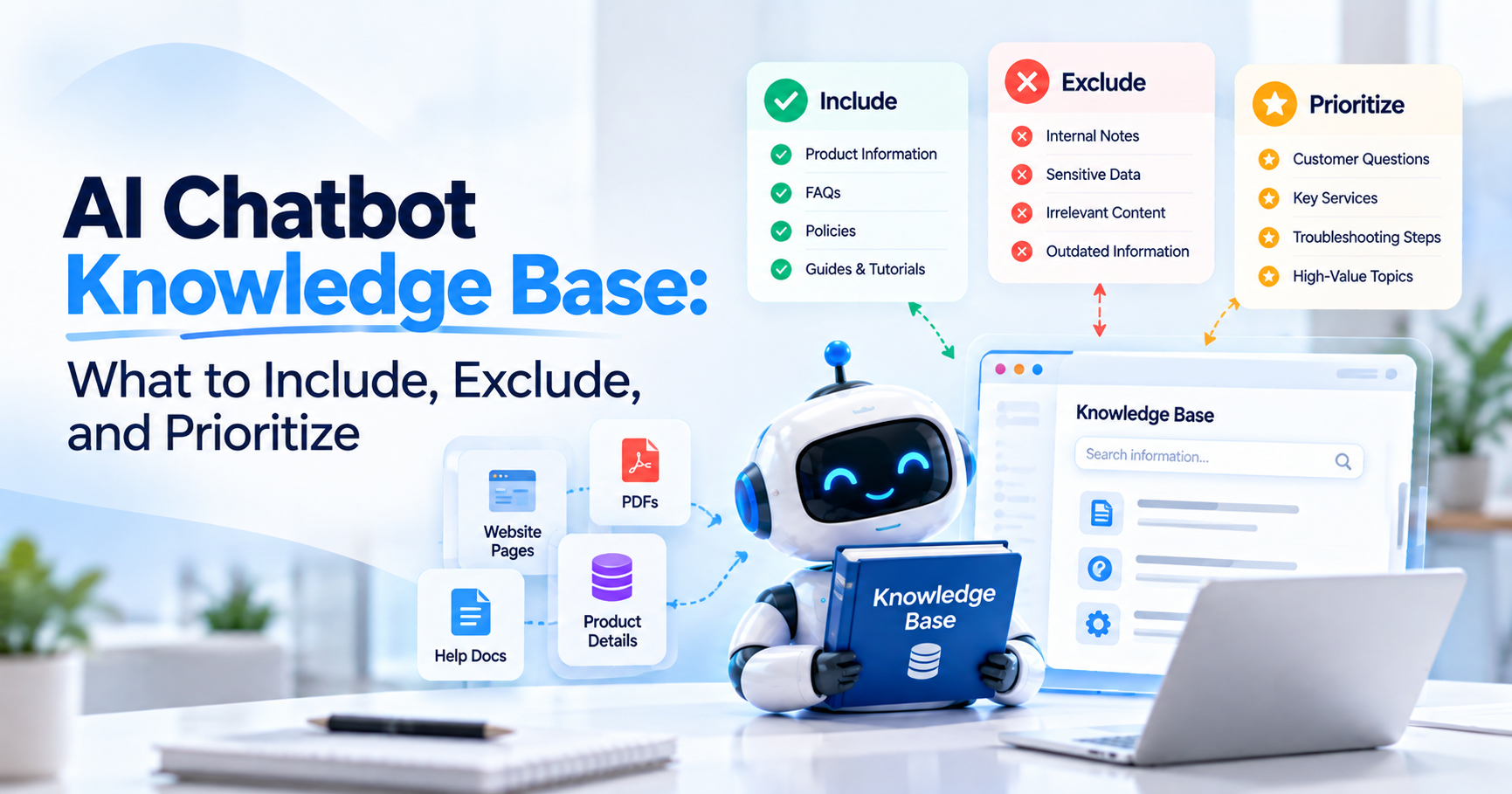
Giving an AI chatbot access to everything your company has ever written does not automatically make it understand your business better. It can do the opposite.
Imagine a customer asks: “How long do I have to return an item?”
Your current returns page says 30 days. An old PDF says 14 days. A discontinued FAQ says 21 days. A three-year-old blog post mentions a special holiday return period. The chatbot now has more information, but less certainty.
That is why a useful AI chatbot knowledge base should not be treated as a digital storage room where every website page, PDF, FAQ, policy, manual, and internal document is uploaded just in case it becomes useful.
It should be treated as a controlled source of truth.
The objective is to give the chatbot enough current, authoritative, relevant information to answer the questions it is responsible for, while excluding information that is outdated, duplicated, confidential, irrelevant, or likely to create conflicting answers.
Modern retrieval-based AI systems generally work by finding information relevant to a user's question and providing that information to the language model before it creates the answer. That means the quality of what goes into the knowledge base directly affects what the system can retrieve later.
The question is therefore not: “How much content can we give the chatbot?”
A better question is: “What information should the chatbot trust first when a customer asks something important?”
What Can I Use to Train a Website Chatbot on My Help Docs and Website Content?
Use a website-trained chatbot platform that can combine automated website crawling with uploaded business documents so your website pages provide the foundation and your help docs fill the important gaps.
This is usually more practical than manually writing hundreds of individual chatbot responses.
Your public website may already contain products, services, features, pricing, FAQs, policies, shipping information, help articles, and support resources. An AI website crawler can collect relevant content from those pages and organize it into knowledge the chatbot can retrieve during conversations.
You can then add information that is missing from the public website, such as product manuals, onboarding guides, approved internal FAQs, detailed troubleshooting documents, policy files, or pricing documentation.
Agent Best AI uses this website-first approach. You can start with your website through how Agent Best AI works, then supplement crawled website knowledge with approved documents rather than rebuilding your entire business knowledge manually.
The important part is controlling what enters the knowledge base. Website crawling and file uploads are methods of collecting knowledge. They are not substitutes for deciding which knowledge is correct.
What Is an AI Chatbot Knowledge Base?
An AI chatbot knowledge base is the collection of approved information the chatbot can search or retrieve when it needs business-specific context for an answer.
That information may come from website pages, FAQs, product information, service descriptions, help-center articles, policies, manuals, documentation, PDFs, and other approved sources.
The knowledge base is separate from the general knowledge of the language model. That distinction is essential. A general AI model may understand what a return policy is, but it does not automatically know your return policy.
It may understand common SaaS pricing structures, but it does not automatically know which features are included in your current Professional plan.
It may know how ecommerce sizing usually works, but it does not know the measurements for the products in your catalog unless that information is available through your business knowledge or another connected system.
When a chatbot retrieves the right information from an approved source before answering, the response can be grounded in your actual business rather than in general assumptions.
If you want a deeper explanation of that process, the existing guide on how to build an AI chatbot with a custom knowledge base covers the underlying approach in more detail.
Your Knowledge Base Should Follow the Customer Journey
The best way to decide what belongs in the knowledge base is to work backward from the questions customers actually ask. A SaaS chatbot does not need every document the company has ever produced.
It may need excellent coverage of product features, plans, integrations, onboarding, documentation, support, cancellation rules, security information, and demo questions.
An ecommerce chatbot may need product descriptions, specifications, variants, size guides, shipping policies, returns, warranties, payment information, and buying FAQs.
A service business may need service pages, industries served, pricing guidance, process information, service areas, FAQs, consultation details, and policies.
The knowledge base should be designed around those customer needs. This also protects the rest of your October content cluster from overlapping unnecessarily.
The question here is not simply how to train a chatbot or how website crawling works. The specific problem is deciding which information deserves priority inside the knowledge system once multiple sources are available.
Priority One: Core Product and Service Information
Your products and services should usually receive the highest priority because they answer the most fundamental customer question: “What does this business actually offer?”
For a service company, the chatbot should understand each major service, who it is designed for, what is included, important limitations, the typical process, and how someone should proceed if interested.
For ecommerce, product knowledge may include descriptions, specifications, materials, dimensions, compatibility, variations, categories, use cases, and other information customers need before purchasing.
For SaaS, the same layer includes features, plans, integrations, supported use cases, onboarding information, and product limitations. The important part is clarity.
A chatbot cannot reliably explain the difference between two services if the source pages themselves are vague or almost identical.
If customers need help choosing between options, the source content should clearly explain how those options differ.
This is also where a knowledge base can support product or service guidance rather than simple FAQ answering.
A customer might ask: “We are a five-person company and mainly need help with customer questions after business hours. Which option is relevant?”
A useful agent can only guide that visitor if your knowledge contains enough information about the available services or products to make the comparison.
Priority Two: Current Pricing and Plan Information
Pricing should be highly prioritized when it is publicly available and customers frequently ask about it. Price is also one of the areas where outdated knowledge creates immediate problems.
Suppose the main pricing page says: “Professional: $99 per month.”
An old PDF still says: “Professional: $79 per month.”
A chatbot that retrieves either document without knowing which is current may create a customer-service problem. Your chatbot knowledge base should therefore have a clear source of truth for pricing.
If the public pricing page is authoritative, keep that page current and remove or replace obsolete uploaded pricing files.
If pricing is customized rather than publicly fixed, the chatbot should know what it is allowed to explain and when a visitor should speak with sales.
Do not give the agent outdated price sheets simply because they may contain useful product descriptions elsewhere. Separate useful knowledge from obsolete commercial information.
Priority Three: Frequently Asked Questions
FAQs deserve high priority because they often represent questions customers already ask repeatedly. A useful FAQ source is not simply a marketing team's idea of what customers might ask.
It should reflect real enquiries from customer support, sales calls, contact forms, chat conversations, email, and other customer-facing channels. If people regularly ask:
“Do you ship internationally?”
“Can I cancel monthly?”
“Does this integrate with Shopify?”
“Do you offer installation?”
those questions should be easy for the chatbot to resolve. An AI chatbot does not require every possible wording to be written manually.
The source needs a clear, accurate answer to the underlying question. The AI can then handle conversational variations such as:
“ship outside US?”
“international delivery?”
“can this come to Canada?”
The wording changes. The business intent remains the same. If your repetitive questions deserve their own structured knowledge layer, the guide on how to build an FAQ chatbot covers that specific use case.
Priority Four: Customer Policies
Policies should be prioritized whenever they directly affect customer decisions or support conversations. That may include shipping, returns, refunds, cancellations, warranties, subscriptions, privacy information, service conditions, exchanges, deposits, payment rules, or booking policies.
Policy knowledge deserves special attention because a vague or outdated answer can create expectations the business never intended to create. The strongest setup gives the chatbot one clear current source for each important policy.
Suppose an ecommerce store has a main return-policy page plus a shorter FAQ explaining returns. That is acceptable if both communicate the same rule. The problem begins when the two sources disagree.
For critical policies, decide which source is authoritative and make supporting pages consistent with it. Do not expect the AI to determine which of several contradictory company statements represents the real policy. That is a business-content decision.
Priority Five: Help-Center and Support Content
Help documentation should be prioritized when the chatbot is expected to provide self-service customer support.
This may include setup instructions, troubleshooting articles, installation guides, account instructions, onboarding material, technical documentation, and frequently used support procedures. Good support knowledge allows the chatbot to move beyond basic company FAQs.
A user might ask: “How do I reconnect my account?”
The agent retrieves the relevant support procedure.
The user follows with: “I already tried that and still get an authentication error.”
Now the chatbot may need a more detailed troubleshooting article or may need to hand the conversation to a person. This is why support knowledge and human handoff should complement one another. The knowledge base handles situations with documented solutions.
Your team handles exceptions, investigation, sensitive issues, and situations where the documentation is not enough. Agent Best AI supports both business knowledge and human handoff within its broader AI chatbot feature set.
Priority Six: Product Manuals and Technical Documentation
Manuals and detailed documentation belong in the knowledge base when customers genuinely ask questions that require them. Do not add a 300-page manual simply because it exists.
First ask whether the audience using this particular chatbot needs information from it. A technical-support assistant may need the manual.
A pre-sales chatbot may only need selected product capabilities, specifications, installation requirements, and compatibility information. This distinction is important because a knowledge base should reflect the agent's role.
If the chatbot is designed mainly for prospective customers, filling it with deeply technical internal documentation can create unnecessary retrieval noise.
If it serves existing customers as well, that same documentation may become valuable. The right source is always relative to the job the chatbot is expected to perform.
Priority Seven: Business Information Customers Actually Need
Basic company information should be included when visitors regularly ask about it. That may include operating hours, service locations, contact methods, appointment processes, delivery regions, office addresses, eligibility requirements, or service availability.
This information can seem too simple to prioritize, but simple questions often represent a large share of repetitive website enquiries.
A customer should not need to navigate through several pages just to find out whether your service is available in their location. If the answer exists and is stable, it belongs in the customer-facing knowledge layer.
What Should You Exclude From an AI Chatbot Knowledge Base?
Exclude content that is outdated, conflicting, irrelevant to the chatbot's job, inappropriate for the audience, unnecessarily duplicated, or unsafe to expose through the agent. The biggest mistake is treating inclusion as the default.
A better rule is: Every source should have a reason to be there. If nobody can explain what category of customer question a source helps answer, reconsider whether the chatbot needs it.
Exclude Outdated Content
Old information is one of the highest-risk knowledge problems because it may still look perfectly credible to the retrieval system. An expired pricing sheet does not contain a warning saying: “Do not use me anymore.”
It simply contains a price. The same problem appears with discontinued products, old support instructions, historical service packages, expired promotions, previous refund rules, and superseded documentation.
When information is replaced, remove or clearly retire the old knowledge rather than leaving both versions available indefinitely. A chatbot cannot reliably understand your internal document history unless that version logic is explicitly represented.
Exclude Duplicate Sources When They Add No New Value
Duplication is not automatically harmful, but unnecessary duplication makes knowledge management harder and can magnify inconsistencies.
Suppose the same policy is copied into the website, FAQ document, PDF handbook, support article, and onboarding guide.
At launch, every version may agree. Six months later, someone updates the website but forgets the other four. Now the duplication has become a conflict.
Where practical, maintain one authoritative source and let other content point back to it or remain synchronized. This becomes increasingly important as the knowledge base grows.
The upcoming cluster topic on custom knowledge conflicts can explore duplication in more detail, but the rule for this article is simple: do not create five sources of truth when one authoritative source will do.
Exclude Conflicting Information Until It Is Resolved
If two sources disagree, resolve the business question before adding both to the chatbot. Do not use the AI as the referee.
Imagine one document says: “Customers can cancel at any time.”
Another says: “Annual customers cannot cancel before renewal.”
The chatbot should not decide which interpretation seems more reasonable. Someone responsible for the business policy should determine the correct rule. Then the knowledge should be updated.
This applies particularly to pricing, contracts, policies, warranties, product specifications, service scope, compliance claims, and availability. The chatbot's reliability begins with the organization's information discipline.
Exclude Confidential Information the Chatbot Does Not Need
Do not put sensitive information into a customer-facing chatbot knowledge base simply because the upload interface makes it easy.
Internal financial information, credentials, API keys, employee records, confidential contracts, security procedures, private customer information, internal strategy, and other restricted material should not be made available to a public-facing agent unless there is a defined access-controlled requirement.
A knowledge source and a permission system are different things. If some users are allowed to access private information and others are not, the architecture needs appropriate authentication and authorization.
That is not the same as giving an ordinary public website chatbot more documents. For a public-facing agent, use the minimum knowledge required for the customer experience.
Exclude Content That Has Nothing to Do With the Agent's Job
A chatbot designed for customer support does not need every HR policy.
A sales chatbot does not need internal engineering retrospectives.
An ecommerce shopping assistant probably does not need every company press release.
A website assistant does not need a decade of old blog posts unless those articles contain information customers genuinely need and the information remains current. This does not mean blogs can never become useful chatbot knowledge.
A detailed guide explaining product compatibility may be valuable.
A historical company announcement from 2019 probably is not.
Relevance should determine inclusion.
Should You Include Blog Posts in the Knowledge Base?
Include blog posts selectively when they contain current, useful information that supports real customer questions, but do not treat the entire blog archive as automatically useful knowledge.
Blog content has a different lifecycle from product and policy content. An article may have been correct when published but contain old pricing, screenshots, recommendations, statistics, product capabilities, or processes.
A customer asking about today's product should not receive a three-year-old answer simply because an old blog ranks well in your website structure.
Before including blog content, check whether the article is still accurate, whether the subject is relevant to customer conversations, and whether a more authoritative product or documentation page already covers the same information.
For evergreen educational topics, a current blog can be useful. For changing commercial facts, prefer the authoritative page.
Should You Include Marketing Landing Pages?
Include landing pages when they contain unique, accurate product or service information, but avoid importing dozens of campaign pages that repeat the same claims in slightly different wording.
Marketing teams frequently create separate pages for paid campaigns, industries, locations, offers, and audience segments. Some contain genuinely useful information. Others repeat the main website with a different headline.
If ten landing pages describe the same service, adding all ten may not materially improve the chatbot's ability to answer questions.
Prioritize the page that best represents the current offering. Then include specialized landing pages only when they contain useful differences, such as an industry-specific use case or a separate service condition.
Should You Include Internal Documents?
Include internal documents only when the chatbot genuinely needs the information and the intended users are authorized to receive answers derived from it. There is an important difference between an approved support document and a confidential internal document.
A private troubleshooting guide that support teams already use may be useful for an authenticated support agent.
A document containing customer credentials, private commercial arrangements, or sensitive employee information is a very different source.
Do not decide based only on whether a file is technically uploadable. Decide based on the audience, access requirements, and business purpose.
Should Live Inventory, Orders, or Account Data Go Into the Knowledge Base?
No. Information that changes continuously or belongs to a specific customer should normally come from a live integration rather than being copied periodically into a static knowledge base. This distinction prevents a common architecture mistake.
A knowledge base can explain: “Our standard delivery time is three to five business days.”
An integration may be required to answer: “Where is my order right now?”
The knowledge base can explain: “The Professional plan supports API access.”
An authenticated account integration may be needed to answer: “Which plan is my company currently using?”
The knowledge base can explain product specifications. A live ecommerce connection may be needed to confirm whether a particular variant is currently in stock.
Website knowledge, uploaded documents, and live operational data solve different problems. Do not use static knowledge to imitate data that should be retrieved from the system responsible for keeping it current.
How Should You Prioritize an AI Chatbot Knowledge Base?
Prioritize sources according to authority, customer value, freshness, frequency of use, and risk if the information is wrong.
A useful hierarchy usually starts with current product or service information, followed by pricing, high-frequency FAQs, customer policies, help content, and important technical documentation.
Supporting business information comes next. Lower-priority educational or historical material should only be included when it helps answer a defined category of questions.
Think of the hierarchy this way. If this information is wrong, how much damage could it cause?
Pricing and return policies deserve strong control because incorrect answers can immediately affect buying decisions and customer expectations.
If this information is frequently requested, how easy should it be to retrieve?
Common product questions and support procedures deserve strong coverage.
If this information changes often, who is responsible for keeping it current?
Products, prices, promotions, plans, and policies need an update process.
If this information is rarely relevant, does the chatbot need it at all?
That final question keeps the knowledge base focused.
Authority Should Beat Convenience
The easiest source to upload is not always the source the agent should trust. Suppose your support team has a spreadsheet summarizing product warranties while your legal-approved warranty policy exists on the website.
The spreadsheet may be easier to read. The approved policy may still need to be the authoritative source.
You can improve the source formatting, but you should not silently replace authoritative information with a convenient summary unless the organization deliberately approves that summary.
Knowledge governance is partly a content-management problem. Someone needs to know which source represents the official answer.
Freshness Should Affect Priority
A correct document that is no longer current is not reliable knowledge. This matters particularly for products, services, prices, integrations, policies, documentation, and support instructions.
Website crawling has an advantage when important information is already maintained on the public site because refreshed content can update the chatbot's knowledge without manually rebuilding every answer.
Agent Best AI supports a website-first approach and knowledge updates through its How It Works and Features workflows.
For information stored in uploaded documents, the business still needs a process for replacing or removing obsolete versions. The next question should always be: “When this source changes, how does the chatbot change with it?”
Structure Matters Because Retrieval Has to Find the Right Passage
Good knowledge is not only accurate. It also needs to be retrievable. A 100-page document may contain the correct answer somewhere, but that does not mean the system will always identify the most relevant section for every question.
Modern retrieval-based systems generally split larger content into smaller retrievable portions and search for portions relevant to the user's query. That means document structure can affect retrieval quality.
Clear headings, focused sections, descriptive product names, explicit plan names, consistent terminology, and concise policy statements make the meaning easier to locate.
Consider: “Professional plan API access”
versus a document section called: “Other things included.”
Both may contain the same fact. The first provides much stronger context. You do not need to rewrite business documentation for machines. You do need content whose meaning is clear.
Use Descriptions and Metadata Where the Platform Supports Them
When your chosen platform supports source descriptions, categories, metadata, or filters, use them to make the knowledge architecture easier to control.
For example, a source might be identified as: “Current public pricing for SaaS plans”
Or: “Technical installation manual for Product X, version 4.”
That is more useful operationally than twenty files named:
final.pdf
final-v2.pdf
new-final.pdf
new-final-approved.pdf
Knowledge management starts before AI retrieval. Clear filenames, ownership, versioning, and source purpose make the system easier for humans to maintain as well.
How Much Knowledge Is Too Much?
You have too much knowledge when adding more content increases duplication, contradictions, irrelevant retrieval, maintenance effort, or uncertainty without helping the chatbot answer useful new questions.
There is no universal number of pages or documents where a knowledge base becomes “too large.”
A well-managed collection of thousands of relevant documents can be useful. A poorly managed collection of fifty conflicting documents can be a problem. The issue is not simply size. It is signal quality.
Ask what new category of customer question each additional source enables the chatbot to answer. If the answer is: “None, but we had the document available,” it probably does not need to be included.
How Do You Test Whether the Knowledge Base Is Working?
Test whether the system retrieves and uses the correct source information, not merely whether the final answer sounds natural. Start with questions you know the answer to. Ask them in several forms. For example:
“What is the return period?”
“How many days do I have to send something back?”
“Can I return this next month?”
Then test follow-up questions.
“What about sale items?”
Then ask something the knowledge base does not contain.
“Can I return an item after six months if I changed my mind?”
The chatbot should not invent a policy. Finally, test questions that require information from more than one source.
For example: “Which plan supports API access and at least 20 users?”
That may require the system to combine plan capacity with feature availability.
This kind of testing tells you much more than asking: “Is the chatbot working?”
For a broader training workflow, see how to train a chatbot on website content.
Use Customer Conversations to Discover Missing Knowledge
After launch, unanswered and poorly answered questions should become input for knowledge-base improvement.
If many customers ask something the chatbot cannot answer, you may have discovered an information gap.
If customers repeatedly ask the same follow-up after receiving an answer, the underlying content may not explain the subject clearly enough.
If a particular question constantly requires human handoff, decide whether that is appropriate or whether better documentation could resolve some of those cases.
Conversation analytics can therefore reveal weaknesses in both the chatbot and the website.
This creates a useful feedback loop: Customer question → chatbot retrieval → conversation outcome → knowledge gap → content improvement. The AI agent becomes another way to learn what customers struggle to find or understand.
Should You Use an AI Website Crawler or Upload Everything Manually?
Use an AI website crawler for current public website information and manual uploads for important knowledge that does not exist on the website. For many businesses, the strongest setup is a controlled combination of both.
Crawling is efficient for products, services, pricing pages, public FAQs, policies, and support pages that are already maintained online.
Uploads are useful for manuals, private support guides, detailed documentation, approved FAQs, pricing sheets, or other information that is not publicly available. Neither approach is automatically more accurate.
Accuracy depends on the quality and freshness of the source.
A perfectly crawled outdated page is still outdated.
A perfectly uploaded PDF containing old pricing is still wrong.
The detailed differences between crawling and extraction are covered in How AI Website Crawling Helps Chatbots Learn Your Business.
How Do You Build a Custom Knowledge Base Chatbot Without Creating a Maintenance Problem?
Build the knowledge base around a small number of authoritative sources, define who owns each important area, and create an update process before the content becomes outdated.
For example, product teams may own product information.
Marketing may own public service pages.
Support may own troubleshooting documentation.
Operations may own delivery processes.
Legal or management may own certain policies.
The chatbot team should not quietly rewrite those business truths.
Its job is to make sure the current approved information reaches the agent.
A custom knowledge base chatbot becomes difficult to maintain when nobody knows which document is authoritative, where updates should happen, or whether an old version can be deleted. Clear ownership reduces those problems.
Where Agent Best AI Fits
Agent Best AI is designed around a controlled combination of website knowledge and additional business content.
The process can begin with your website URL so relevant pages containing products, services, pricing, FAQs, policies, categories, help content, and other public information can become the knowledge foundation.
The business can then expand that foundation with additional PDFs, manuals, pricing documents, FAQs, support resources, policies, onboarding material, and other approved information that customers or team members may need.
The objective is not to upload everything. It is to give the agent the information required for the conversations it is supposed to handle.
Once the knowledge is prepared, the chatbot can be tested and deployed to the website through the standard Agent Best AI workflow. As business information changes, knowledge should be refreshed so answers continue to reflect the current website and approved documents.
You can review the complete Agent Best AI knowledge and deployment process or explore the broader Agent Best AI features.
Final Thoughts
A useful AI chatbot knowledge base is not the largest collection of business information you can assemble. It is the smallest reliable collection that gives the chatbot enough authoritative knowledge to handle its real job well.
Start with the information customers need most: current products or services, pricing, high-frequency FAQs, policies, and support content.
Add manuals and detailed documents when they solve real knowledge gaps.
Use website crawling where the website is the maintained source of truth.
Use controlled uploads where important information lives outside the public site.
Exclude outdated, conflicting, irrelevant, duplicated, or unnecessarily sensitive content.
Keep live customer data and changing operational information in the systems designed to maintain it rather than pretending a static knowledge base can stay current.
Then test the questions customers actually ask.
The best knowledge base does not help the chatbot answer everything.
It helps the chatbot retrieve the right business information when an answer exists, recognize when the evidence is insufficient, and provide a sensible next step when the question belongs somewhere else.
That is what turns a collection of pages and documents into knowledge an AI chatbot can actually use.
Research verification for this article used the October topic plan and Agent Best AI product material, including the intended knowledge-base focus and current website-plus-document workflow.
Official AWS documentation confirms the retrieval-based pattern in which relevant source information is retrieved before response generation, while current Microsoft documentation confirms that modern agents can use websites and uploaded files as knowledge sources.