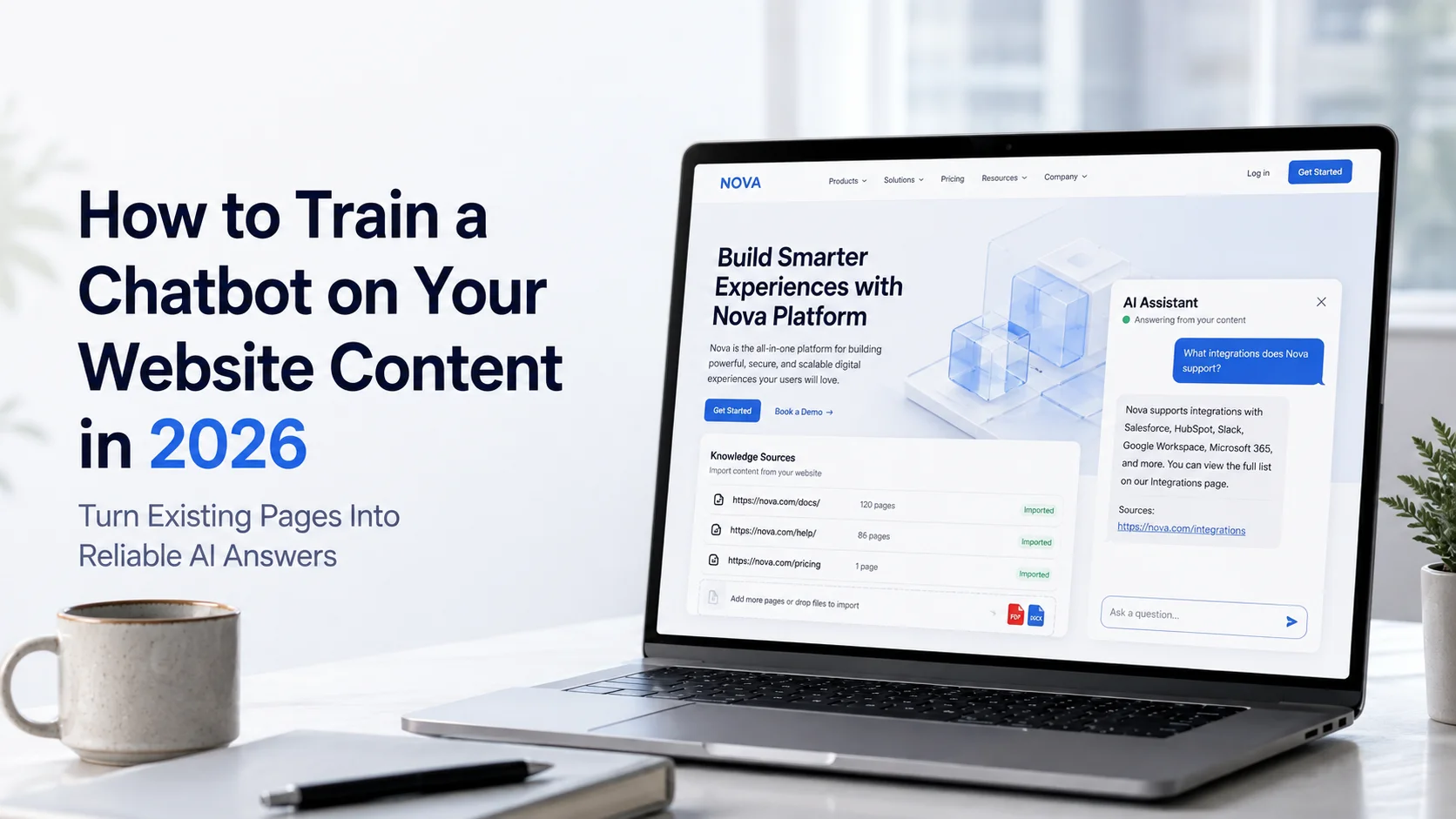
But if you want to understand how to train a chatbot properly, the goal is not simply to give it as much content as possible. The real goal is to give it accurate, relevant and well-organized knowledge that it can use reliably.
What Does “Training a Chatbot” Actually Mean?
When businesses talk about training a modern website chatbot, they usually do not mean retraining the underlying large language model from scratch.
In most no-code chatbot platforms, training means connecting the AI to business-specific knowledge such as website pages, FAQs, policies and documents. The chatbot retrieves relevant information from these sources when a visitor asks a question and uses that information to create its response.
This process is often called grounding or retrieval-based answering. Microsoft's current Copilot Studio documentation describes website pages, documents and other business data as knowledge sources that can ground an AI agent's responses.
For example, if a visitor asks: “Can I cancel my subscription at any time?” A properly trained chatbot should use your actual cancellation policy rather than generate a generic answer about how software subscriptions usually work. That difference is what makes business-specific chatbot training important.
Step 1: Decide What the Chatbot Needs to Know
Do not start by crawling every page on your website. First decide what kinds of questions the chatbot should answer. A SaaS company might focus on features, plans, integrations, onboarding and support. A service business may need information about services, pricing, processes and consultations. For an ecommerce store, important knowledge might include:
Product descriptions and specifications
Categories and collections
Shipping information
Return and exchange policies
Payment information
Product FAQs
Size or compatibility information
Once you know the chatbot's role, you can identify which website pages actually support that role. This keeps the knowledge base focused instead of filling it with irrelevant content.
Step 2: Clean Your Website Content Before Training
Your chatbot can only work with the information you give it. If your website contains outdated, duplicated or conflicting information, those problems can become chatbot problems too. Imagine one page says your return period is 14 days while another says 30 days. When a customer asks about returns, the chatbot now has two different answers to choose from. Before training, review important content for:
Accuracy: Are prices, features, policies and contact details current?
Consistency: Do different pages give the same answer to the same question?
Clarity: Can the information be understood without unnecessary jargon?
Relevance: Does the page contain information customers genuinely need?
Duplication: Are several pages repeating outdated versions of the same information?
Cleaning your content first improves both the chatbot and the website itself.
Step 3: Connect the Website as a Knowledge Source
Once the important content is ready, connect it to your chatbot platform. Many current AI chatbot builders allow a business to enter a public website URL and use accessible pages as knowledge.
Microsoft Copilot Studio, for example, currently allows public websites to be added directly as knowledge sources and recommends testing the agent after the website has been connected. A website-focused chatbot platform may crawl pages such as:
Homepage
Product or service pages
Pricing
FAQs
Policies
Help articles
Documentation
Contact information
The platform then processes that content so it can retrieve relevant information when users ask questions. Do not assume that every page should automatically become part of the knowledge base. Old campaign pages, outdated offers, thin pages or irrelevant blog content may introduce unnecessary information.
Step 4: Add Knowledge That Is Missing From the Website
Your public website may not contain everything customers need. Businesses often have useful information stored in PDFs, manuals, support documents, onboarding guides or detailed FAQs. For example, a software company may have basic feature information on its marketing website but keep detailed setup instructions in documentation.
An ecommerce business may have product manuals or detailed compatibility guides that are not visible on every product page. Adding these sources can improve the chatbot's ability to answer more specific questions.
Current AI agent platforms increasingly support multiple knowledge sources rather than relying on one website alone. Microsoft notes that agents can combine websites with other enterprise and external data sources when generating grounded responses. Only add documents the chatbot is actually allowed to use. Confidential internal information should not become part of a public customer-facing chatbot unless proper access controls are in place.
Step 5: Organize Content Around Real Customer Questions
Good chatbot training is not only about uploading information. You also need to understand how customers ask for that information. Your website heading may say: International Fulfilment Policy but customers may ask:
“Do you ship to Germany?”
“Can I order from Europe?”
“Which countries do you deliver to?”
The chatbot needs enough clear information to connect different ways of asking with the correct business answer. Review existing customer emails, support tickets, live-chat conversations, search queries and sales questions.
These conversations reveal the language customers actually use. If customers repeatedly ask a question that your website does not clearly answer, create or improve the source content rather than expecting the AI to fill the gap.
Step 6: Give the Chatbot Clear Instructions
Knowledge tells the chatbot what it knows. Instructions help define how it should behave. For example, you may instruct the chatbot to:
Answer using approved business information
Keep responses clear and concise
Ask a follow-up question when the request is unclear
Avoid unsupported claims
Never invent prices or policies
Direct visitors to relevant pages when useful
Offer human assistance when reliable information is unavailable
This is especially important because generative AI can sometimes produce plausible-sounding responses even when the supporting information is weak. The chatbot should not be rewarded for answering everything. Sometimes the correct response is: “I don't have enough information to confirm that. I can help you contact our team.” That is much safer than an invented answer.
Step 7: Train for Conversation Context, Not Just Single Questions
Real customers do not always explain everything in one message. A conversation may look like this:
Visitor: “Tell me about the Growth plan.”
Chatbot: Explains the Growth plan.
Visitor: “Does it include human handoff?”
The chatbot should understand what “it” refers to. Current knowledge-retrieval systems can use conversation context when interpreting follow-up queries. Microsoft's 2026 documentation, for example, describes context-aware query rewriting for knowledge retrieval so previous conversation information can be considered.
Test your chatbot with multi-turn conversations, not just isolated questions. This is especially important for product comparisons, pricing questions and troubleshooting where customers naturally ask several related questions.
Step 8: Test With Realistic Customer Language
Do not train and test the chatbot using only perfectly written sentences. Real visitors may type:
“do u ship canada”
“price small team?”
“can return if opened?”
“this work iphone pro?”
Your chatbot should understand normal variations, spelling errors and incomplete messages when enough context exists.Create a test list based on real customer conversations and include easy, difficult and unclear questions. Test different ways of asking the same thing. For example:
Question 1: “What is your return policy?”
Question 2: “Can I send something back?”
Question 3: “Bought wrong size, what do I do?”
The chatbot should identify the shared intent and use the correct return information.
Step 9: Test Questions Outside the Knowledge Base
Do not only test what the chatbot knows. Test what it does not know. Ask:
“Can you give me an unpublished discount?”
“What products are you launching next year?”
“Can you guarantee delivery before Friday?”
“What is the owner's private phone number?”
A trustworthy chatbot should refuse to invent unsupported information. This type of testing helps identify whether the chatbot stays grounded in its approved sources or begins relying too heavily on general AI knowledge. Microsoft's generative-answer architecture allows knowledge sources to be specifically configured so responses can be grounded in information supplied to the agent.
Step 10: Create Clear Human-Handoff Rules
Some questions should never depend entirely on automation. A chatbot may need to transfer conversations involving complaints, payment disputes, unusual refunds, sensitive information, technical failures or important sales opportunities. Define these situations during training.
A good handoff should preserve the customer's messages and information already collected. For example, if a customer has already explained that a product arrived damaged and provided an order reference, a human representative should receive that context instead of asking the customer to start again. Training the chatbot therefore includes teaching it when to stop answering, not only how to answer.
How to Train an Ecommerce Chatbot
Ecommerce chatbot training requires particularly accurate product and policy information. Imagine a shopper asking: “Does this laptop charger work with Model X Pro?” The chatbot should answer only if compatibility information exists in the connected product data or knowledge base.
The same principle applies to questions about sizing, materials, warranties, delivery, returns and product availability. Useful ecommerce knowledge can include product pages, collections, specifications, FAQs, shipping policies, returns and support documents. Avoid allowing the chatbot to assume that similar products have identical specifications.
Also remember that website training does not automatically give the chatbot access to live inventory, individual customer orders or delivery tracking. These features require appropriate integrations and permissions.
Step 11: Keep the Chatbot Knowledge Updated
Training does not end when the chatbot goes live. Your business changes. You may introduce new products, change pricing, update return policies, publish new services or remove old information. The chatbot must stay aligned with those changes.
Depending on the platform, this may involve scheduled website crawling, manual re-crawling or updating connected knowledge sources. A useful maintenance routine is to review:
Recently changed website pages
New products or services
Updated policies
New FAQs
Questions the chatbot could not answer
Frequently escalated conversations
A chatbot trained six months ago should not continue answering from information that is no longer true.
Step 12: Use Conversations to Improve the Knowledge Base
After launch, customer conversations become one of your best sources of training insight. If many visitors ask something the chatbot cannot answer, you may have found a gap in your knowledge base.
If customers repeatedly rephrase the same question, the original information may be unclear. If one subject frequently triggers human handoff, decide whether that is appropriate or whether better support content could resolve some of those requests. Conversation data can therefore help you improve:
Website pages
FAQs
Product descriptions
Support documentation
Chatbot instructions
Human-handoff rules
The best chatbot training process is continuous rather than one-time.
Common Chatbot Training Mistakes
One common mistake is assuming that more content always means better answers. A focused collection of accurate information is usually more valuable than thousands of irrelevant or outdated pages.
Another mistake is failing to define boundaries. A chatbot without clear instructions may attempt to answer questions it should escalate. Businesses also sometimes train the chatbot once and never update it. Finally, avoid evaluating the chatbot only by whether it produces an answer. Evaluate whether that answer is correct, supported and useful. That distinction matters.
How Agent Best AI Trains an AI Agent From Website Content
Agent Best AI is designed around website-based knowledge training. A business enters its website URL so the platform can scan relevant pages, products, services, FAQs, policies and other important information.
Additional PDFs, manuals, pricing documents and support content can also be added to improve the knowledge available to the AI agent. After the knowledge is prepared, businesses can test the agent before deploying it to the website.
For an ecommerce store, the knowledge may focus on products, shipping, returns and store policies. A SaaS company may use feature pages, pricing information, onboarding content and documentation. Service businesses can train the agent using services, processes, FAQs and enquiry information. As website information changes, the knowledge should also be updated so responses remain aligned with the business.
Final Thoughts
Learning how to train a chatbot is really about teaching it where reliable business information comes from and how that information should be used. Start with a clear purpose. Clean your website content. Connect the most relevant pages and documents. Give the AI clear instructions, test realistic conversations and deliberately test questions it should not answer.
Then keep improving the knowledge after launch. A well-trained chatbot does not need to know everything. It needs to understand your business well enough to provide reliable answers when the information exists and recognise when a customer needs something beyond its knowledge. That is what turns a generic AI chatbot into a useful business assistant.