What Is AI Chatbot Customer Service?
AI chatbot customer service is the use of an artificial intelligence-powered conversational assistant to answer customer questions and support service interactions. Unlike a traditional chatbot that depends mainly on fixed buttons and scripted replies, an AI chatbot can understand different ways of asking the same question. It may use website pages, FAQs, policies, product information, manuals, and uploaded documents to create a relevant answer. For example, customers might ask:
“When will my order arrive?”
“How long does delivery usually take?”
“Can you tell me your shipping time?”
An AI chatbot can recognise that these questions share the same general intent and respond using the business’s approved shipping information. Modern AI customer service chatbots can support self-service, manage multiple conversations, retrieve knowledge, collect information, and escalate complex requests. Their exact capabilities depend on the platform, available knowledge, integrations, and permissions.
Why AI Chatbots Matter for Customer Service in 2026
Customers increasingly expect businesses to provide fast and convenient digital support. Zendesk’s 2026 customer-experience research found that 74% of consumers expect customer service to be available around the clock because of AI, while 88% expect faster responses than they did one year earlier.
Businesses are also moving beyond small experiments. Salesforce reported that adoption of AI agents among customer-service organisations increased from 39% in 2025 to 66% in 2026. This indicates that AI-supported service is becoming part of normal customer operations rather than remaining only an emerging idea.
However, faster responses do not automatically mean better service. A chatbot must still use accurate information, protect customer data, recognise its limitations, and provide access to a person when automation is not appropriate.
1. Customers Receive Faster Answers
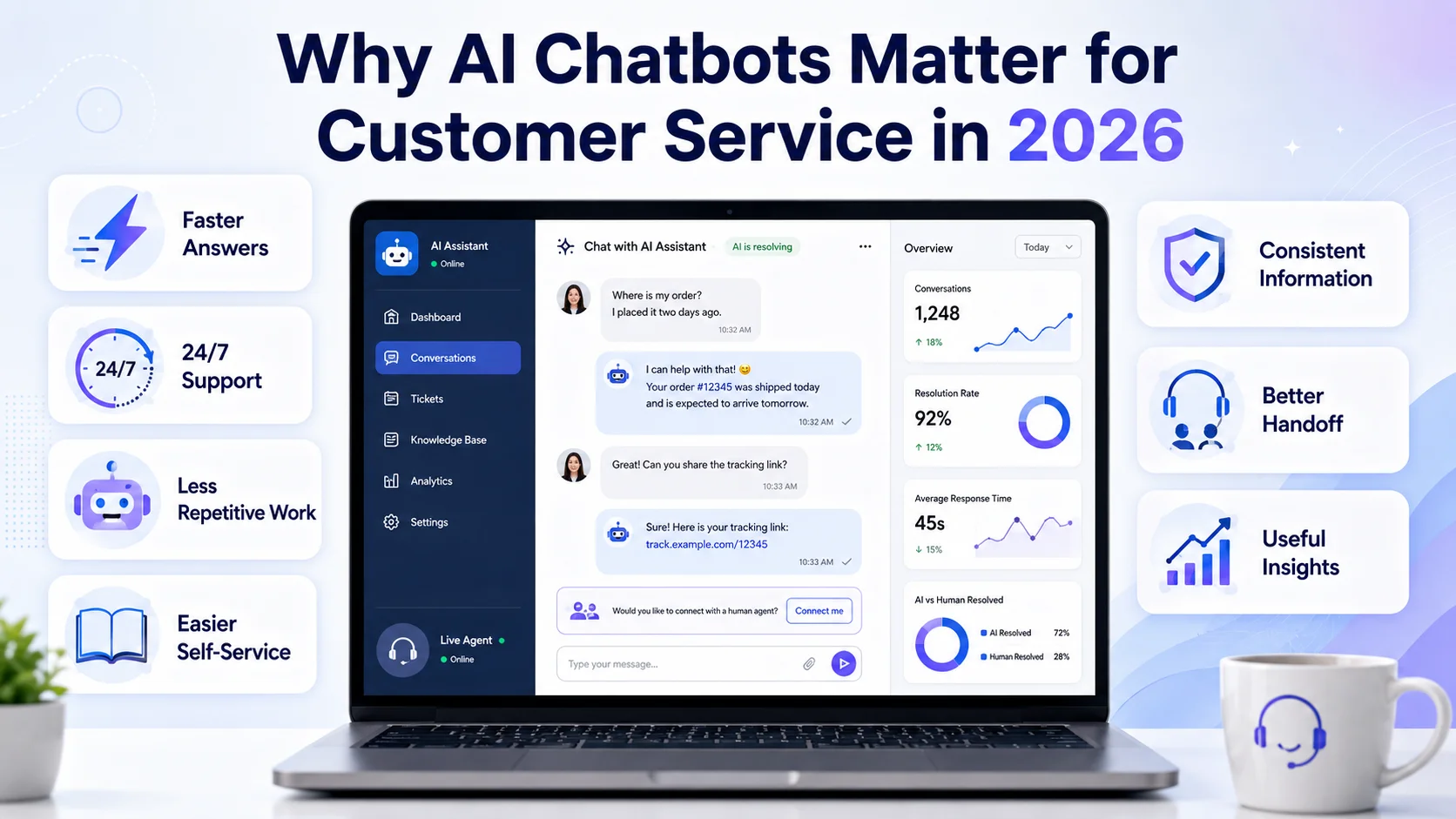
The most immediate benefit of an AI customer service chatbot is speed. Customers do not need to search through several pages or wait in a support queue for straightforward information. They can ask about products, services, policies, delivery, returns, bookings, or basic troubleshooting and receive an immediate response.
This is particularly valuable when a customer is already frustrated or close to making a decision. A quick and accurate answer may prevent the customer from abandoning a purchase, submitting an unnecessary ticket, or contacting the business through several channels. The chatbot should only answer from reliable information. When it cannot confirm the answer, it should clearly explain that more help is needed instead of generating a confident guess.
2. Support Becomes Available Outside Working Hours
Customers may visit a website during evenings, weekends, holidays, or from a different time zone. A support team usually cannot remain online continuously, but an AI chatbot can still provide suitable assistance. It may answer common questions immediately, direct the customer to the correct resource, or collect information for later follow-up. For example, a customer visiting after working hours might ask:
“What documents do I need before my appointment?”
The chatbot can provide the approved requirements or guide the customer to the relevant page. Around-the-clock availability does not mean the chatbot must resolve every problem. It should identify situations that need human attention and set realistic expectations about when the team will respond.
3. Support Teams Handle Less Repetitive Work
Customer-service representatives often answer the same questions every day. Common examples include:
Where can I find my invoice?
What is your return policy?
How do I reset my password?
Do you deliver internationally?
How do I update my account?
What are your working hours?
An AI chatbot can manage many of these repeated questions using approved business content. This allows support representatives to spend more time on technical problems, unusual requests, complaints, and conversations requiring personal attention. The aim should not be to reduce human involvement at any cost. It should be to use employee time where human experience provides the most value.
4. Customers Get Easier Self-Service
Many customers prefer solving simple problems without calling, emailing, or waiting for a support representative. An AI chatbot can guide users through relevant help articles, policies, account instructions, troubleshooting steps, and website pages.
Instead of showing a long list of possible resources, it can first understand the customer’s question and then present the most relevant next step. For example, a software user might ask: “How do I invite another team member?”
The chatbot can provide the approved instructions or direct the user to the correct account guide. Self-service should remain optional. When the instructions do not work or the customer asks for personal help, the chatbot should provide a clear escalation route.
5. Businesses Can Provide More Consistent Information
Different support representatives may sometimes explain the same policy or process differently. An AI chatbot trained on approved knowledge can provide more consistent responses across customer conversations. This is useful for product information, shipping rules, service procedures, account instructions, and other frequently requested details.
Consistency still depends on knowledge quality. If the chatbot is connected to outdated prices, conflicting policies, or incomplete support documents, it may provide the same incorrect answer repeatedly. Businesses must therefore update their chatbot whenever products, services, policies, prices, or internal procedures change.
6. Human Agents Receive Better Conversation Context
A customer should not have to repeat the complete problem after being transferred from AI to a person. A good chatbot can collect the customer’s question, relevant details, previous messages, and reason for escalation before handing over the conversation. The representative can then review the context and continue from where the chatbot stopped.
For example, the chatbot may collect an order number, identify that an item arrived damaged, and transfer the conversation to a human representative responsible for returns.
This creates a smoother experience for the customer and reduces the amount of time employees spend gathering basic information. AI is also increasingly used behind the scenes to summarise conversations, retrieve relevant support knowledge, and suggest possible next steps for human representatives.
7. Customer Conversations Provide Useful Insights
Chatbot conversations can reveal what customers find confusing. A business may discover that many users repeatedly ask about a particular product feature, delivery condition, cancellation rule, or account process. This may indicate that the relevant website page or support document needs improvement. Conversation analysis can help identify:
Frequently asked questions
Missing website information
Unclear policies
Products generating repeated support requests
Common reasons for human handoff
Questions the chatbot cannot answer
Changes in customer concerns over time
The business should not simply automate the same response forever. When possible, it should fix the underlying source of confusion.
Real AI Chatbot Customer Service Use Cases
Frequently asked questions are one of the safest places to begin. A chatbot can explain working hours, service areas, delivery conditions, cancellation procedures, payment options, warranties, and return or exchange policies. These requests usually have clear answers and do not require the chatbot to make a sensitive decision.
- Ecommerce Customer Support
Ecommerce stores receive questions before, during, and after a purchase. Before buying, shoppers may ask about product specifications, sizes, compatibility, materials, delivery, or return conditions. After purchase, they may need guidance about exchanges, damaged items, missing packages, or order-support procedures.
For example, a customer might ask: “Can I exchange these shoes if the size does not fit?” The chatbot can explain the store’s published exchange policy and guide the customer towards the correct process.
Access to live inventory, personal order details, refunds, and shipment tracking requires secure integrations and customer verification. A chatbot should clearly distinguish between explaining a process and completing an action. Google Cloud identifies customer assistance, product discovery, contact-centre support, and agent assistance as common conversational AI applications.
- Basic Technical Troubleshooting
A chatbot can guide customers through approved troubleshooting steps for common issues. For example, it may help a user reset a password, clear a browser cache, check account settings, or find the correct product manual.
The chatbot should not improvise technical instructions. When standard steps do not resolve the problem, it should collect relevant information and transfer the case to a qualified support representative.
- Customer Onboarding
New customers often need help immediately after purchasing a service or creating an account. An AI chatbot can explain first steps, guide users to tutorials, answer setup questions, and direct them to relevant documentation.
For a SaaS company, this might involve explaining how to create a workspace, invite users, connect an integration, or find account settings. Clear onboarding support can reduce confusion without removing the option to speak with the customer-success or technical-support team.
- Ticket Collection and Routing
A chatbot can collect basic details before creating or routing a support request. It may ask for the customer’s name, contact details, account or order number, the type of issue, and a short explanation.
The request can then be directed to billing, technical support, sales, returns, or another appropriate team. This is useful when a business receives many different types of enquiries through one support channel.
- Multilingual Customer Assistance
AI chatbots can also support customers in multiple languages, depending on the platform. This can make basic information more accessible to customers in different regions without requiring a separate team for every language.
Important translations still require careful testing. Payment conditions, return policies, legal terms, safety information, and technical instructions should not depend entirely on unchecked automated responses.
- Human Handoff for Complex Cases
Some conversations should move quickly to a person. Typical examples include payment disputes, unusual refunds, emotional complaints, account-security concerns, sensitive personal information, complex technical failures, and decisions requiring approval. The chatbot can collect initial details, but the final conversation should be handled by someone with the necessary authority and experience.
AI Chatbot Customer Service vs Traditional Live Chat
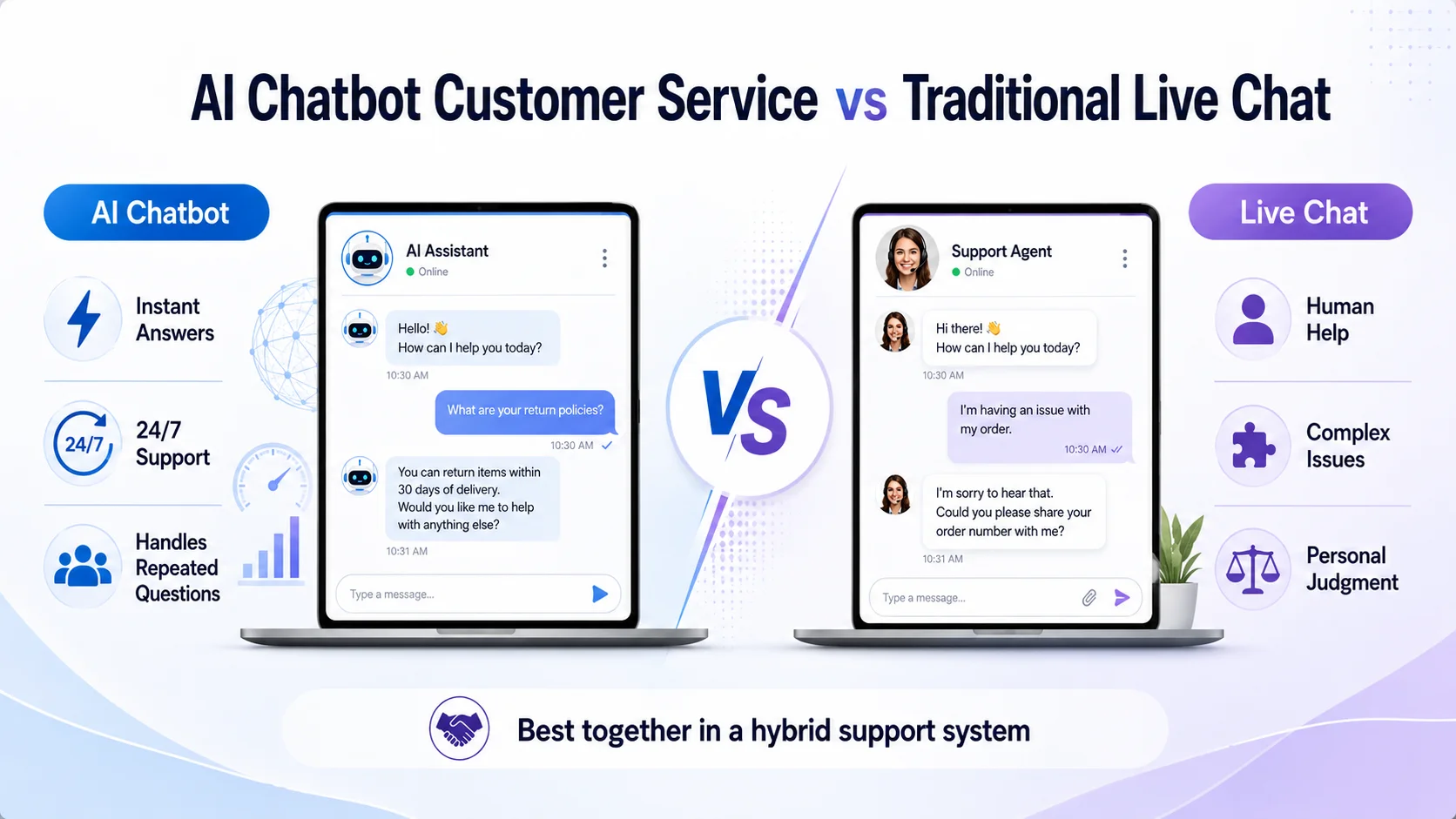
Live chat connects a customer directly with a human representative. It is useful for complex questions, emotional situations, negotiations, and issues requiring account access or judgment. An AI chatbot provides automated assistance and can respond to several customers at the same time. It is usually more suitable for repeated questions, basic navigation, self-service, information retrieval, and initial case collection.
These approaches do not need to compete. A strong customer-service system can use AI for the first stage of suitable conversations and live chat for situations that require a person. The customer should always understand whether they are speaking with AI and how they can request human support.
What Should an AI Customer Service Chatbot Not Do?
An AI chatbot should not be allowed to make unsupported or high-risk decisions. So understand how it works and they not invent prices, policies, account details, delivery promises, refund approvals, or technical instructions. It should also avoid collecting personal information that is not necessary for the support request. Businesses should be cautious about automating:
Financial disputes
Legal or regulated guidance
Sensitive account changes
Serious complaints
Emergency situations
Unusual refund decisions
High-risk technical instructions
Requests requiring management approval
Clear boundaries protect both the customer and the business.
How to Implement AI Chatbot Customer Service
Start with one focused support problem. This may be answering repeated FAQs, assisting customers outside working hours, helping ecommerce shoppers understand policies, or collecting details before human handoff.
Next, prepare reliable knowledge. Review the website, FAQs, support documents, product information, manuals, and policies the chatbot will use. Remove outdated or contradictory content before launch. Define clear boundaries and escalation rules. Decide what the chatbot may answer, what information it may collect, and which situations require immediate human assistance.
Test it with real customer language, including short messages, spelling mistakes, unclear wording, follow-up questions, complaints, and questions outside its knowledge. After launch, review conversations regularly. A chatbot is not a tool that should be installed and forgotten. Its knowledge, instructions, and escalation process must change as the business evolves.
How to Measure Its Performance
Do not judge chatbot success only by the number of conversations or the percentage of requests handled automatically. Useful performance measures include:
First-response time
Successfully answered questions
Unresolved-question rate
Human-handoff rate
Repeated customer contacts
Customer satisfaction
Incorrect or outdated answers
Most common support topics
Quality of transferred conversations
A lower automation rate with accurate answers and smooth escalation may be more valuable than a high automation rate that frustrates customers.
How Agent Best AI Supports Customer Service
Agent Best AI helps businesses create an AI customer service chatbot using their website content and additional knowledge. The platform can learn from business pages, products, services, FAQs, policies, manuals, pricing information, and uploaded support documents. After deployment through a website widget, it can answer routine questions, guide visitors, collect enquiries, and transfer complex conversations to a human team member.
For ecommerce businesses, the chatbot can use available product information, shipping conditions, return policies, FAQs, and support documents to help shoppers before and after a purchase. Businesses can also update the chatbot’s knowledge as products, policies, and website information change. The business remains responsible for maintaining accurate knowledge, defining boundaries, and reviewing the quality of customer conversations.
Final Thoughts
AI chatbot customer service can make support faster, more accessible, and easier to manage. It can answer repeated questions, support self-service, assist ecommerce customers, collect case information, and provide help outside normal business hours. It can also give support representatives better context when a conversation needs to be transferred.
However, the most effective chatbot is not the one that automates the highest number of interactions. It is the one that provides reliable help, recognises its limits, and makes human support easy to reach. In 2026, strong customer service combines the speed of AI with the judgment, empathy, and responsibility of people.