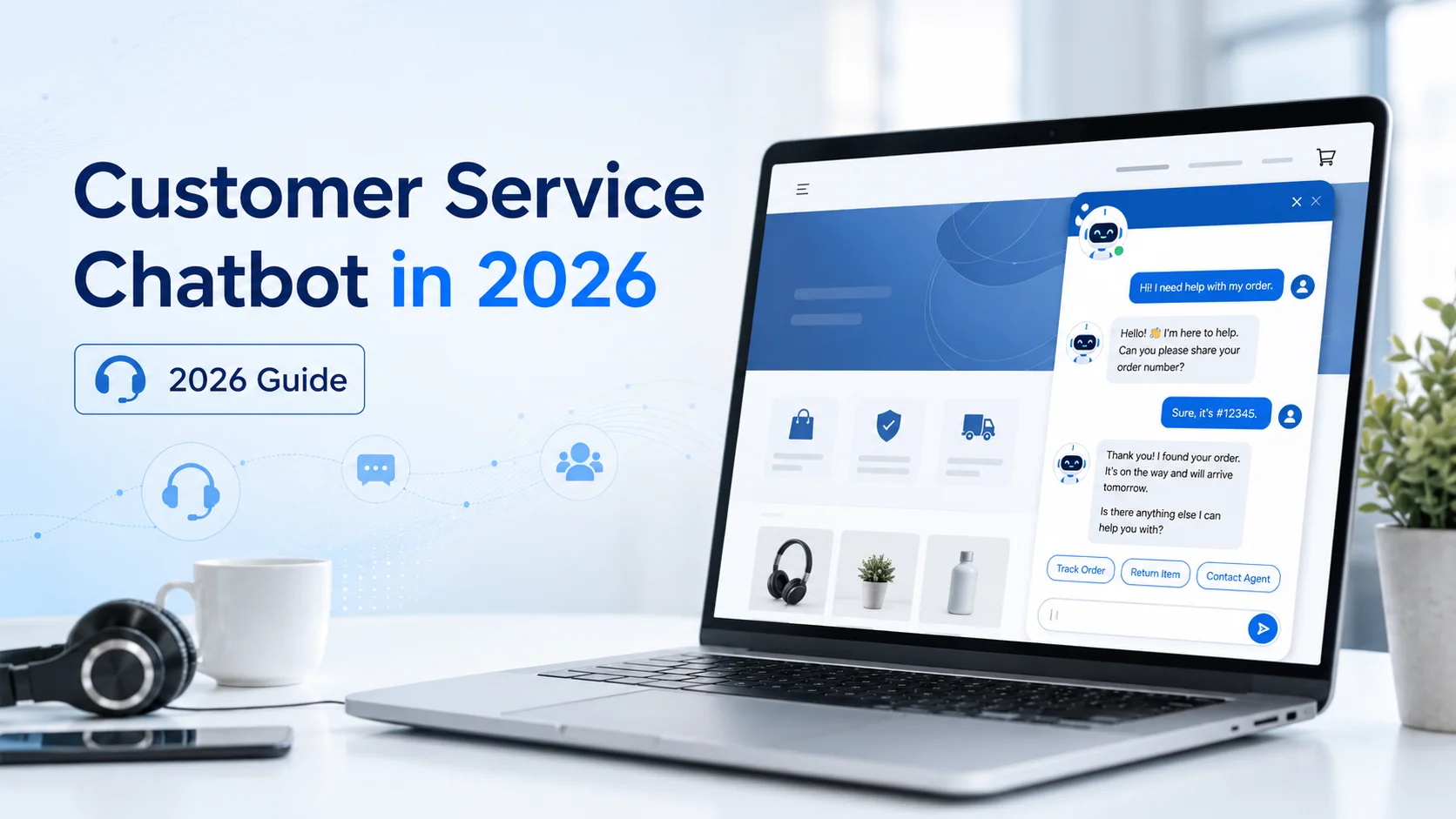
What Is a Customer Service Chatbot?
A customer service chatbot is an automated conversational tool that helps customers through text or voice. It may appear on a website, mobile application, messaging platform, or customer-support portal.
Traditional chatbots usually follow fixed scripts, keywords, or menu options. AI-powered chatbots can understand more natural questions, follow the context of a conversation, and generate responses using approved business information.
IBM defines an AI customer service chatbot as software that uses artificial intelligence to simulate conversation and assist customers with enquiries. These systems can provide immediate responses, encourage self-service, manage multiple conversations, and direct more complicated requests to human agents. For example, customers might ask:
“Where is your return policy?”
“Can I exchange an item that was on sale?”
“What should I do if my order arrived damaged?”
A modern chatbot can identify the purpose of each question and respond using the relevant policy or support information.
How Does a Customer Service Chatbot Work?
A customer service chatbot first needs access to reliable knowledge. This may include website pages, product information, FAQs, policies, manuals, help articles, and uploaded support documents.
When a customer sends a message, the chatbot interprets what the person is asking. It then searches its available knowledge, retrieves relevant information, and creates a conversational response.
If the customer asks a follow-up question, the chatbot should use the earlier messages to understand the context. For example, after asking about a specific product, the customer might say, “Can I return it after opening the box?” The chatbot should understand what “it” refers to.
The chatbot should not guess when its knowledge does not contain a reliable answer. It should acknowledge the limitation, collect any necessary details, and provide a way to contact a person.
Modern AI chatbots may also use connected tools and APIs to complete approved tasks, but capabilities vary. A chatbot may explain how to request a refund without being able to process one unless it is securely connected to the appropriate business system.
What Can a Customer Service Chatbot Handle?
A chatbot is most useful for common, repeatable questions that have clear answers.
It may assist customers with:
Product and service information
Shipping and delivery policies
Returns, refunds, and exchanges
Business hours and locations
Account or login guidance
Basic troubleshooting
Website navigation
Booking or appointment instructions
Order-support procedures
Contact and escalation options
It can also collect information before transferring a case. For example, it might ask for the customer’s name, email address, order number, product name, and a brief description of the problem.
This allows the human representative to begin with useful context instead of asking the customer to explain everything again.
Rule-Based Chatbot vs AI Customer Service Chatbot
A rule-based chatbot follows predefined conversation paths. It may ask the customer to select “Orders,” “Returns,” or “Technical Support” before showing the next options. This approach can work well for simple and predictable processes. It provides control over every response and may be suitable when the business has only a small number of support journeys.
An AI customer service chatbot is more flexible. Customers can describe their issue in their own words instead of choosing from a fixed menu. For example: “My package says delivered, but I cannot find it anywhere.”
An AI chatbot can recognise this as a delivery issue, provide the approved missing-delivery guidance, and collect the information required for further support. Many businesses combine both methods. Buttons can provide clear navigation, while AI handles open-ended questions and follow-up conversations.
Why Customer Service Chatbots Matter in 2026
Customer expectations continue to rise as AI becomes more common in digital support. Zendesk’s 2026 customer-experience research found that 74% of consumers now expect customer service to be available around the clock because of AI, while 88% expect faster response times than they did one year earlier.
Businesses are also increasing adoption. Salesforce reported that the use of AI service agents among customer-service organisations increased from 39% in 2025 to 66% in 2026. Its study covered more than 3,000 service professionals worldwide.
However, faster automation does not automatically create better service. Customers still expect accurate answers, transparency, and access to human help. A customer service chatbot therefore needs to do more than respond quickly. It must use reliable information, understand its limits, and support a smooth transition to a person when necessary.
Benefits of a Customer Service Chatbot
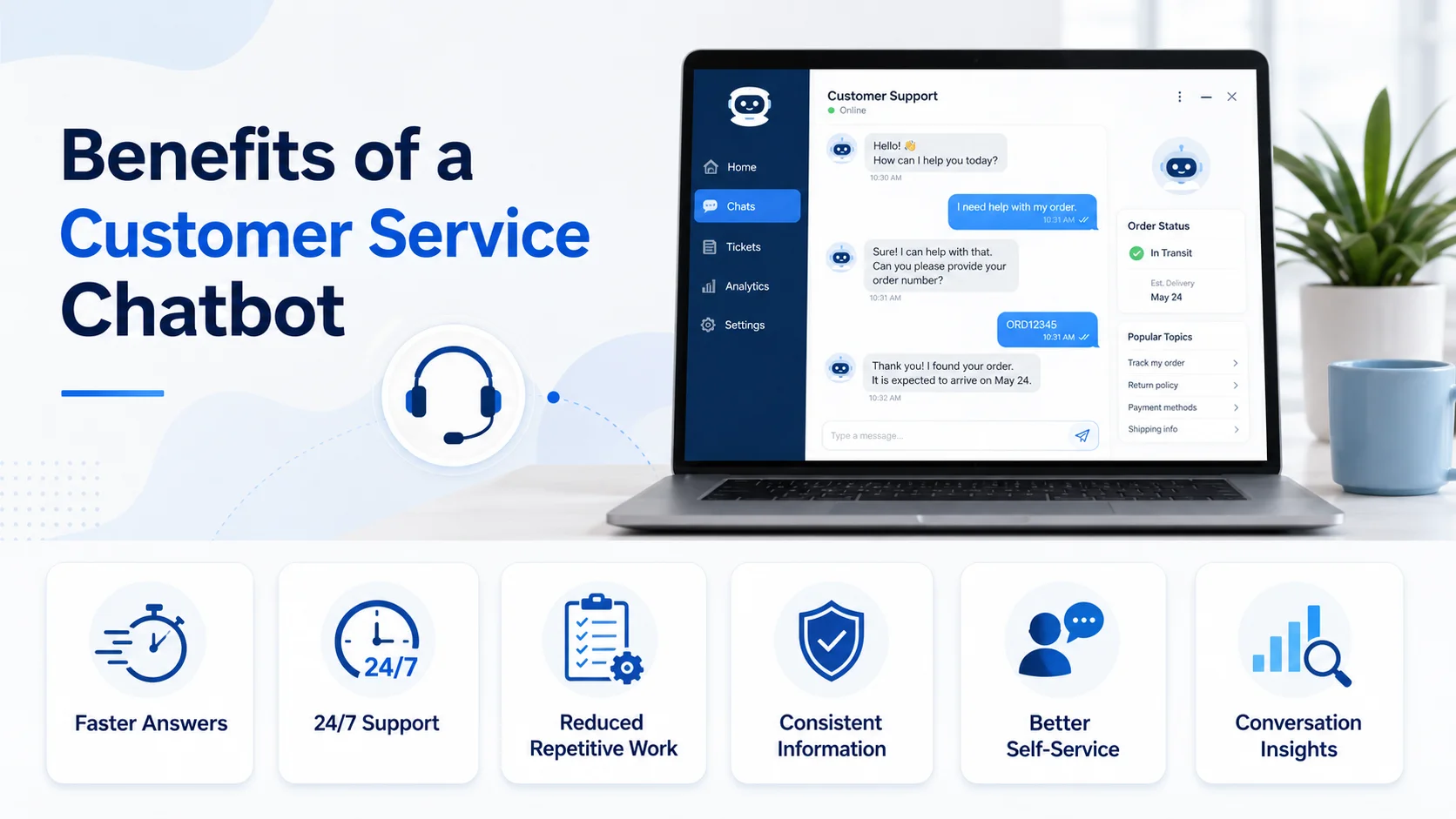
Faster Answers
Customers can receive immediate guidance instead of waiting in a support queue or searching through several help pages. This is especially valuable for straightforward questions about policies, products, services, delivery, and common troubleshooting steps.
Support Outside Working Hours
A chatbot can provide basic assistance during evenings, weekends, holidays, and across different time zones. It may resolve the request immediately or collect information for a team member to review when support hours resume.
Reduced Repetitive Work
Customer-service teams often spend significant time answering the same questions. A chatbot can manage these routine requests, allowing employees to focus on unusual cases, sensitive complaints, technical problems, and conversations requiring human judgment.
IBM notes that the strongest customer-service approach combines the speed and scalability of AI with the empathy, reasoning, and critical thinking of human representatives.
More Consistent Information
A chatbot trained on approved business knowledge can provide consistent explanations across customer conversations. However, this benefit depends on the accuracy of the source material. If website pages or policies are outdated, the chatbot may repeat incorrect information consistently.
Better Self-Service
Some customers prefer solving straightforward problems without opening a ticket or calling support. A chatbot can guide them through instructions, policies, help articles, or troubleshooting steps while keeping human support available when self-service is not enough.
Useful Conversation Insights
Chatbot conversations can reveal what customers find confusing or difficult. If many customers ask the same question, the business may need to improve a product page, policy, FAQ, onboarding process, or website navigation.
The chatbot should not only automate answers. It should help the business identify why customers need to ask those questions.
How Customer Service Chatbots Help Ecommerce Stores
Ecommerce businesses receive support questions before and after a purchase. Before buying, a shopper may ask about size, compatibility, materials, delivery, payment methods, or return conditions. After buying, they may need help with order procedures, exchanges, damaged products, or missing deliveries.
A customer service chatbot can use the store’s product and policy information to provide immediate guidance. For example, a shopper might ask: “Can I exchange these shoes if the size does not fit?” The chatbot can explain the store’s actual exchange conditions and guide the customer towards the correct process.
It can also help shoppers compare products, navigate collections, and find relevant information. However, live stock checks, personalised order updates, and refund processing require the appropriate integrations and permissions.
The chatbot should clearly distinguish between explaining a process and completing an action.
Why Human Handoff Is Essential
A chatbot should never trap customers inside an automated conversation. Payment disputes, unusual refund requests, emotionally frustrated customers, sensitive information, complex technical issues, and decisions requiring approval should normally be transferred to a person.
Customer attitudes support this hybrid approach. SurveyMonkey’s 2026 research found that 79% of surveyed Americans strongly preferred human interaction over AI for customer service, while 89% believed businesses should always provide the option to speak with a person. A good handoff should include:
The customer’s previous messages
Information already collected
The original support issue
The reason for escalation
Relevant product, service, or order details
This prevents the customer from repeating the entire problem and helps the representative continue the conversation efficiently. Research into chatbot adoption also suggests that customers respond better when businesses are transparent about chatbot capabilities and provide faster access to a human after automated support fails.
Features to Look for in a Customer Service Chatbot
A useful chatbot should fit your support process rather than simply provide the longest list of features. Important capabilities include:
Training from website content and documents
Natural and context-aware conversations
Easy knowledge updates
Human handoff
Lead and support-detail collection
Multi-language support where required
Conversation history
Analytics and unresolved-question tracking
Website and support-tool integrations
Privacy, retention, and access controls
The chatbot should also admit when it cannot confirm an answer. A clear limitation followed by a useful next step is safer than a confident but incorrect response.
How to Set Up a Customer Service Chatbot
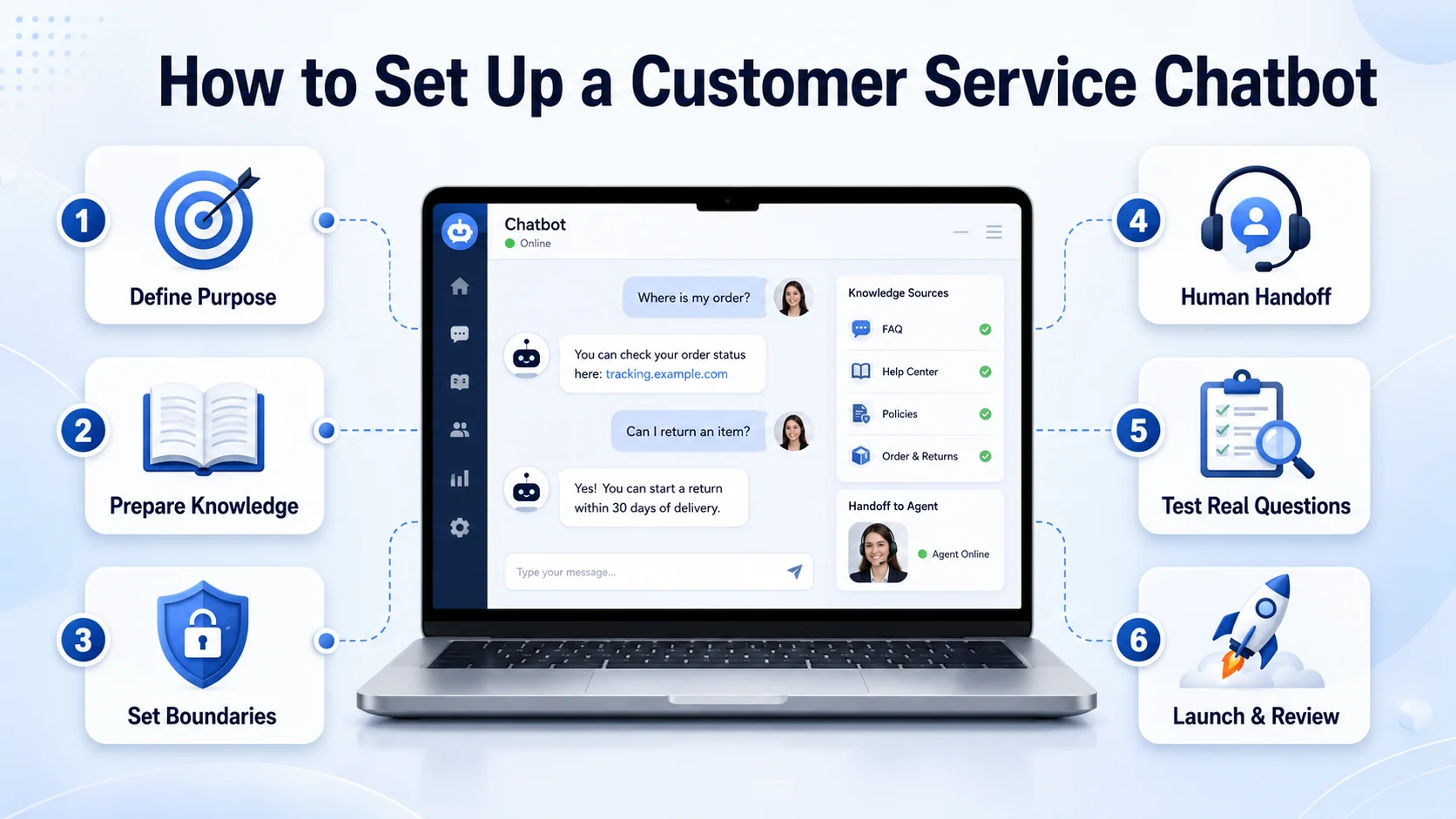
Define Its Main Purpose
Begin with a specific support problem. You may want the chatbot to answer repeated FAQs, assist customers after working hours, guide ecommerce shoppers, reduce basic tickets, or collect details before human escalation. Trying to automate every support conversation from the beginning can make the chatbot difficult to manage.
Prepare Reliable Knowledge
Review the information the chatbot will use, including FAQs, product details, support documents, pricing, policies, and help articles. Remove duplicate, outdated, or conflicting information. The chatbot cannot provide dependable answers when its knowledge sources disagree.
Set Clear Boundaries
Decide which questions the chatbot may answer and which situations require human assistance. It should never invent policies, prices, delivery promises, account details, or technical instructions that are not supported by approved information.
Design the Human Handoff
Give customers a clear route to your team. The handoff process should collect only the information required to continue the case and should transfer the previous conversation whenever possible.
Test Real Customer Questions
Do not test only perfectly written messages. Use spelling mistakes, short questions, unclear wording, follow-up questions, frustrated messages, and requests that the chatbot should escalate.
Launch and Review Conversations
After deployment, monitor what the chatbot answers successfully and where it struggles. Update its knowledge whenever products, services, policies, prices, or support procedures change. IBM’s implementation guidance recommends beginning with clear objectives, aligning AI with measurable service outcomes, and maintaining transparency about how the technology and customer data are used.
How to Measure Chatbot Performance
The number of chatbot conversations is not enough to determine whether the system is useful. More meaningful measures include:
Successful resolution rate
Unresolved-question rate
First-response time
Human-handoff rate
Repeated customer contacts
Support tickets avoided
Customer satisfaction
Common conversation topics
Incorrect or outdated answers
Customer feedback after a conversation
A high automation rate is not always the best result. If customers are receiving poor answers or struggling to reach a person, the chatbot may be reducing service quality instead of improving it.
Common Customer Service Chatbot Mistakes
One common mistake is launching a chatbot before preparing accurate knowledge. The system may appear ready, but its answers will be unreliable. Another mistake is hiding human support. Customers quickly become frustrated when a chatbot repeats the same response and provides no clear escalation path.
Businesses also make the mistake of measuring only cost reduction. A chatbot should improve the customer’s experience, not simply reduce the number of conversations handled by employees. Poorly designed chatbots can damage customer trust, while well-designed systems can shorten waiting times, support self-service, and direct human attention towards more complex issues.
How Agent Best AI Supports Customer Service
Agent Best.AI helps businesses create a customer service chatbot using their website content and additional business knowledge. The platform can learn from website pages, products, services, FAQs, policies, manuals, pricing details, and uploaded support documents. This allows the chatbot to answer questions using information specific to the business.
After deployment through a website widget, the chatbot can assist visitors, answer routine questions, guide users towards relevant information, collect enquiries, support multiple languages, and transfer complex conversations to a human team member.
For an ecommerce store, this may involve product, delivery, and return questions. For a SaaS company, it may include feature, pricing, onboarding, and basic support guidance. A service business may use it to explain processes and collect information before personal follow-up. The business still needs to maintain accurate knowledge, establish clear boundaries, and regularly review conversation quality.
Final Thoughts
A customer service chatbot can make support faster, more accessible, and easier to scale. It can answer repeated questions, assist customers outside working hours, improve self-service, and give human representatives more time for complex conversations.
But successful customer service automation is not about keeping people away from your team. It is about resolving straightforward requests quickly and connecting customers with the right person when empathy, authority, or judgment is required.
In 2026, the strongest customer-service experience is not fully automated or fully manual. It combines reliable AI assistance with human support that remains visible, accessible, and ready when the conversation needs it.