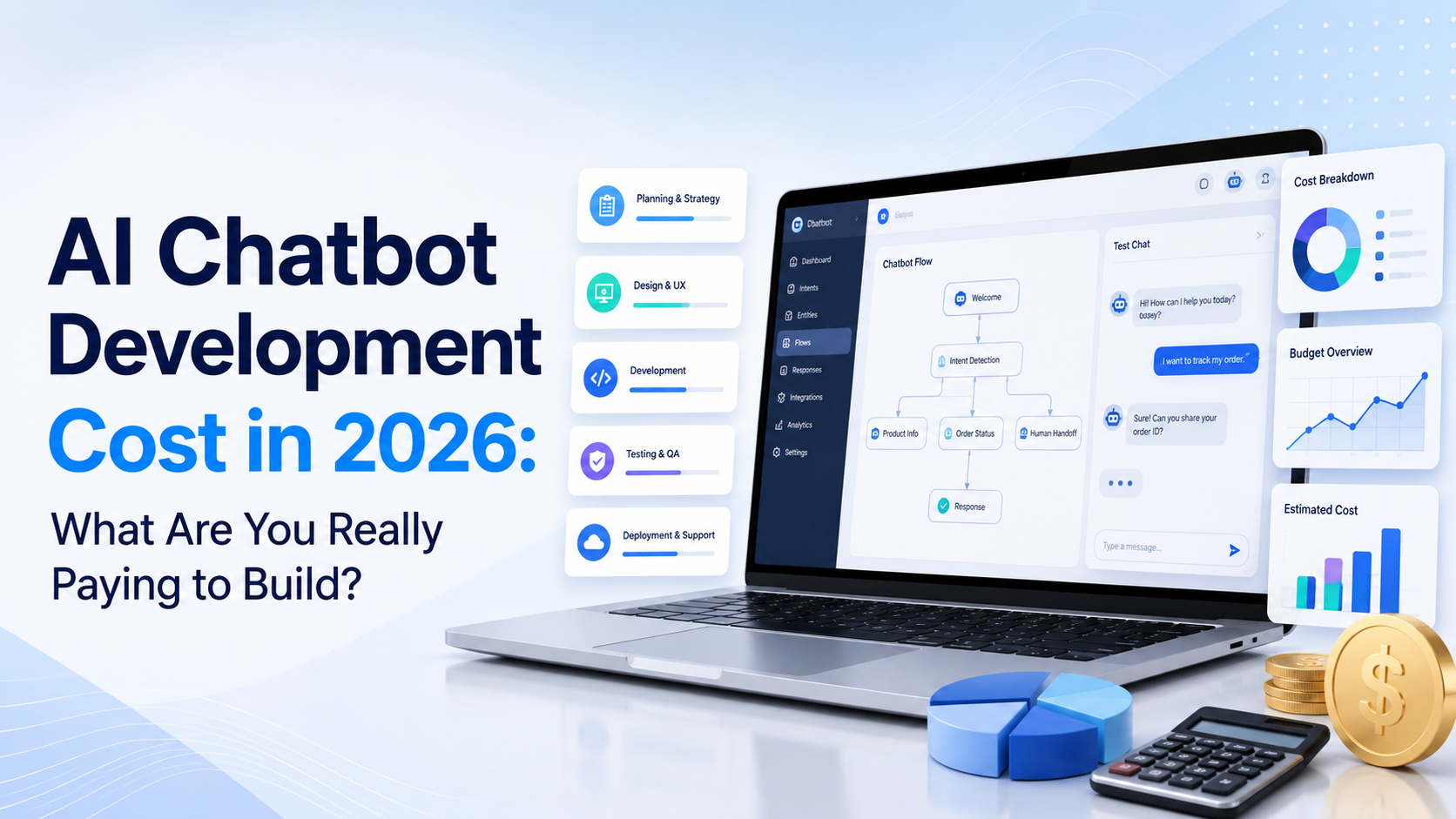
One company quotes $10,000 to build your chatbot. Another quotes $70,000. Then you find a ready-made platform that lets you launch one for less than $100 a month. At first, those numbers seem impossible to compare. They make more sense when you look at what is actually being built.
A chatbot that answers questions from your website is very different from an AI agent that authenticates customers, reads CRM records, checks orders, updates accounts, works across five support channels, and performs approved actions inside business systems.
That is why AI chatbot development cost should never be estimated from the words “AI chatbot” alone.
Current Clutch data makes the range clear. Its August 2026 AI pricing guide says AI development projects reviewed on the platform commonly fall between $10,000 and $49,999. Its chatbot-specific marketplace goes wider, with focused proofs of concept starting around $10,000 and enterprise-grade chatbot builds potentially reaching $250,000 or more.
The useful question is not simply: “How much does it cost to build an AI chatbot?” It is: “What exactly does the chatbot need to know, connect to, and do?” That is what determines the real budget.
How Much Does It Cost to Develop an AI Chatbot in 2026?
There is no universal price, but current market data gives businesses a useful starting point. Clutch's chatbot-specific data says custom chatbot projects may begin around $1,000 to $10,000 for focused builds or proofs of concept, while more advanced enterprise systems can rise to $100,000 to $250,000 or more. The same dataset places many established chatbot development firms around $50 to $99 per hour, although rates vary considerably by location, expertise, and scope. A practical planning view looks something like this:
| Project Type | Approximate Development Budget | Typical Scope |
|---|---|---|
| Simple prototype | $5,000 to $15,000 | Basic chat, limited knowledge, one channel |
| Small custom business chatbot | $10,000 to $30,000 | Website knowledge, custom UI, basic integrations |
| Production AI chatbot | $25,000 to $75,000+ | RAG, admin tools, integrations, analytics, handoff |
| Advanced AI agent | $75,000 to $150,000+ | Multiple systems, actions, permissions, workflows |
| Enterprise AI system | $100,000 to $250,000+ | Complex integrations, scale, security, governance |
These are planning ranges, not fixed industry prices. The real quote depends on your requirements, developer rates, architecture, integrations, security, and ongoing operational needs.
If your main requirement is simply answering website questions, supporting visitors, capturing leads, or guiding customers, custom development may not be necessary at all. A no-code AI chatbot builder can provide much of the underlying infrastructure without requiring a complete custom software project.
Why Can Two AI Chatbots Cost So Differently?
Consider two businesses.
Business A
The chatbot needs to:
- Learn from a public website
- Answer FAQs
- Explain products and services
- Answer pricing questions
- Capture enquiries
- Transfer customers to a person
Business B
The chatbot needs to:
- Authenticate customers
- Read CRM information
- Retrieve account records
- Check subscription status
- Update customer information
- Create support tickets
- Process approved account actions
- Work across web chat, email, and WhatsApp
- Maintain detailed permissions and logs
Both companies may tell a developer: “We need an AI customer service chatbot.” But Business B is effectively commissioning a connected software application with AI at the center.
That means more backend engineering, integrations, testing, security, failure handling, monitoring, and maintenance. The chat window may look similar. The systems behind it are not.
1. Discovery and Project Planning
Development costs begin before anyone writes production code. A good development team first needs to understand:
- Who will use the chatbot
- Which problems it should solve
- What information it needs
- Which systems it needs to access
- Which actions it may perform
- When human support should take over
- What security requirements apply
- How success will be measured
This stage may include stakeholder interviews, customer-journey mapping, technical architecture, conversation design, data review, and integration planning. It can seem tempting to skip this work.
That usually creates more expensive problems later. If the project begins with “build us an AI chatbot that handles customer service”, developers still need to translate that vague request into specific behaviour.
A much better requirement is: “The chatbot should answer support questions from our help center, check authenticated subscription status, create a Zendesk ticket when it cannot resolve an issue, and transfer billing disputes to a human.” Specific scope produces a much more reliable cost estimate.
2. Chat Interface and User Experience
Users interact with the chatbot through an interface, and that interface still needs to be designed and developed. A simple web widget might include:
- Chat launcher
- Message window
- Typing state
- Welcome message
- Mobile responsiveness
- Basic branding
A more advanced interface might require:
- Product cards
- Images
- File uploads
- Forms
- Authentication
- Suggested actions
- Feedback controls
- Conversation history
- Voice
- Custom dashboards
Each addition requires design, frontend development, testing, and ongoing maintenance. For a website chatbot, the visual interface may only represent a small percentage of the project cost. The more expensive work usually happens behind it.
3. AI Model Integration
A modern custom chatbot normally uses an existing foundation model rather than developing a large language model from scratch. The development team still needs to decide:
- Which model or models to use
- How prompts are structured
- How conversation history is managed
- How much context is sent
- What happens when the AI is uncertain
- How responses are validated
- How model failures are handled
Different models have different costs, latency, context limits, and capabilities. Model choice can therefore affect both development and operating costs. For many business applications, the smartest approach is not simply selecting the most powerful model available.
A smaller or less expensive model may be sufficient for straightforward support questions, while more capable models can be reserved for difficult requests. That kind of routing can reduce operating costs, but it also requires additional engineering.
4. Building the Chatbot Knowledge Base
This is one of the most important parts of modern chatbot development. Your AI model does not automatically know your latest:
- Products
- Services
- Prices
- Policies
- Documentation
- Customer-support processes
- Technical manuals
That information needs to be connected to the chatbot. A common approach is Retrieval-Augmented Generation, usually called RAG. Business information is processed, indexed, retrieved when relevant, and supplied to the language model before it answers.
AWS describes the same general architecture for Bedrock Knowledge Bases: data is connected to a knowledge source, converted into embeddings, stored in a vector system, and retrieved when the application needs relevant context. Building this yourself may involve:
- Content ingestion
- Document parsing
- Chunking
- Embeddings
- Vector storage
- Retrieval logic
- Metadata
- Search
- Reranking
- Source management
- Update pipelines
That is substantially more work than simply connecting an API to a chat interface. For a deeper explanation of this architecture, see our guide to building an AI chatbot with a custom knowledge base.
5. Website Crawling and Content Processing
If the chatbot needs to learn from an existing website, someone needs to build or integrate a way to collect that information. A website-ingestion system may need to:
- Start from one or more URLs
- Discover relevant pages
- Retrieve page content
- Remove navigation and duplicate text
- Extract useful information
- Organize the content
- Add it to the knowledge base
- Refresh it when the website changes
A five-page service website is fairly straightforward. A large ecommerce website with thousands of products, variants, categories, policy pages, and dynamic content is a different project. You also need rules for what should not enter the knowledge base.
Old landing pages, legal boilerplate, duplicate product URLs, staging pages, and outdated policies can reduce answer quality. Building a reliable ingestion pipeline is therefore a development cost of its own.
6. Integrations Can Change the Budget Quickly
Integrations are often where seemingly simple chatbot projects become expensive. Suppose a customer asks: “What is your cancellation policy?”
The chatbot can answer that from a knowledge base. Now they ask: “Cancel my subscription.” That requires something different. The chatbot may need to:
- Identify the customer
- Authenticate them
- Check their subscription
- Check cancellation rules
- Call a billing API
- Handle the response
- Confirm the result
- Log the action
- Handle errors safely
That is an integration workflow. Common chatbot integrations include:
- Shopify
- WooCommerce
- Salesforce
- HubSpot
- Zendesk
- Stripe
- Slack
- Booking systems
- CRMs
- Help desks
- Internal databases
- Proprietary business software
One simple API integration may add limited development work. Ten interconnected systems with different authentication models can transform the entire project.
7. AI Actions Cost More Than AI Answers
A chatbot answering questions is mainly an information system. An AI agent taking actions becomes a workflow system. There is an important difference between: “Here is how you update your address.” and: “I have updated your address.”
The second response means the AI has probably interacted with another application. Actions might include:
- Updating account information
- Booking appointments
- Creating tickets
- Changing subscriptions
- Adding products to carts
- Retrieving orders
- Initiating returns
- Updating CRM records
Every action needs rules.
- What happens if the API fails halfway through?
- What if the customer's request is ambiguous?
- What if they change their mind?
- What if the chatbot lacks permission?
- What if the action is irreversible?
These questions need engineering and testing, which is why agentic systems generally cost more to develop than knowledge-based chatbots.
Clutch's current AI agent data reflects this complexity. Its 2026 listings place basic task agents or chatbots around $25,000 to $75,000, while more heavily customized agentic systems may reach $100,000 to $250,000 or more.
8. Authentication and User Accounts
A chatbot answering public website information may not need to know who the visitor is. A chatbot accessing orders, invoices, subscriptions, medical information, or account details does. Now developers need to consider:
- Login state
- Session management
- Identity verification
- Authorization
- Role permissions
- Account separation
- Secure API calls
This adds cost because the chatbot must not expose one customer's private information to another customer. The more sensitive the data, the more important this part becomes.
9. Human Handoff
Human handoff sounds simple until you define what should actually happen. A useful implementation may need to:
- Detect escalation conditions
- Capture contact details
- Preserve chat history
- Summarize the conversation
- Route the customer
- Notify the right employee
- Create a help-desk ticket
- Keep the conversation synchronized
- Allow an employee to take over
A basic “contact us at support@example.com” response costs very little to implement. A real-time handoff into an existing support platform requires more work. If support escalation is important, include it in the original development scope rather than adding it near launch.
10. Admin Dashboard and Analytics
Businesses usually need a way to manage the chatbot after developers leave. That can require an administration interface for:
- Conversations
- Knowledge sources
- Users
- AI instructions
- Analytics
- Escalations
- Leads
- Integrations
- Permissions
A completely custom admin dashboard can become a significant part of the project. Analytics add another layer. You may want to track:
- Conversation volume
- Successful answers
- Human handoffs
- Unresolved questions
- Customer feedback
- Lead capture
- Cost per conversation
- Token usage
- Common topics
If those reports need filtering, exports, custom dashboards, or integration with analytics systems, expect additional development work.
11. Multilingual Support
LLMs can already understand many languages, but providing reliable multilingual customer support still requires testing. You may need to verify:
- Product terminology
- Technical instructions
- Refund conditions
- Legal language
- Regional policies
- Language detection
- Handoff routing
Supporting two languages is usually easier than supporting 30 across several markets and support teams. If multilingual support is an important business requirement, include your target languages in testing from the start. Do not add them the week before launch.
12. Voice Can Increase Development Cost Considerably
A text chatbot mainly needs text input and output. A voice agent adds additional systems such as:
- Speech recognition
- Text-to-speech
- Telephony
- Interruptions
- Silence detection
- Call routing
- Recording
- Call analytics
- Latency management
Conversation design also changes. Users tolerate a short delay in web chat more easily than an awkward silence during a phone call. Voice therefore adds both development complexity and ongoing usage cost. Unless voice is central to your use case, it is often sensible to launch text support first.
13. Testing Is a Real Development Cost
A prototype answering five prepared questions is not production-ready. A serious chatbot needs testing against realistic customer behaviour. That should include:
- Short questions
- Misspellings
- Ambiguous requests
- Follow-up questions
- Questions outside the knowledge base
- Prompt injection attempts
- Conflicting documents
- Failed integrations
- Customer frustration
- Human-handoff scenarios
- Unexpected API responses
For example, test: “What is your refund policy?” Then: “Okay, but my item came damaged and support already said no.” The second message has changed the situation. A chatbot should not keep repeating a generic policy when human judgment is now required.
Clutch currently says custom chatbot builds often take around 8 to 12 weeks, with integrations, proprietary data, security review, and testing among the factors that extend the timeline. Testing is one reason production systems cost substantially more than demonstrations.
14. Security and Compliance
Security requirements can change a chatbot budget quickly. A public marketing chatbot has a different risk profile from an AI agent working with financial, health, account, or customer information. Development may need to cover:
- Encryption
- Authentication
- Role-based access
- Audit logging
- Data retention
- PII handling
- Secure credentials
- Network controls
- Data residency
- Security reviews
- Red-team testing
Enterprise projects may also need organization-specific governance or regulatory requirements. Clutch's chatbot guidance identifies security and compliance as important cost drivers for more advanced systems. This work may not create anything visually impressive in the chat interface. It is still essential.
15. Hosting and Infrastructure
Custom chatbot development normally creates ongoing cloud costs after launch. Your stack might include:
- Application hosting
- AI model inference
- Database
- Vector storage
- Embeddings
- Retrieval
- Logging
- File storage
- Monitoring
- Data transfer
Modern managed services can reduce the engineering required to build these pieces manually. For example, Amazon launched its Managed Knowledge Base service in June 2026 specifically to handle ingestion, vector storage, retrieval, and related RAG infrastructure without requiring teams to operate every underlying component themselves.
The cost still depends on usage. AWS's current Managed Knowledge Base pricing includes $5 per GB of indexed raw data per month, $1 per 1,000 standard retrieval calls, and additional charges for agentic retrieval, while model inference and some connected services can create separate charges.
The point is not that every chatbot should use AWS. It is that custom chatbot infrastructure has several separate cost components even after development is finished.
Development Cost vs Operating Cost
These two numbers should never be confused.
- Development Cost
This pays for building the system:
- Planning
- Design
- Programming
- Knowledge architecture
- Integrations
- Testing
- Deployment
- Operating Cost
This pays for keeping it running:
- AI model usage
- Hosting
- Databases
- Vector storage
- Monitoring
- Support
- Maintenance
- Software licenses
A chatbot quoted at $30,000 is not necessarily a $30,000 system forever. You may continue spending hundreds or thousands of dollars each month depending on traffic, infrastructure, and maintenance requirements.
Maintenance After Launch
AI chatbot development does not really end on launch day. Customers will ask questions you did not predict. Your products will change. Policies will change. External APIs will change. Models will change. Someone needs to maintain:
- Business knowledge
- Prompts and instructions
- Integrations
- API versions
- Security
- Analytics
- Failed conversations
- Infrastructure
- User feedback
For a small custom system, maintenance might involve occasional developer hours. For an enterprise platform, it can become an ongoing product team. When evaluating an agency or developer, ask what happens after deployment.
How Long Does AI Chatbot Development Take?
Clutch's current chatbot-development guidance puts many custom projects around 8 to 12 weeks, although simpler deployments can launch sooner and complex enterprise builds can take longer. A rough project may look like this:
- Discovery and architecture: 1 to 2 weeks
- Prototype and conversation design: 1 to 2 weeks
- Knowledge and backend development: 2 to 4 weeks
- Integrations: 1 to 4+ weeks
- Testing and refinement: 1 to 3 weeks
- Deployment: several days to 1 week
Several activities can happen in parallel, so these should not simply be added together. The biggest delays usually come from unclear requirements, unavailable APIs, poor source data, security review, and changing scope.
Simple Chatbot vs Custom AI Agent Cost
The easiest way to understand the budget difference is to compare what is behind each system.
| Requirement | Website AI Chatbot | Custom AI Agent |
|---|---|---|
| Website Q&A | Yes | Yes |
| Website knowledge | Yes | Yes |
| PDFs and documents | Often | Yes |
| Lead capture | Often | Yes |
| Human handoff | Often | Yes |
| CRM access | Optional | Often |
| Customer authentication | Usually limited | Often required |
| Perform actions | Limited | Yes |
| Custom workflows | Limited | Extensive |
| Proprietary systems | Limited | Custom integration |
| Custom admin platform | Usually provided | May need development |
| Technical maintenance | Provider handles most | Your team/provider handles it |
| Initial development cost | Low | Much higher |
This explains why a ready-made chatbot platform can cost tens of dollars per month while custom AI development costs thousands. You are buying different things.
Do You Actually Need Custom Chatbot Development?
This is the question businesses should answer before asking developers for quotes. You probably do not need a completely custom chatbot if your requirements are mainly:
- Website Q&A
- Product or service guidance
- FAQs
- Customer support
- Lead capture
- Business policies
- Website navigation
- Standard human handoff
A managed platform may already provide the website crawler, knowledge base, AI model access, chatbot interface, analytics, and deployment tools. You can explore how this works in our guide to building an AI chatbot without coding. Custom development becomes more reasonable when you need:
- Proprietary internal systems
- Complex account actions
- Highly specialized workflows
- Unusual authentication
- Custom interfaces
- Strict internal infrastructure requirements
- Deep platform control
- Complex multi-agent systems
The goal should not be to avoid custom development. It should be to avoid paying for custom development when the requirement is already solved by a mature platform.
Example 1: Small Service Business
Imagine a consulting company wants a chatbot to:
- Explain services
- Answer FAQs
- Explain pricing
- Capture project enquiries
- Transfer important leads to staff
Building this entire system from scratch would rarely make sense. A no-code website chatbot can probably handle the requirement with far less implementation cost.
Example 2: Ecommerce Store
An ecommerce business wants the chatbot to:
- Answer product questions
- Explain shipping
- Explain returns
- Help shoppers find products
- Compare available options
Again, this can often be done through a managed chatbot platform. Now add:
- Authenticated order tracking
- Returns processing
- Cart modification
- Customer-account changes
- Inventory queries across several warehouses
The project has moved into deeper integration territory. Custom or heavily configured development may now be justified.
Example 3: Enterprise SaaS Company
A SaaS provider wants an AI support agent that can:
- Use thousands of help-center articles
- Identify logged-in users
- Read account permissions
- Check subscription plans
- Troubleshoot product problems
- Open Jira issues
- Update Salesforce
- Create Zendesk tickets
- Handle several languages
- Log every automated action
- Follow enterprise security requirements
That should not be budgeted like a website chatbot. It is a connected AI application. A six-figure development budget becomes much easier to understand once the underlying scope is visible.
How to Get an Accurate Chatbot Development Quote
Do not send an agency: “How much to build an AI chatbot?” You will either receive a meaningless estimate or spend several calls defining the project. Prepare a short scope first. Include:
- Purpose
What business problem should the chatbot solve?
- Users
Customers, employees, leads, shoppers, or another group?
- Knowledge
Website pages, PDFs, internal documents, CRM data, databases?
- Channels
Website, app, WhatsApp, email, voice?
- Integrations
Which actual platforms must be connected?
- Actions
Should the AI only answer questions, or perform tasks?
- Authentication
Does it need access to logged-in customer information?
- Human Handoff
Where should escalated conversations go?
- Volume
How many conversations do you expect each month?
- Security
Does it handle sensitive or regulated information?
- Analytics
Which results need to be measured?
With those answers, developers can estimate the system instead of guessing what you mean by “chatbot.”
Questions to Ask a Chatbot Development Company
Before accepting a proposal, ask:
- What exactly is included in the quoted price?
- Which AI model will be used?
- Who owns the application code?
- How will business knowledge be managed?
- Is RAG included?
- Which integrations are included?
- What happens if an integration fails?
- How is customer data protected?
- How will the chatbot handle unsupported questions?
- Is human handoff included?
- What testing is included?
- Who pays model and cloud usage?
- What maintenance is required?
- How are future changes priced?
- What happens if usage grows significantly?
A lower quote is not necessarily cheaper if everything important appears later as a change request.
How Agent Best AI Reduces the Need for Custom Development
Agent Best AIi takes a different approach from commissioning a chatbot application from scratch. Businesses can provide a website URL, and AgentBest.ai scans relevant pages, products, services, FAQs, policies, pricing information, and other business content. Additional PDFs, manuals, FAQs, policies, and support documents can be added to expand the knowledge base.
The chatbot can then be deployed through a website widget and used for customer questions, visitor guidance, lead capture, customer support, and human handoff without developing the underlying crawler, knowledge system, AI interface, and deployment platform yourself. AgentBest.ai currently lists pricing from $49 per month on its How It Works page and offers a 14-day free trial with no credit card required.
For businesses whose requirements fit a no-code platform, this changes the cost equation significantly. Instead of funding a custom software project, the business pays for an existing platform and focuses on preparing its content, configuring the chatbot, testing conversations, and managing the experience. You can review the current Agent Best AI pricing options or see how Agent Best AI works before deciding whether custom development is actually necessary.
How to Reduce AI Chatbot Development Cost
If you do need custom development, scope discipline can save a substantial amount of money.
- Start With One Clear Use Case
Do not build support, sales, lead generation, internal knowledge, appointment booking, and voice automation in version one. Start with the most valuable workflow.
- Use Existing Foundation Models
Most businesses do not need to build or train an LLM from scratch.
- Use Managed Knowledge Infrastructure
Managed RAG services can remove some of the work involved in operating retrieval infrastructure. AWS's 2026 Managed Knowledge Base is one current example.
- Clean Your Data Before Development
Do not pay developers to discover that five policy documents contradict one another.
- Prioritize Integrations
Connect only the systems required for the first release.
- Avoid Unnecessary Custom UI
If a normal web-chat experience works, do not spend weeks designing a unique interface simply for appearance.
- Launch an MVP First
Test the chatbot with real users before building every planned feature.
- Measure What Customers Actually Need
Real conversation data may show that some expensive features are rarely required.
Custom Development vs No-Code: Which Is Better Value?
There is no universal winner. Choose no-code when your chatbot mostly needs website knowledge, document training, customer support, lead capture, product guidance, and standard website deployment.
Choose custom development when the AI must operate deeply inside proprietary systems, execute complex workflows, use unusual interfaces, or meet specialized security and architecture requirements.
Cost should follow complexity. Do not spend $100,000 solving a problem that an existing platform already handles. But do not force a highly specialized enterprise workflow into a simple chatbot builder purely because the monthly subscription is cheaper.
Final Thoughts
The AI chatbot development cost in 2026 can range from a relatively small prototype to a six-figure enterprise software project. Current market data reflects that spread. Clutch reports reviewed AI development projects commonly around $10,000 to $49,999, while chatbot-specific projects can move from focused proofs of concept to $100,000 to $250,000+ enterprise builds as integrations, proprietary data, workflows, and security requirements increase.
The biggest mistake is treating every chatbot as the same product. A chatbot that answers questions from website content is one project. An AI agent that authenticates customers, reads private systems, performs business actions, works across several channels, and meets enterprise governance requirements is another. Before asking how much your chatbot will cost, define:
- What it needs to know
- Which systems it needs to access
- Which actions it needs to perform
- How many people will use it
- What happens when AI cannot help
- Which security requirements apply
Then decide whether you actually need to build it. For common business website use cases, a managed platform can remove much of the custom-development expense. For unusual or deeply integrated workflows, custom development may be the right investment. The cheapest architecture is not always the best one. The right architecture is the simplest system that can reliably do the job your business actually needs.
=========================================================