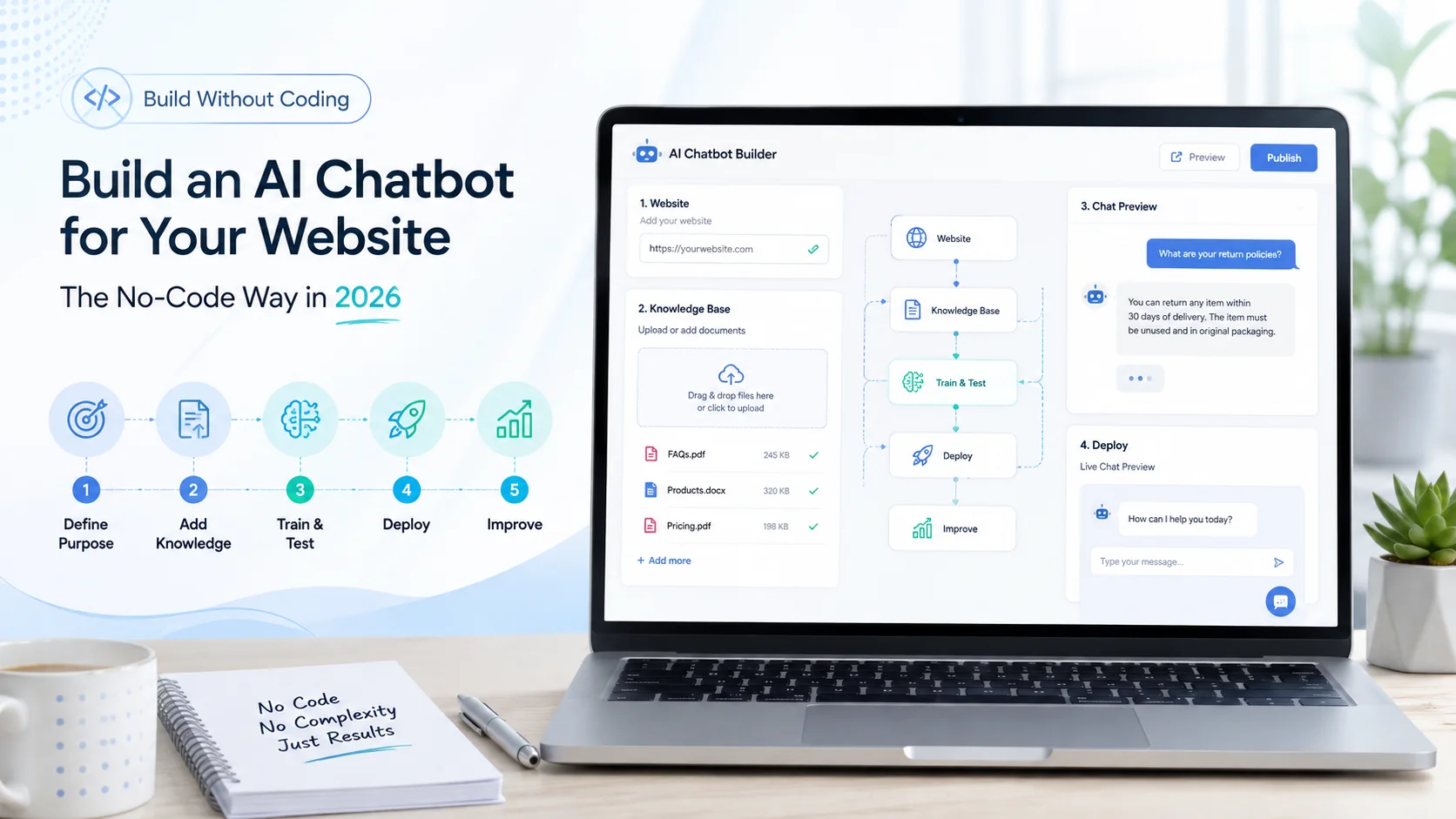
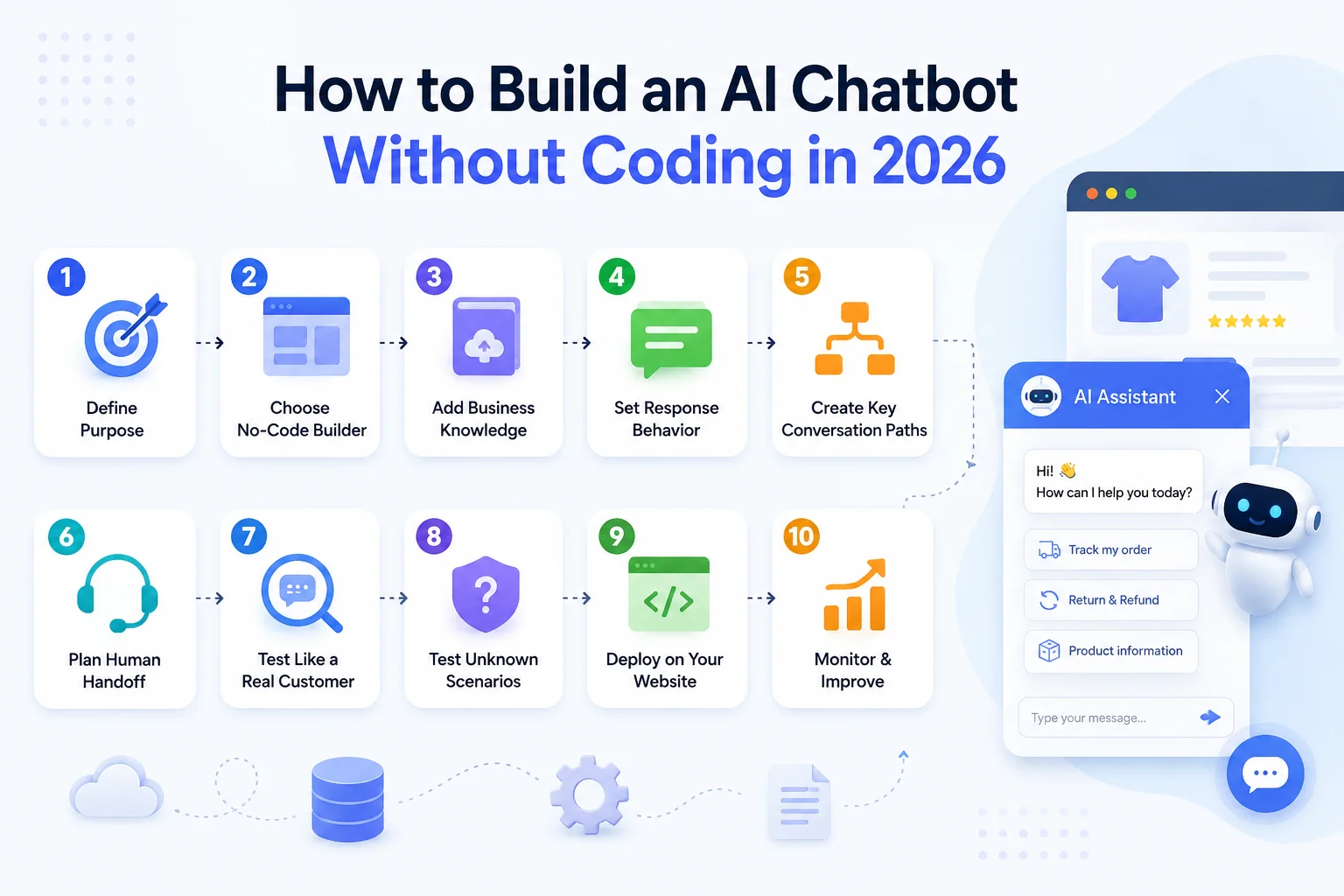
Step 1: Decide What Your AI Chatbot Should Actually Do
Do not begin by trying to automate everything. Start with one clear problem. Ask yourself: Why would someone open this chatbot?
A business might want its chatbot to answer common customer questions, explain products or services, capture leads, guide visitors to the right page, provide basic support, or assist shoppers before a purchase.
For example, an ecommerce store may want to answer questions about products, delivery, returns, and compatibility. A SaaS company may focus on features, pricing, and onboarding. A service company may use the chatbot to explain services and collect enquiry details. A focused chatbot is easier to train, test, and improve than one expected to handle every possible business conversation.
Step 2: Choose a No-Code AI Chatbot Builder
Once the purpose is clear, you need a platform that matches it. A no-code AI chatbot builder provides the interface and underlying technology needed to create the chatbot without programming the complete system yourself.
No-code and low-code agent-building tools have become increasingly capable. Microsoft Copilot Studio supports graphical agent creation and publishing, while Google's current Agent Platform includes visual low-code tools for designing, testing, and managing AI agents. For a normal business website, look for a platform that supports the features you genuinely need rather than choosing the one with the longest feature list.
Important areas to check include website learning, document uploads, knowledge updates, human handoff, analytics, integrations, multilingual support, privacy controls, usage limits, and website deployment. Also check whether the platform allows the chatbot to admit when it does not know something. That is often more important than another flashy feature.
Step 3: Give the Chatbot Reliable Business Knowledge
An AI chatbot is much more useful when it understands your actual business rather than relying only on general AI knowledge. Depending on the platform, you may be able to provide:
Website pages
Products and services
FAQs
Pricing information
Shipping and return policies
Manuals and guides
Help-centre articles
PDFs and other documents
Before adding this information, review it carefully. If one page says customers have 14 days to return an item and another says 30 days, the chatbot starts with conflicting information. Similarly, outdated prices or product specifications can lead to poor answers.
Your knowledge base should therefore be treated as the chatbot's source of truth. This knowledge-grounded approach is now common across modern agent-building systems, which allow organizations to connect agents with business-specific knowledge sources rather than depending entirely on a general-purpose model.
Step 4: Define How the Chatbot Should Respond
Uploading information is not enough. You also need to tell the chatbot how it should behave. Think about the experience you want customers to have. For example, your instructions might tell the chatbot to answer clearly and concisely, use only approved business information, avoid making unsupported promises, ask a follow-up question when the request is unclear, and offer human assistance when it cannot provide a reliable answer.
You can also define the communication style. A professional services company may want a more formal tone, while an ecommerce brand may prefer something conversational and friendly. The goal is consistency, not making every response sound identical. You should also define what the chatbot must not do. It should not invent prices, policies, availability, guarantees, or technical information simply because the customer expects an answer.
Step 5: Add Useful Conversation Paths
Even with generative AI, some structure is helpful. Think about the most common reasons people contact your business and make sure the chatbot can guide those conversations properly. For an ecommerce store, this might include product questions, shipping, returns, exchanges, and pre-purchase guidance.
For a SaaS website, common paths could include pricing, features, integrations, setup, and technical support. A service business might focus on service selection, project requirements, consultations, and enquiries. You do not need to manually script every sentence. The purpose of modern AI is to allow customers to ask questions naturally. But you should still define the expected outcome for important conversation types.
For example, when someone asks for custom pricing, should the chatbot explain the available plans, collect an enquiry, or connect the visitor with sales? Answering those questions during setup creates a more useful experience after launch.
Step 6: Plan Human Handoff Before You Launch
No chatbot should be expected to resolve everything. Some customers will have unusual problems. Others may want a person immediately. Complaints, billing disputes, technical failures, high-value sales enquiries, sensitive issues, and decisions requiring approval often need human involvement.
Plan what should happen in those situations. A strong handoff should preserve the conversation and information already collected so the customer does not have to start again. For example, imagine a customer explains a damaged order, provides the order number, identifies the product, and then needs a support representative.
The human agent should ideally receive that context rather than asking the customer to repeat the entire problem. AI should make human support more efficient, not harder to reach.
Step 7: Test the Chatbot Like a Real Customer
This is one of the most important steps. Do not only ask perfect questions such as: “What is your return policy?” Real users are more likely to type: “can i send this back?” or: “bought wrong size what do i do”
Test spelling mistakes, incomplete sentences, follow-up questions, unexpected wording, product comparisons, unclear requests, and questions outside the chatbot's knowledge. Also test whether it remembers basic conversation context. For example:
Customer: “Tell me about the Growth plan.”
Customer: “Does it include multilingual support?”
The chatbot should understand that the second question still refers to the Growth plan. Current no-code agent platforms explicitly include testing as a core part of the build process before publication. Microsoft recommends testing changes repeatedly as knowledge and agent behaviour are refined.
Step 8: Test What Happens When the Chatbot Does Not Know
Most businesses focus on correct answers during testing. You should also deliberately ask questions the chatbot cannot answer. Ask about a product that does not exist. Request an unlisted discount. Ask for confidential company information. Try to make it confirm a policy that is not in its knowledge.
A reliable response might be: “I don't have enough information to confirm that. I can help you contact our team.” That is a successful response.
An AI chatbot that confidently answers everything is not necessarily a better chatbot. Knowing when reliable information is unavailable is an important part of the customer experience.
Step 9: Deploy the Chatbot on Your Website
Once the chatbot has been tested, it can be made available to users. No-code platforms typically simplify this stage through a website widget, generated embed code, supported plugin, or publishing option. Microsoft, for example, documents publishing agents to supported channels and live or demo websites after testing.
The chatbot should be easy to find without becoming distracting. Consider where customers are most likely to need assistance:
Homepage
Product pages
Service pages
Pricing page
Support centre
Contact page
Checkout-related pages
The opening message should also match the business. Instead of a generic “Hi, how can I help?”, an ecommerce chatbot might say: “Need help choosing a product or checking our shipping and return information? Ask me.” This tells visitors immediately what the chatbot is useful for.
Step 10: Monitor Real Conversations and Improve
Launching the chatbot is not the final step. Real customer conversations will quickly reveal questions you did not expect. Review what customers ask, which responses are useful, where the chatbot struggles, and which conversations repeatedly require human assistance.
Pay attention to unanswered questions, incorrect responses, repeated customer rephrasing, human-handoff frequency, common topics, lead activity, and customer feedback. You may discover that the problem is not always the chatbot.
If dozens of customers ask whether a particular product supports a certain feature, perhaps that information should also be clearer on the product page. If many people misunderstand the return policy, the policy itself may need rewriting. Chatbot conversations can therefore help improve the wider website as well as the AI assistant.
How to Build an AI Chatbot for an Ecommerce Store
The same basic process applies to ecommerce, but product information and policies become especially important. Start by giving the chatbot access to accurate product descriptions, collections, FAQs, shipping information, return policies, payment information, and relevant support content.
Then test the kinds of questions real shoppers ask:
“Which size should I choose?”
“Does this accessory work with the Pro model?”
“How quickly can this be delivered?”
“Can I return it if it doesn't fit?”
An ecommerce chatbot can help customers understand the information available on the store and guide them toward relevant products. AgentBest.ai's current ecommerce implementation, for example, is designed to learn from product pages, collections, FAQs, policies, and additional uploaded knowledge.
More advanced functions such as checking personal orders, confirming live inventory, or completing account actions require the appropriate integrations and permissions. A chatbot should never pretend an action has been completed when it only has access to general website information.
Do You Need Coding Skills at Any Point?
For a standard website chatbot, not necessarily. Modern no-code platforms can handle knowledge setup, chatbot configuration, testing, and basic website deployment through a graphical interface.
Technical help may still be required when you want highly customized integrations, proprietary business systems, complex authentication, advanced workflow actions, or complete control over the underlying infrastructure. This is where the difference between no-code, low-code, and custom development becomes important.
If your goal is primarily website Q&A, customer support, product guidance, lead capture, and other knowledge-based conversations, a no-code platform may be enough. If the chatbot needs to perform specialized actions across internal systems, some development work may still be necessary.
How Agent Best AI Lets You Build an AI Chatbot Without Coding
AgentBest.ai follows a simple website-first approach. You enter your website URL, and the platform scans relevant pages, products, services, FAQs, policies, and other business content to create the chatbot's knowledge base. You can then upload additional PDFs, manuals, pricing documents, FAQs, or support information.
After configuring and testing the chatbot, it can be deployed to the website. AgentBest.ai currently positions this workflow as requiring no coding or API configuration for the standard setup. For an ecommerce business, the chatbot might focus on products, delivery, and returns. A SaaS company might train it on features, pricing, and onboarding.
A service company could use services, FAQs, and business information to guide potential clients. This workflow also matches AgentBest.ai's planned How It Works positioning: website learning, additional knowledge, configuration, deployment, and ongoing improvement.
Final Thoughts
You no longer need to build the complete AI infrastructure yourself to build an AI chatbot for a business website. A no-code platform can handle much of the technical foundation, allowing you to focus on the parts that matter most: what the chatbot should do, what information it should trust, how it should communicate, and when a person should take over.
The process is straightforward: define the purpose, choose the platform, prepare reliable knowledge, configure behaviour, test realistic conversations, deploy the chatbot, and keep improving it. The technology may be no-code, but the quality still comes from thoughtful setup.
A useful AI chatbot is not the one that answers every question. It is the one that gives reliable answers when it can, makes useful next steps clear, and knows when the conversation needs a human.