What Is a Website Chatbot Builder?
A website chatbot builder is a platform that helps businesses create and deploy a chatbot on their website without developing every technical component themselves. Modern AI chatbot builders can use business information such as website pages, products, services, FAQs, policies and uploaded documents to answer visitor questions.
This is different from older chatbots that depend mainly on predefined buttons and scripted conversation paths. For example, a traditional chatbot might display: Pricing | Support | Contact Sales. An AI-powered website chatbot can instead allow a visitor to ask: “Which plan would work for a five-person marketing team?”
The chatbot can understand the question, search the business information available to it and provide a relevant response. Google Cloud describes modern AI chatbots as conversational interfaces that use natural-language understanding or processing and large language models rather than relying only on pre-programmed responses.
What Does a Website Chatbot Builder Actually Provide?
The small chat window visitors see is only the front end. Behind it, a chatbot builder normally provides tools for managing the knowledge and behaviour of the AI assistant.
Depending on the platform, this can include website crawling, document uploads, chatbot instructions, conversation testing, widget customization, human handoff, analytics and integrations. The main advantage is that the business does not have to separately build the AI model connection, conversation interface, knowledge system and administration dashboard.
Modern agent-building platforms increasingly combine these functions in one environment. Microsoft Copilot Studio, for example, allows users to add knowledge sources, test agent behaviour, publish agents and review performance through its platform.
How Does a Website Chatbot Builder Work?
Although every platform is different, the basic process is usually similar.
1. The Builder Learns About Your Business
The first stage is providing the chatbot with reliable information. This may come from your website or additional knowledge such as:
Product and service pages
FAQs
Pricing information
Shipping and return policies
Manuals
Help articles
Support documents
PDFs and other files
A website-focused platform may crawl public pages automatically, while other tools may require you to add knowledge sources manually. The purpose is to give the chatbot business-specific information instead of allowing it to depend only on general AI knowledge.
2. The Information Becomes a Searchable Knowledge Source
The platform processes the content so the chatbot can find relevant information when a visitor asks a question. Imagine that your website has 100 pages.
A customer asking, “Can I return an item purchased during a sale?” should not receive information from an unrelated product or service page. The system needs to identify the customer’s intent and retrieve the section of your return policy that actually addresses discounted products.
This knowledge-retrieval process is what allows modern business chatbots to provide responses based on company information rather than simply generating generic answers.
3. A Visitor Asks a Question
After the chatbot is deployed, website visitors can communicate with it through the chat widget. The customer may ask: “Do you ship to Canada?” or: “Which service is right for a small ecommerce business?”
Instead of requiring an exact keyword, the AI interprets the meaning of the question. Conversational AI uses natural-language technologies to understand and process human language, which allows users to communicate more naturally than they can with a fixed menu.
4. The Chatbot Finds Relevant Information
The chatbot searches the knowledge available to it for information related to the question. If someone asks about delivery, it may use the shipping policy. If they ask about pricing, it may retrieve information from the pricing page. If they ask how a feature works, it may use a product or support document.
This is why knowledge quality matters so much. If your website contains outdated pricing or conflicting policies, the chatbot may also provide confusing information. A website chatbot builder makes information easier to access, but it cannot automatically repair poor source content.
5. The AI Creates a Conversational Response
Once relevant information is found, the chatbot turns it into an answer that is easier for the visitor to understand. The response should be useful without becoming unnecessarily long.
For example, instead of copying an entire shipping policy, the chatbot might explain the relevant condition and then direct the visitor to the full policy if they need more detail.
Modern generative AI also allows the conversation to continue naturally. If the visitor asks a follow-up such as: “What about express shipping?” the chatbot can use the context of the previous question instead of treating the conversation as completely new.
6. The Conversation Continues or Moves to a Human
Not every question should be handled by AI. A visitor may have a complex complaint, unusual refund request, technical problem, custom sales enquiry or situation requiring approval. A good website chatbot builder should provide a way to transfer these conversations to a human team member.
The handoff is more useful when previous messages and information already collected are preserved. Customer-service AI platforms increasingly combine automated answers with human escalation because some conversations still require judgment, empathy or authority.
Website Chatbot Builder vs Traditional Chatbot Builder
Traditional chatbot builders normally focus on creating predefined flows. You might design a structure such as:
Customer selects Support → Selects Billing → Selects Refunds → Receives a prepared answer.
This gives the business strong control but can become difficult to manage as the number of possible customer questions grows. An AI website chatbot builder takes a more flexible approach.
The visitor can describe the problem naturally, and the chatbot uses its knowledge to decide which information is relevant. This makes AI particularly useful for businesses with many products, services, FAQs or support documents.
Rule-based chatbots still have value when the process is highly predictable. Many businesses can also combine structured buttons with AI-powered open questions rather than choosing only one approach.
What Can You Use a Website Chatbot Builder For?
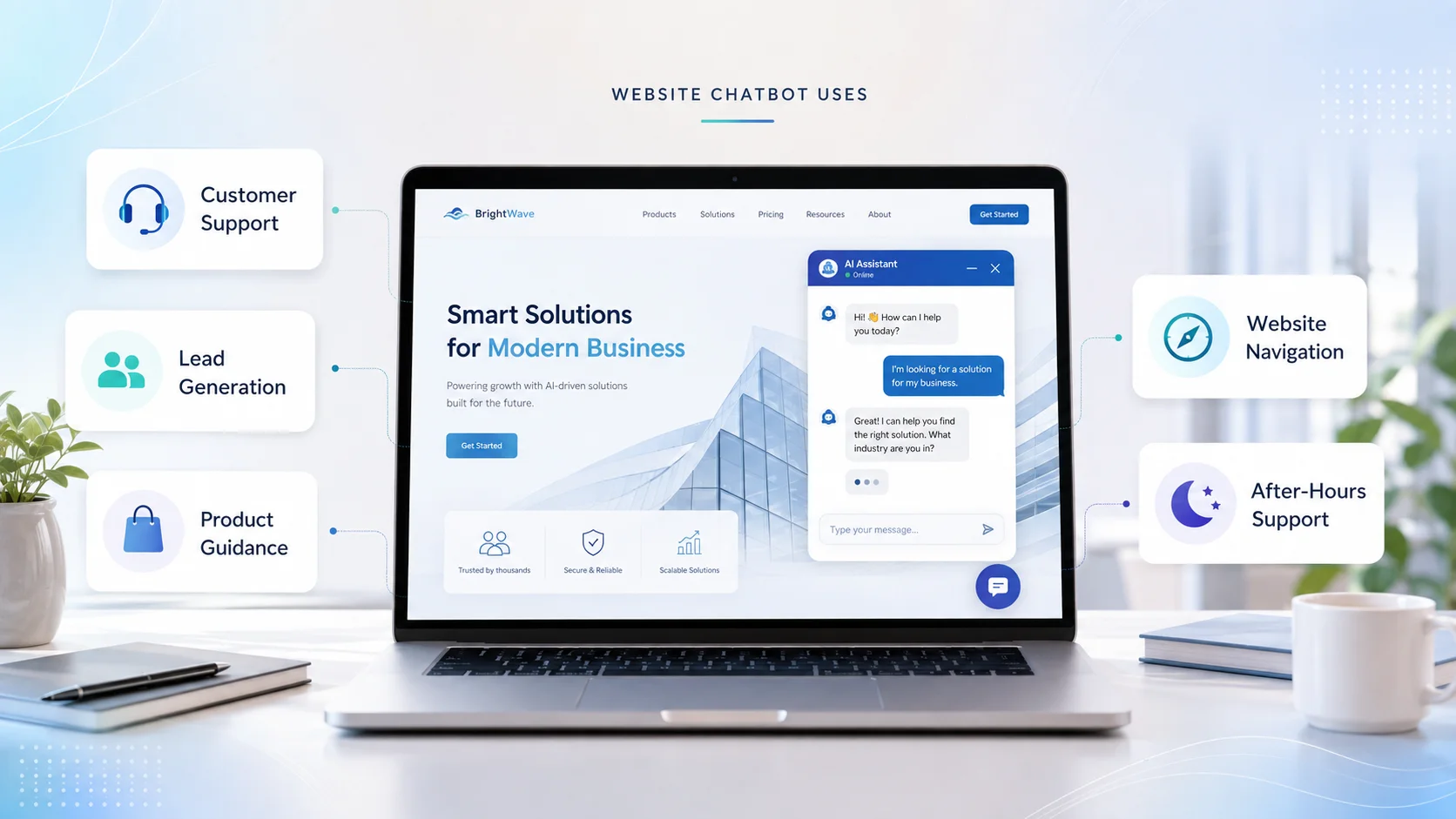
A website chatbot can support several areas of a business.
Customer Support
The chatbot can answer repeated questions about products, services, policies, account procedures and basic troubleshooting. Visitors receive faster assistance while human representatives can focus on more complicated cases.
Lead Generation
A chatbot can answer pre-sales questions and collect information when a visitor wants a quotation, consultation or follow-up. For example, it might collect the visitor’s name, email, company and main requirement before passing the enquiry to the sales team.
Product and Service Guidance
Visitors sometimes know what they need but do not know which option is suitable. A chatbot can explain product differences, describe services and direct visitors to relevant pages based on information available in the business knowledge base.
Website Navigation
Large websites can be difficult to explore. Instead of manually searching through menus, visitors can ask: “Where can I see your enterprise pricing?” The chatbot can answer the question and guide them to the appropriate page.
Support Outside Working Hours
A chatbot can provide suitable information when the human team is unavailable. It can answer routine questions immediately and collect information for cases that require later follow-up. This does not mean every problem can be solved 24/7. The chatbot should make it clear when a human response will still be needed.
How Website Chatbot Builders Help Ecommerce Stores
Ecommerce is a strong use case because shoppers often have questions immediately before making a purchase. Someone may want to know whether a product fits a particular device, which size to choose, how long delivery takes or whether an item can be returned.
An ecommerce chatbot can use product pages, FAQs and store policies to make this information easier to access. For example:
“Does this charger support the Pro model?”
If compatibility is clearly stated in the product information, the chatbot can answer using that source. The same chatbot may help shoppers compare products, navigate collections or understand shipping and return conditions.
However, live inventory, individual order tracking, account details and refund processing require the relevant integrations and permissions. A website chatbot should never claim that it has completed an action when it only has access to general website information.
Do Website Chatbot Builders Require Coding?
Not always. Many modern platforms are designed so that standard setup can be completed through a dashboard. The business adds its knowledge, adjusts chatbot instructions, tests conversations and publishes the assistant.
Microsoft currently describes its agent-building tools as supporting graphical experiences for creating, testing and publishing no-code conversational agents. Technical work may still be necessary when a business requires custom APIs, complex account authentication, proprietary internal systems or highly specialized workflows. This creates three broad approaches:
No-code: Suitable for standard knowledge-based website chatbots and common integrations.
Low-code: Suitable when some custom workflows or connections are needed.
Custom development: Suitable when the business requires complete control over specialised systems, interfaces or infrastructure.
The right option depends on what the chatbot actually needs to do.
What Features Should You Look for in a Website Chatbot Builder?
Do not select a platform only because the setup demo looks impressive. Start with your real business requirements. Useful capabilities may include:
Website crawling
File and document uploads
Natural follow-up conversations
Easy knowledge updates
Human handoff
Lead capture
Multilingual support
Integrations
Conversation analytics
Privacy and access controls
Custom chatbot instructions
Also test how the chatbot behaves when it does not know the answer. This is important. A chatbot that says, “I don't have enough information to confirm that” and offers human assistance is often more reliable than one that tries to answer everything.
How to Know Whether Your Website Needs a Chatbot Builder
A chatbot builder may be useful when visitors repeatedly ask questions that already have documented answers. It can also make sense when your support team spends significant time answering the same questions, your website contains a large amount of information or customers regularly visit outside normal business hours.
Another strong sign is when people struggle to find the correct product, service or support page. You may not need a chatbot simply because AI is popular.
If your website receives very few questions or nearly every customer interaction requires detailed human judgment, improving your existing contact process may be more useful. The best reason to add a chatbot is a specific visitor problem you can clearly describe.
How Agent Best AI Works as a Website Chatbot Builder
Agent Best AI follows a website-first approach. You enter your website URL, and the platform scans relevant products, services, FAQs, policies and other business information to build the AI knowledge base. Additional documents can also be added when important information is not available publicly on the website.
After the knowledge is prepared, the AI chatbot can be tested and deployed on the website. AgentBest.ai is designed for standard setup without coding or API configuration, while supporting customer questions, visitor guidance, lead conversations and customer service.
For an ecommerce business, this may mean learning from product pages, policies and FAQs. For a SaaS company, it could include features, plans and onboarding information. A service company can use its services, pricing information and business FAQs.
The main idea is straightforward: instead of manually creating an answer for every possible question, the business gives the AI access to reliable knowledge and allows visitors to interact with that information conversationally.
Common Mistakes When Using a Website Chatbot Builder
One of the biggest mistakes is treating installation as the end of the project. A chatbot needs regular updates when products, prices, services or policies change. Another common mistake is feeding it too much poor-quality content. More pages do not automatically produce better answers. Clear and current information is more valuable than a large amount of contradictory content.
Businesses should also avoid trying to automate every conversation. Sensitive complaints, unusual requests and important sales opportunities may need human attention. Finally, test the chatbot with real customer language. People use spelling mistakes, short messages, incomplete sentences and unexpected wording. A chatbot that only performs well with perfectly written test questions is not ready for real visitors.
Final Thoughts
A website chatbot builder makes it possible to turn business information into an interactive website assistant without building the entire technology stack from scratch. The builder provides the tools for adding knowledge, configuring the AI, testing conversations and deploying the chatbot.
The chatbot then helps visitors access information through natural questions instead of searching page by page. But the software is only part of the result. A useful website chatbot still needs accurate knowledge, clear boundaries, thoughtful human handoff and regular improvement.
In 2026, the real value of a website chatbot builder is not simply that it makes chatbot creation easier. It gives businesses a practical way to make the information already on their website easier for customers to understand and use.