What Is a No-Code AI Chatbot Builder?
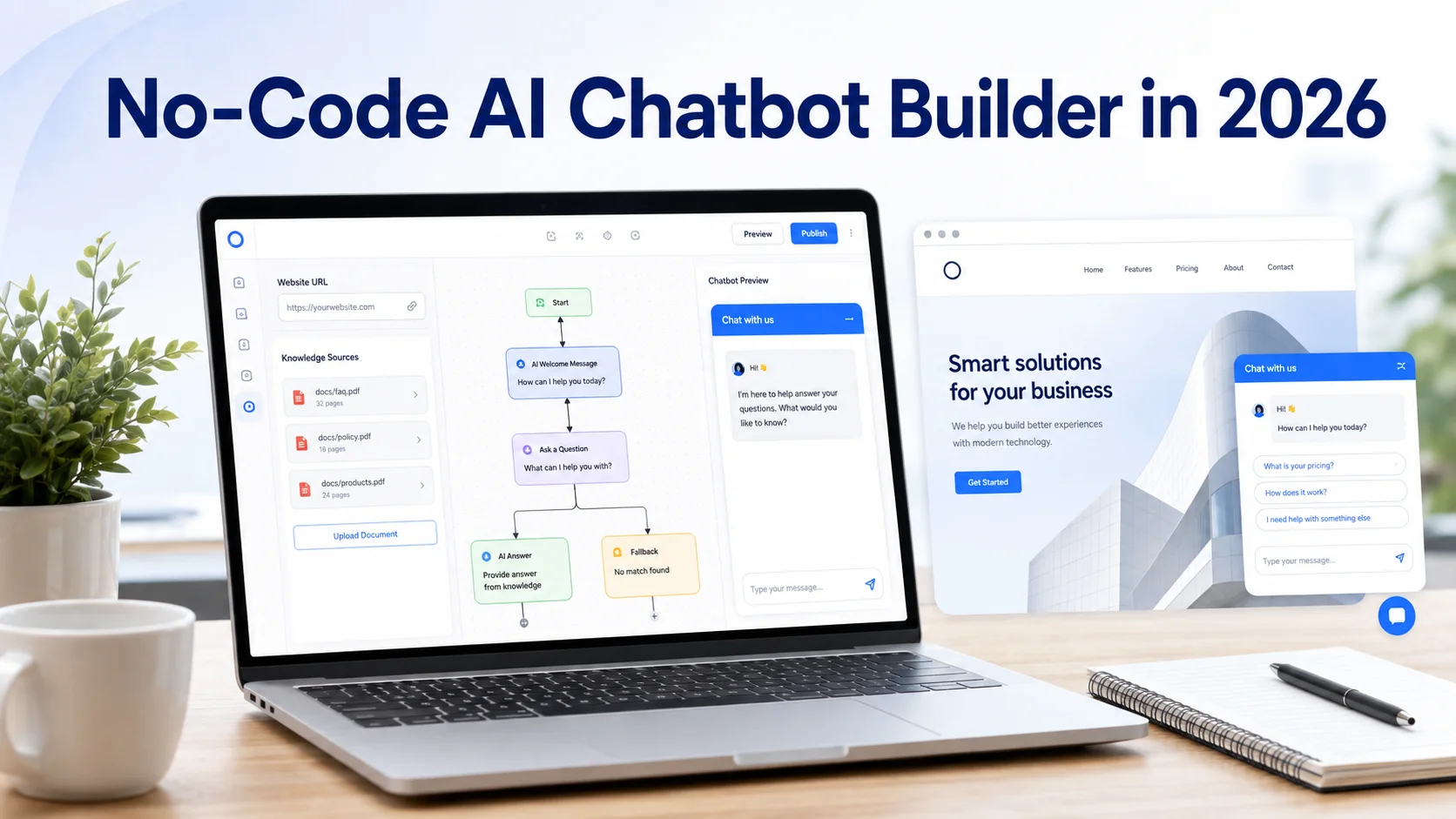
A no-code AI chatbot builder is software that allows people to create, train, customize and deploy an AI chatbot without traditional programming. Instead of writing backend logic and manually connecting an AI model, the user works through a dashboard.
Depending on the platform, you may add a website URL, upload files, provide instructions, customize the chatbot and add it to your website using a widget or simple installation method. Modern platforms are also moving beyond rigid chatbot flows.
Microsoft’s current Copilot Studio documentation, for example, describes a guided no-code experience where users can add knowledge, test changes and publish an agent without requiring developers or data scientists. A no-code builder therefore removes much of the technical development work, but it does not remove the need to think carefully about what the chatbot should know and do.
How Is a No-Code AI Chatbot Different From a Traditional Chatbot?
Traditional chatbots often depend on predefined rules. The business creates a conversation flow such as: “Choose Sales, Support or Pricing.” If the customer follows the expected path, the chatbot works well. If the customer asks something unexpected, the experience can quickly become frustrating.
A modern AI chatbot is more flexible. Customers may ask questions naturally, such as: “Which plan would work for a small ecommerce business with two websites?” The chatbot can interpret the question, search its available knowledge and provide a response based on the relevant business information.
Current generative AI platforms increasingly combine trusted knowledge sources with AI-generated responses rather than requiring businesses to manually create a separate conversation path for every possible question.
How Does a No-Code AI Chatbot Builder Work?
Although platforms differ, the basic process is usually straightforward. First, you give the chatbot information about your business. This might include your website, services, products, FAQs, policies, manuals, pricing information or uploaded documents.
The platform processes this content and turns it into a knowledge source the chatbot can search when someone asks a question. When a visitor sends a message, the AI interprets the question, finds relevant information and creates a conversational response.
For example, if a customer asks: “Do you offer refunds after 30 days?” The chatbot should search the business’s actual refund policy rather than provide a generic answer based on what other companies normally do. This grounding in business-specific information is one of the most important parts of a reliable website chatbot.
What Does “No-Code” Really Mean?
No-code does not mean “no setup.” It means you do not need to program the basic chatbot infrastructure yourself. You still need to decide what information the AI can use, how it should communicate, what it should not answer and when a person needs to take over. A typical no-code setup may involve:
Adding your website or knowledge sources
Uploading additional documents
Writing chatbot instructions
Choosing conversation behaviour
Customizing the widget
Setting human-handoff rules
Testing responses
Installing the chatbot on your website
Some advanced features may still require technical assistance. Connecting custom internal software, performing secure account actions or creating specialised API workflows can move a project from no-code toward low-code or custom development. That distinction matters when comparing platforms.
Key Features to Look for in a No-Code AI Chatbot Builder
The best platform is not necessarily the one with the longest feature list. It is the one that supports the conversations your customers actually need.
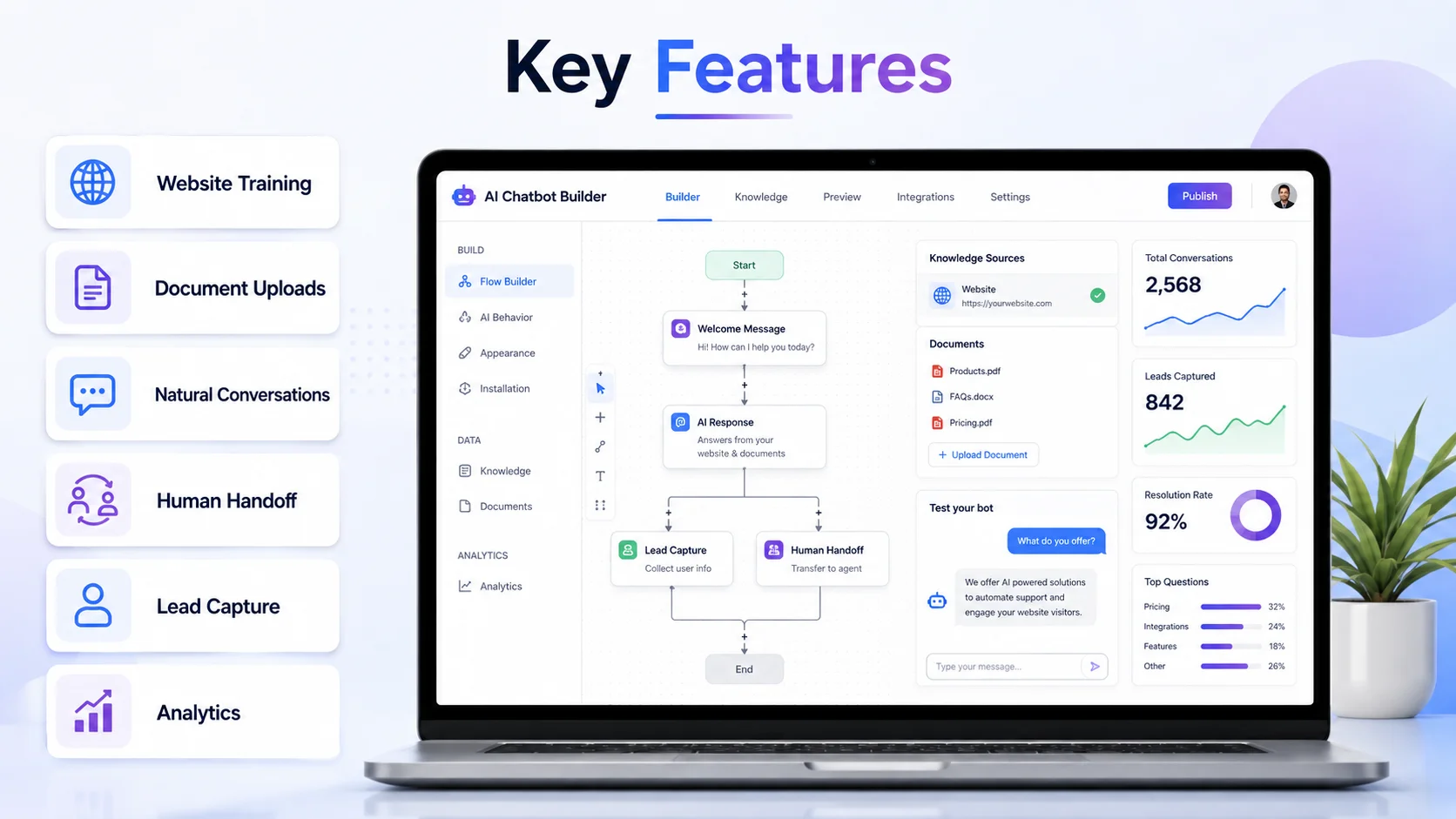
Website Knowledge Training
A useful builder should be able to learn from your existing website instead of requiring you to manually enter every answer. This can include service pages, products, FAQs, policies, help articles and other important content. If your business changes regularly, also check how easily that knowledge can be refreshed.
Document Uploads
Not all useful information appears publicly on a website. Businesses may also need to add PDFs, manuals, product guides, support documentation, pricing files or internal FAQs. A good platform should make it easy to add and manage these knowledge sources.
Natural Conversations
Visitors should be able to ask questions using normal language. The chatbot should understand that “How much is it?”, “What are your prices?” and “Can you explain the cost?” may all relate to the same subject. It should also follow basic conversation context rather than treating every message as an entirely new question.
Human Handoff
No AI chatbot can handle every situation. Complaints, unusual requests, important sales opportunities, payment disputes and complex technical issues may require a human. The platform should make it easy to transfer the conversation and, ideally, preserve what the customer has already explained.
Lead Capture
For business websites, the chatbot may also support lead generation. It can collect useful information such as the visitor’s name, email, requirement or preferred service before passing the enquiry to the business team. This should feel like part of a helpful conversation rather than an automated form disguised as a chatbot.
Analytics
Conversation data can show what customers actually ask about. Analytics may help identify popular topics, unanswered questions, repeated support problems and situations that frequently need human assistance. These insights can improve both the chatbot and the website itself.
Who Should Use a No-Code AI Chatbot Builder?
No-code builders are particularly useful for businesses that want AI assistance but do not want to build and maintain a custom chatbot system. A small business might use one to answer common customer questions and collect enquiries.
A SaaS company may use it to explain features, pricing and onboarding. A service business may guide visitors toward the right service before collecting their contact information. Ecommerce is another strong use case. An online store may receive repeated questions such as:
“Does this come in another size?”
“Will this product work with my device?”
“How long does delivery take?”
“Can I return this if it doesn't fit?”
“Which product is better for my needs?”
A chatbot trained on accurate store information can make those answers easier to access while the shopper is still deciding whether to purchase. Live stock, specific order information or refund processing require suitable integrations. A no-code chatbot should never claim to access information or complete an action that its connected systems do not actually support.
Benefits of Using a No-Code Builder
The clearest benefit is speed of implementation. Businesses can create a working chatbot without first building the underlying AI application, database connections, chat interface and administration system from scratch.
It can also reduce the technical barrier for marketing, support and operations teams that understand customer questions but do not write software. Another advantage is easier maintenance.
When a policy changes or a new FAQ is introduced, an administrator may be able to update the chatbot through the dashboard rather than requesting a software release. No-code platforms can also make experimentation easier. A business can begin with one focused use case, review real customer conversations and expand the chatbot gradually. That is usually safer than attempting to automate the entire customer journey on day one.
No-Code Builder vs Custom Chatbot Development
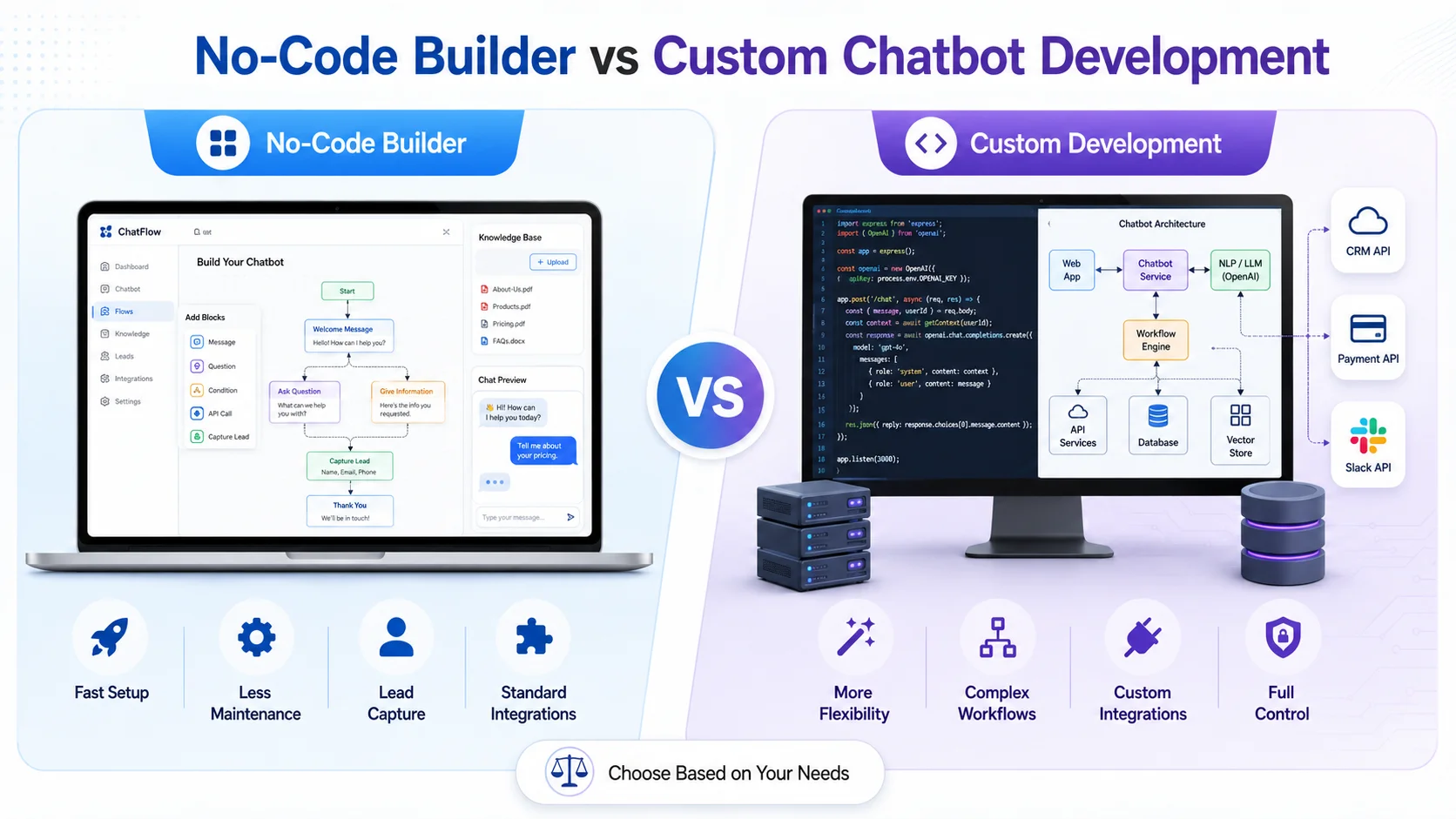
A no-code platform and a custom chatbot solve different problems. A no-code AI chatbot builder is generally suitable when a business needs website Q&A, customer support, product or service guidance, lead capture, knowledge-based conversations and standard integrations.
Custom development may make more sense when the business requires highly specialised workflows, proprietary interfaces, complex permissions, unusual system integrations or complete control over the underlying infrastructure. The trade-off is usually between convenience and customization.
No-code tools provide faster deployment and less technical maintenance. Custom development provides greater flexibility but normally requires more development time, technical expertise and ongoing maintenance. Neither approach is automatically better. The right choice depends on what the chatbot actually needs to accomplish.
Can No-Code AI Chatbots Give Incorrect Answers?
Yes. Using a no-code platform does not remove the normal limitations of generative AI. A chatbot can misunderstand a question, use outdated information or produce an answer that is not fully supported by its sources.
Microsoft’s current guidance for generative answers similarly notes that response quality depends on the quality of connected data and that follow-up behaviour needs careful planning. Businesses should reduce this risk by maintaining accurate knowledge, setting clear instructions, testing realistic questions and reviewing conversations after launch.
The chatbot should also know when not to answer. If the available knowledge does not confirm a price, policy, delivery promise or technical detail, saying “I don't have enough information to confirm that” is better than inventing an answer.
How to Prepare Before Building Your Chatbot
Before opening a chatbot builder, first decide what problem you want the chatbot to solve. Do you want to reduce repeated support questions? Help ecommerce visitors understand products? Capture leads? Explain services? Support customers after working hours?
A clear goal makes everything else easier. Next, review the information that will train the chatbot. Check your website pages, FAQs, product descriptions, policies and documents for outdated or conflicting information.
Then think about boundaries. Decide what the chatbot may answer, which information it can collect and when a human should become involved. Finally, identify how you will measure whether it works. Useful signals might include successfully answered questions, qualified enquiries, human handoffs, unresolved questions or customer feedback. A chatbot should be treated as an ongoing customer communication channel, not a widget that is installed once and forgotten.
How Agent Best AI Works as a No-Code AI Chatbot Builder
Agent Best AI is designed to help businesses create an AI agent without building the complete chatbot system from scratch. The basic process starts with your website. You enter the website URL so AgentBest.ai can learn relevant products, services, FAQs, policies and other business information.
You can then add extra knowledge such as PDFs, manuals, pricing details, support documents or additional FAQs. After configuring and testing the agent, it can be deployed to the website through a chatbot widget. The AI can then answer visitor questions, guide users, assist customer-support and sales conversations, collect enquiries and transfer more complex situations to your team.
For an ecommerce store, that knowledge might include products, shipping information and return policies. For a SaaS website, it might include features, plans and onboarding information. A service business could use the same process for service descriptions, FAQs and lead conversations. The important advantage of the no-code approach is that the business can focus on its knowledge and customer experience instead of building the underlying chatbot technology itself.
What to Check Before Choosing a No-Code AI Chatbot Builder
Do not select a platform only because setup looks easy in a demonstration. Test whether it can answer real questions from your own content. Check how it handles follow-up questions, unclear messages and topics outside its knowledge. Also review:
Website and document training
Knowledge update options
Human handoff
Lead capture
Integrations
Conversation analytics
Multilingual capabilities
Usage limits
Privacy and security controls
Pricing as conversation volume grows
Pay particular attention to what happens when the chatbot does not know the answer. A reliable system should handle uncertainty safely instead of attempting to answer everything.
Final Thoughts
A no-code AI chatbot builder makes AI more accessible to businesses that want a useful website assistant without starting a custom software-development project. It can turn existing website content and documents into an interactive knowledge experience, answer customer questions, support sales conversations, collect leads and reduce repetitive support work.
But “no-code” should not be confused with “no effort.” A successful chatbot still requires accurate business information, clear instructions, realistic boundaries, human handoff and regular improvement.
In 2026, the real advantage of a no-code AI chatbot builder is not simply that you can create a chatbot without programming. It is that teams who understand their customers can build, test and improve useful AI conversations without waiting for a full development cycle.