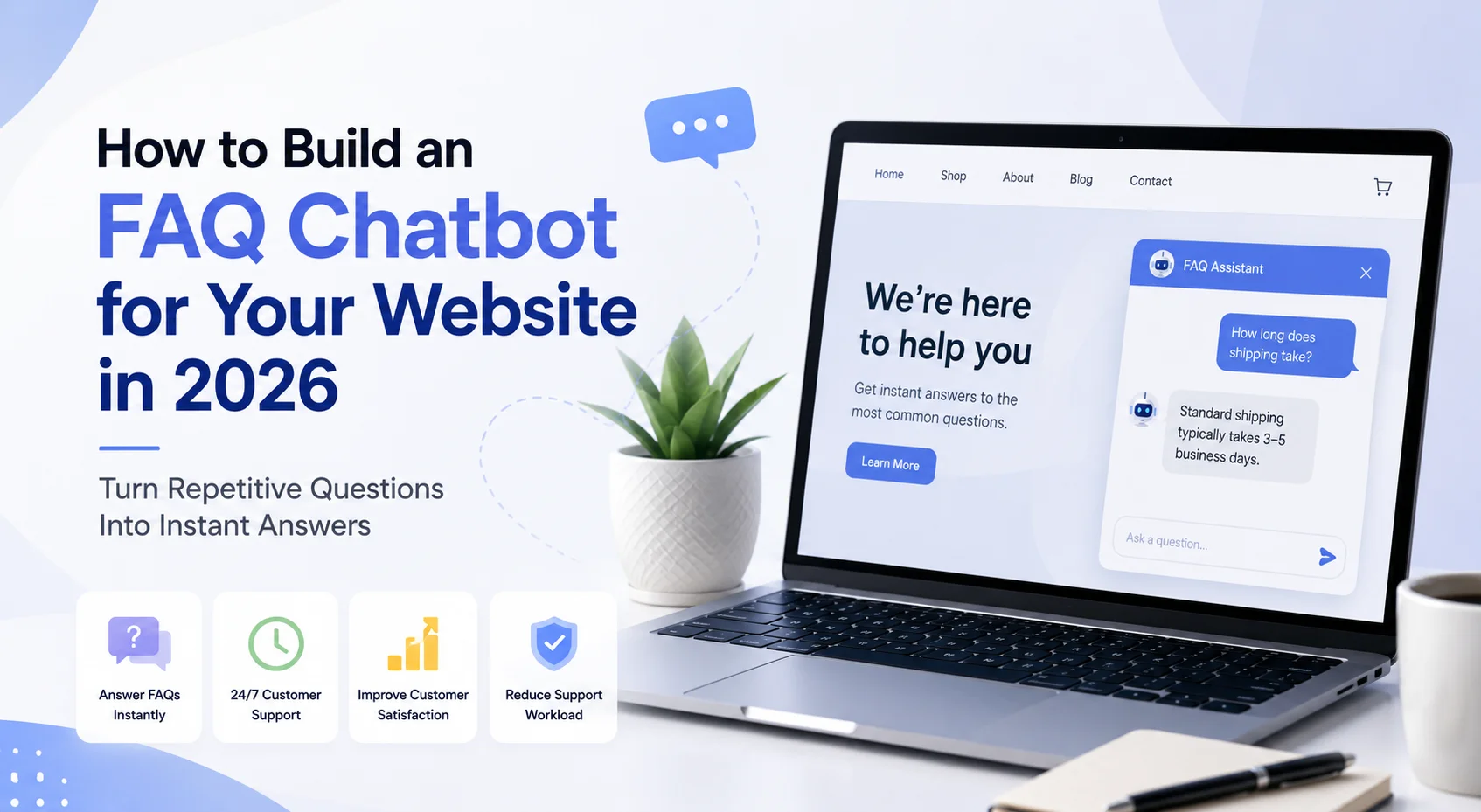
A useful AI FAQ chatbot understands different ways customers ask the same question, retrieves the correct business information and knows when the available FAQ content is not enough. Done properly, it becomes a faster interface to your existing support knowledge rather than another layer customers have to fight through.
What Is an FAQ Chatbot?
An FAQ chatbot is a conversational tool designed to answer frequently asked customer questions using predefined or business-approved information. A traditional FAQ page requires visitors to find the right question themselves. A chatbot reverses that process. Instead of scrolling through:
How long does shipping take?
What is your refund policy?
How do I cancel my subscription?
the visitor can simply type: “How quickly will my order arrive?” or: “Can I stop my plan whenever I want?”
The chatbot identifies what the customer is asking and provides the relevant information. Modern AI FAQ chatbots can go further than exact question matching. When connected to a knowledge base, they can retrieve relevant information from FAQs, policies, help articles and other approved content before creating a response.
Retrieval-Augmented Generation, or RAG, is commonly used to ground generative AI responses in external business information instead of relying only on the model's general knowledge.
FAQ Chatbot vs a Normal FAQ Page
An FAQ page and FAQ chatbot can contain the same information, but the customer experience is different. A normal FAQ page works well when customers are willing to browse and the number of questions is manageable.
A chatbot becomes useful when visitors do not know which heading contains the answer or when they phrase the issue differently from the wording used on your website. Imagine your FAQ says: “What is the cancellation policy?” But customers actually ask:
“Can I leave anytime?”
“Am I locked into the plan?”
“How do I stop my subscription?”
“Will I be charged if I cancel today?”
A static FAQ page depends on the customer finding the right section. An AI FAQ chatbot can use the meaning behind the question to find the relevant cancellation information. The two formats are therefore complementary. Your FAQ page remains useful for browsing and search engines, while the chatbot gives visitors a conversational way to access the same knowledge.
Rule-Based FAQ Chatbot vs AI FAQ Chatbot
Before building anything, understand which type you need.
Rule-Based FAQ Chatbot
A rule-based chatbot links specific questions, keywords or buttons to predefined answers. For example:
Visitor: “Shipping”
Chatbot: Displays your shipping answer.
This approach is predictable and easy to control, but the number of possible question variations can become difficult to maintain. The system may understand “shipping time” but fail when someone asks: “When will it reach me?” unless that variation has also been configured.
AI FAQ Chatbot
An AI-powered chatbot can interpret natural language and search business knowledge for the most relevant answer. The customer does not have to use exactly the same words as your FAQ. This makes AI particularly useful when your business has many questions, detailed policies or customers who describe the same issue in many different ways.
Modern knowledge systems can retrieve relevant business information and provide it to a language model as context before generating a response. This approach helps applications use proprietary or current information without repeatedly retraining the underlying model. For many websites, a hybrid approach works well: use structured buttons for important actions while allowing visitors to ask open-ended questions in natural language.
How Does an AI FAQ Chatbot Work?
From the visitor's perspective, the process feels simple. They ask a question and receive an answer. Behind the conversation, several things working.
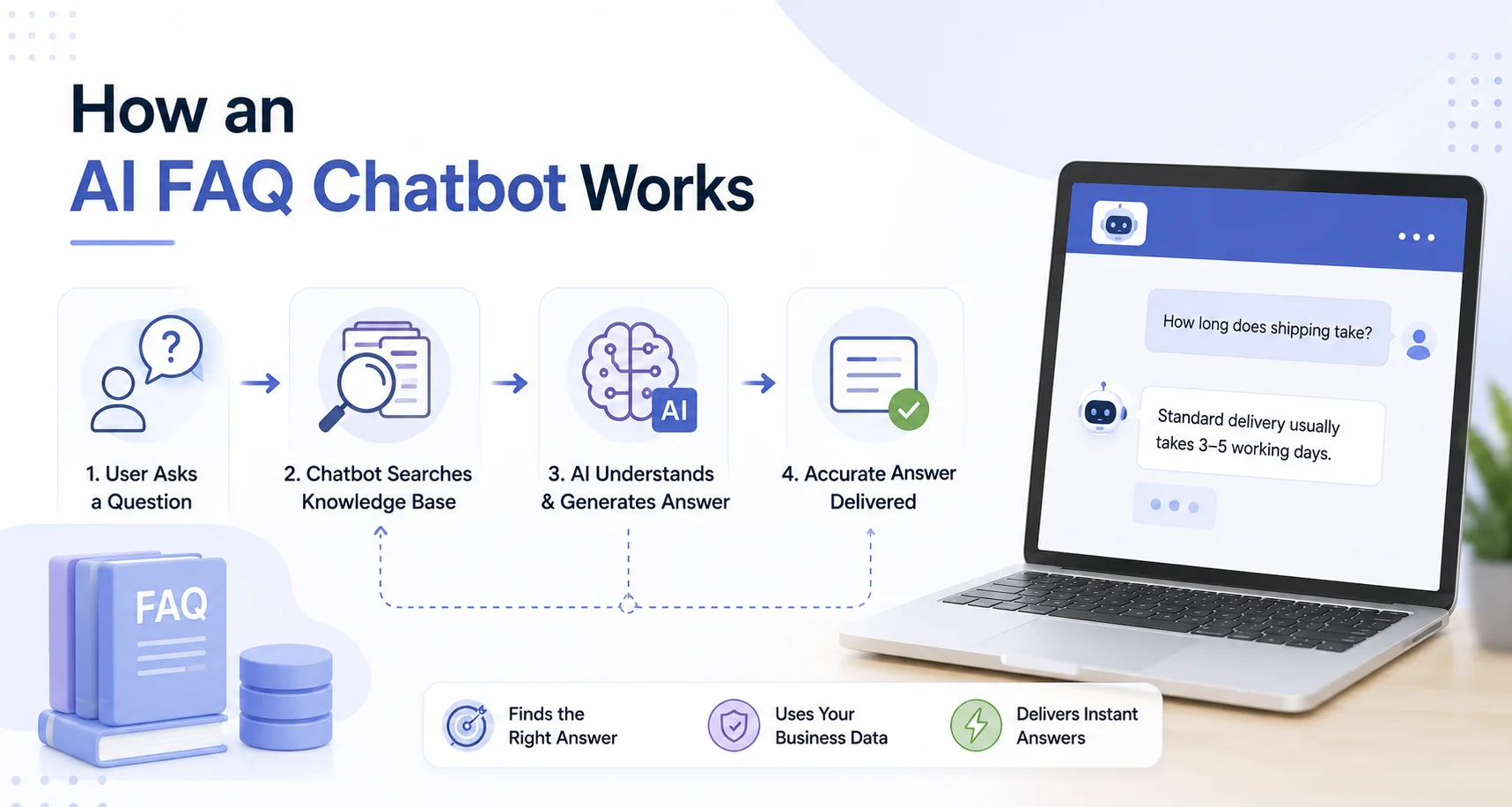
First, the chatbot interprets the question. Then it searches the FAQ or connected knowledge base for relevant information. The retrieved information is supplied to the AI model as context. The model turns that information into a natural response. For example:
FAQ source: Standard UK delivery normally takes 3–5 working days.
Customer: “How long before my package arrives in the UK?”
Chatbot: “Standard UK delivery normally takes 3–5 working days.”
The important point is that the factual part should come from the business source rather than being invented by the AI.
Step 1: Decide Which Questions the Chatbot Should Handle
Do not begin by trying to automate every customer conversation. Start with questions that are common, repetitive and have clear answers. Review your:
Existing FAQ page
Customer emails
Support tickets
Live-chat conversations
Sales questions
Contact-form enquiries
Product questions
Internal support notes
Look for repetition. Perhaps customers repeatedly ask:
“How much does it cost?”
“Do you ship internationally?”
“Can I cancel?”
“Do you work with Shopify?”
“What happens after I order?”
These are strong FAQ chatbot candidates because the business can define reliable answers. Questions requiring negotiation, judgment or individual investigation should usually remain outside the core FAQ automation scope.
Step 2: Build Your FAQ List From Real Customer Language
One mistake is writing FAQs based only on what the business thinks customers might ask. Real customers often use completely different wording. Suppose your official question is: “What payment methods are supported?” Customers might actually ask:
“Can I pay with PayPal?”
“Do you take cards?”
“What payment can I use?”
“Apple Pay?”
These variations matter because they help you test whether the AI understands the customer's intent. A practical FAQ dataset can therefore contain:
Canonical question: What payment methods do you accept?
Approved answer: The current business answer.
Common variations: Can I pay by card?, Do you accept PayPal?, How can I pay?
You do not necessarily need to upload every variation as a separate FAQ if the chatbot uses semantic retrieval, but collecting them gives you much better test data.
Step 3: Write Answers That Work Well for Both Customers and AI
An FAQ answer should be clear enough to stand on its own. Avoid vague answers such as: “Yes, this is available under certain conditions. See above for more details.” The chatbot may retrieve that paragraph without the missing context. A better answer would say:
“Sale items can be returned within 14 days if they meet the conditions described in our return policy.”
Each important section should clearly identify what it is discussing. AWS's current RAG guidance specifically recommends clear headings, unambiguous language, consistent structure and enough contextual information because poorly structured or ambiguous source documents can reduce retrieval quality. That means FAQ quality matters just as much as chatbot quality.
Step 4: Remove Duplicate and Conflicting Answers
Imagine your main FAQ says: Returns are accepted within 30 days.
But an old help article says: Returns are accepted within 14 days.
Now imagine a customer asks: “How long do I have to return something?”
The chatbot has two authoritative-looking answers. Do not expect the AI to decide which business policy is current. Fix the source content first. Before adding FAQs to your chatbot, check for:
Old pricing
Expired promotions
Duplicate FAQ pages
Conflicting policy information
Old product specifications
Different versions of the same answer
Broken or incomplete support instructions
A clean knowledge base makes reliable chatbot behaviour much easier.
Step 5: Choose an FAQ Chatbot Builder
You can build an FAQ chatbot through custom development, but many businesses can use a no-code or managed chatbot platform instead. Look beyond whether the platform simply says “AI.” Check whether it supports:
Website crawling
FAQ uploads
Additional documents
Natural-language questions
Conversation context
Knowledge updates
Human handoff
Analytics
Lead capture if required
Multilingual support where relevant
Easy website deployment
Also check whether you can control what happens when no reliable answer exists. That fallback behaviour is extremely important for an FAQ chatbot.
Step 6: Add Your FAQs to the Knowledge Base
Once the content is ready, add it to the chatbot. Depending on your platform, you may be able to:
Crawl an existing FAQ page
Upload an FAQ document
Add question-and-answer pairs manually
Upload support documentation
Connect a help centre
Provide your full website as an additional knowledge source
Managed RAG platforms can process source documents, break them into smaller sections, create searchable representations and retrieve relevant information when a question is asked. For a business user using a no-code chatbot builder, much of this happens behind the scenes. Your focus should remain on whether the right answer is being retrieved.
Step 7: Give the Chatbot Clear Response Rules
Do not simply upload the FAQs and hope the AI behaves correctly. Define how it should use them. Useful instructions might include:
Answer from approved business information.
Keep straightforward FAQ answers concise.
Do not invent missing policies or prices.
Ask a follow-up question if the request is unclear.
Link to the relevant page when useful.
Explain when the information cannot be confirmed.
Offer human support when the FAQ does not resolve the issue.
For example: Customer: “Will this arrive before Friday?”
If the FAQ only provides normal delivery estimates and does not contain real-time order information, the chatbot should not guarantee Friday delivery. It should explain the published delivery timeframe and clarify that it cannot confirm the exact arrival date. That is a better customer experience than a confident guess.
Step 8: Keep FAQ Answers Short but Complete
Customers usually open an FAQ chatbot because they want a quick answer. Do not turn every simple question into five paragraphs. If someone asks: “Do you offer a free trial?” a useful chatbot response should answer that question first. Additional details can follow only when they matter. A good pattern is:
Direct answer → important condition → useful next step
For example: “Yes, a 14-day free trial is available. No credit card is required to start. You can view the current plan details on our Pricing page.” This is easier to use than pasting an entire pricing document.
Step 9: Add a Human Handoff Path
An FAQ chatbot should not become a wall between the customer and your business. Imagine a customer asks: “What is your refund policy?” The chatbot provides the normal policy. Then the customer replies:
“I know, but my order arrived damaged and support already rejected the refund.”
That is no longer a simple FAQ. The conversation now involves a specific customer situation that may require investigation or judgment. The chatbot should be able to transfer the conversation or provide the appropriate human-support route.
Agent Best AI current workflow, for example, combines website and FAQ knowledge with AI-to-human handoff for conversations that need personal assistance. The strongest FAQ chatbot is not the one that keeps the highest number of people inside automation. It is the one that recognises when automation has stopped being useful.
Step 10: Test Different Ways of Asking the Same FAQ
Your chatbot should not be considered ready because it answered your official FAQ wording correctly. Test the language customers actually use. Suppose the FAQ is: “What is your cancellation policy?” Test:
“How do I cancel?”
“Can I quit anytime?”
“stop subscription”
“don't want plan anymore”
“will you charge me if i leave?”
The chatbot should recognise the common intent where appropriate. Do this for your highest-value FAQ categories. A useful starting test set might contain 5–10 wording variations for each important question.
Step 11: Test Follow-Up Questions
Customers rarely communicate in isolated one-line questions. A conversation might look like this:
Customer: “Do you ship internationally?”
Chatbot: “Yes, international shipping is available for supported destinations.”
Customer: “What about Germany?”
The chatbot should understand that “Germany” refers to the shipping conversation. Modern managed RAG systems can retain session context for multi-turn conversations, allowing retrieval to account for the conversational history rather than processing every message completely independently. Testing follow-ups helps reveal whether your FAQ chatbot behaves like a conversation or simply a search box.
Step 12: Test Questions That Are Not FAQs
This is one of the most valuable tests you can perform. Ask the chatbot something your business has never documented. For example:
“Will you launch a new plan next month?”
“Can you give me a special 70% discount?”
“Can you guarantee this product will work with an unreleased device?”
The chatbot should not turn missing information into invented information. A useful response might be: “I don't have information confirming that. I can help you contact the team if you'd like.” The chatbot's ability to handle uncertainty is part of its quality.
Step 13: Install the FAQ Chatbot on Your Website
Once the chatbot passes your tests, deploy it to your website. Most no-code chatbot platforms provide a website widget, embed script, CMS integration or plugin. Consider making the chatbot available on pages where questions are most likely:
Homepage
Pricing page
Product pages
Service pages
FAQ page
Support pages
Contact page
Ecommerce policy pages
The widget should remain visible without blocking important website content. Your welcome message should also tell visitors what the chatbot is useful for. Instead of:
“Hi! Ask me anything.” try: “Questions about our pricing, services or support policies? I can help.” That sets a more realistic expectation.
Building an FAQ Chatbot for Ecommerce
Ecommerce stores often have an especially large number of repeat questions. Before purchasing, shoppers may ask about:
Product sizes
Materials
Compatibility
Shipping
Payment methods
Returns
Exchanges
Warranties
After purchasing, they may ask about delivery, damaged items or return procedures. An ecommerce FAQ chatbot can use store policies and product information to make these answers easier to find. For example:
Shopper: “Can I return shoes if the size is wrong?”
The chatbot should retrieve the store's actual return conditions rather than provide a generic ecommerce answer. If the customer asks:
“Where is my order right now?”
the situation is different. A general FAQ knowledge base can explain how tracking works, but accessing that customer's live order normally requires the appropriate ecommerce integration and authorization. The chatbot should understand that difference.
Should You Use Only FAQs as the Knowledge Source?
Not necessarily. FAQs are excellent for repeated questions, but customers sometimes need deeper information. You may want the chatbot to also use:
Product pages
Service pages
Policies
Help articles
Manuals
Pricing pages
Troubleshooting guides
The FAQ can provide the quick answer while additional documents provide supporting detail. For example, the FAQ may answer: “Yes, international shipping is available.”
A detailed shipping policy can explain supported destinations, restrictions and other conditions. This is why an FAQ chatbot often becomes more useful when it is part of a broader business knowledge base rather than an isolated list of question-and-answer pairs.
How to Measure Whether Your FAQ Chatbot Is Working
Do not measure success simply by counting chatbot conversations. Instead, review whether the chatbot is actually helping customers. Useful signals include:
Most frequently asked questions
Questions answered successfully
Questions with no useful answer
Repeat rephrasing by customers
Human-handoff rate
Support tickets created after chatbot use
Customer feedback
Common knowledge gaps
Frequently retrieved FAQ topics
If customers repeatedly ask the same unanswered question, add or improve the relevant FAQ. If a particular answer regularly leads to confusion, rewrite the source content. If one question always requires a human, consider whether it belongs in chatbot automation at all. The conversation data should feed back into your FAQ strategy.
Keep Your FAQ Chatbot Updated
FAQ chatbot maintenance is ongoing.
A price changes.
A new product launches.
A return policy is updated.
A service becomes unavailable.
If the chatbot continues retrieving the old information, it may still produce a technically well-written but factually wrong response. Build a simple update process. Whenever an important business policy or product detail changes, update the authoritative source and refresh the chatbot's knowledge.
This matters particularly for RAG systems because response quality depends on the accuracy, structure and freshness of the content being retrieved. AWS's RAG documentation emphasizes well-structured, relevant source data and ongoing knowledge management as important for accurate responses.
How Agent Best AI Can Be Used to Build an FAQ Chatbot
Agent Best AI uses a website-first knowledge workflow that can include existing FAQ content. Businesses can enter their website URL so AgentBest.ai scans public pages and organizes information including products, services, pricing, policies, FAQs and help-centre content into the AI knowledge base.
Additional FAQ material can also be uploaded along with policies, manuals, support documents and other business knowledge. Agent Best AI current How It Works page specifically lists FAQs and support content among the additional knowledge businesses can provide.
After testing, the AI agent can be deployed through a website widget. It can answer visitor questions using the website and uploaded knowledge, while more complex conversations can be transferred to the business team. Conversation analytics can also help identify common customer questions and areas where the knowledge needs improvement.
For an ecommerce business, the FAQ knowledge might include shipping, returns, product guidance and store policies. A SaaS company may focus on features, plans and onboarding, while a service business may use pricing, process and consultation questions.
The important part is keeping the source answers clear and current.
Common Mistakes When Building an FAQ Chatbot
The first mistake is simply uploading an old FAQ page and launching immediately. Another is creating answers based on what the business wants to say rather than what customers actually ask. Businesses also run into problems when they:
Maintain conflicting FAQ answers
Use vague source content
Ask the chatbot to answer beyond its knowledge
Test only perfectly written questions
Hide human support
Ignore conversation data after launch
Fail to update knowledge when policies change
The fix is not necessarily more AI. Usually, it is better source information, better testing and clearer boundaries.
Final Thoughts
If you want to know how to build FAQ chatbot functionality that actually helps website visitors, start with the questions rather than the technology. Find what customers repeatedly ask. Create one reliable source of truth for each answer. Structure the information clearly. Connect it to an AI chatbot, define what the chatbot may and may not say and test the messy language real customers actually use.
Then keep human support available for the questions that stop being simple. A good FAQ chatbot should make straightforward information easier to access. It should not pretend that every customer problem can be reduced to an FAQ. That balance is what makes the chatbot useful: instant answers when the answer is clear, and a sensible next step when it is not.