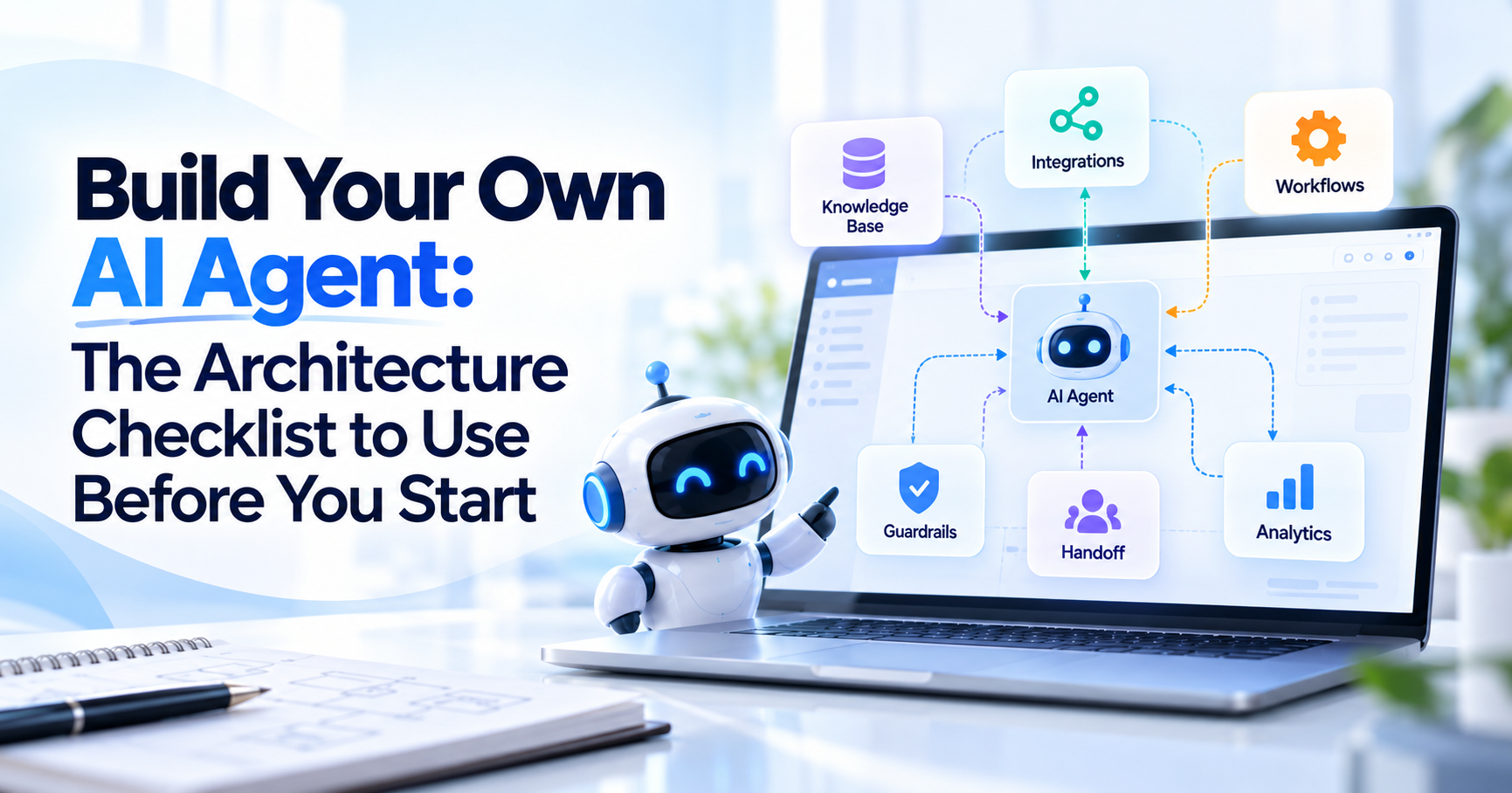
You can open an AI agent builder, connect a model, add a few documents, and produce something that answers questions surprisingly quickly. That does not mean you have designed a reliable business AI agent.
The difficult part begins when the agent needs to know which information it can trust, identify a customer, access another system, decide whether it is allowed to perform an action, recover when an API fails, transfer a conversation to a person, and leave enough information behind for your team to understand what happened.
That is why businesses planning to build their own AI agent should design the architecture before they start configuring prompts and workflows.
For a customer-facing business agent, the architecture should answer eight fundamental questions: what the agent knows, who is using it, which tools it can access, what permissions those tools have, which actions the agent may perform, when a human should take over, how the system will be monitored, and how data and credentials will be protected.
If those decisions are unclear at the beginning, adding more AI later usually makes the system more complicated rather than more useful.
This guide focuses on that architecture layer. If you are looking for the implementation sequence after the architecture is defined, the separate guide on how to build an AI agent for a business website covers the website-first build process.
What Architecture Do You Need to Build Your Own AI Agent?
A practical business AI agent architecture usually contains a user interface, agent instructions, business knowledge, identity and permissions, tools or APIs, action controls, human handoff, monitoring, and security controls.
Not every agent needs every component. A public website agent that answers service and pricing questions may need a website widget, business knowledge, clear instructions, analytics, and human handoff.
An authenticated support agent that checks subscriptions and changes account settings needs considerably more architecture because it is accessing private data and performing real business actions.
The correct architecture is therefore not the most complicated one. It is the smallest architecture that can safely complete the customer journey you actually need.
Start With the Agent's Boundary, Not the Model
Before choosing tools or APIs, define what the agent is responsible for and what remains outside its authority. Suppose a SaaS company wants an AI support agent. Saying that the agent should “handle customer support” is too broad.
A more useful boundary might be: The agent can answer questions from approved documentation, explain published plans and features, retrieve basic account information for authenticated customers, create a support ticket when necessary, and transfer billing disputes or unresolved technical issues to a human.
That description immediately affects the architecture. The agent needs documentation for knowledge. It needs identity verification before reading private account data. It needs a support-system integration to create tickets.
It needs a handoff mechanism. It does not necessarily need permission to change subscriptions, issue refunds, or modify billing records. Defining the boundary first prevents an AI project from becoming a collection of features without a clear operational purpose.
Design the Knowledge Layer Before the Action Layer
Your agent should know where business answers come from before you give it permission to do anything.
For a website-based agent, the knowledge layer may include product pages, service descriptions, pricing pages, policies, FAQs, manuals, support articles, help-center content, and approved internal documents.
The important distinction is that the language model itself is not your business knowledge base.
A general model may understand concepts such as ecommerce, SaaS, refunds, or customer support, but it does not automatically know your current prices, your current return policy, or what your company promises customers.
That information must come from controlled sources.
A business using Agent Best AI, for example, can start with the website-first setup process, where relevant website content becomes part of the agent's knowledge and additional documents can be added where necessary.
The architecture should also define which source wins when information conflicts.
If a pricing page says $49 per month while an old uploaded PDF says $39, the problem is not primarily an AI problem. It is a source-governance problem. Before launch, decide which sources are authoritative, which documents are outdated, who owns updates, and how quickly changes should reach the agent.
Separate Public Knowledge From Private Data
Public business knowledge and private customer information should not be placed into the same architectural bucket.
A public website agent may safely use your published refund policy to answer: “How long do I have to request a refund?”
But answering: “Was the refund for my account approved?”
requires customer-specific information. Now the architecture needs identity, authorization, and a connection to the system holding the refund record.
This separation is critical because many businesses initially assume that connecting more data automatically makes the agent better. It can also make the system riskier.
Public information can often be retrieved for any visitor. Private information should only be available after the system establishes who the user is and what that user is allowed to access.
If you plan to build AI around customer records, orders, subscriptions, bookings, support tickets, or other private information, design authentication before designing the conversation that exposes that data.
Decide Who the User Is
Identity becomes part of the architecture as soon as the agent does anything customer-specific. For an anonymous visitor, the system may only need a temporary conversation session.
For an authenticated customer, the agent may need to know the verified account identity and carry that identity into downstream systems. For an employee-facing internal agent, access might depend on organizational roles. These cases should not share the same assumptions.
- Imagine a customer asks: “What invoices are still unpaid?”
The agent should not accept an email address typed into chat and assume that person owns the account. The application needs a reliable identity mechanism and the downstream billing system still needs to enforce what that identity is allowed to see.
- Authentication answers: “Who is this?”
- Authorization answers: “What is this person allowed to do?”
Both matter once the agent moves beyond public information.
Design Permissions Around Least Privilege
Give the agent and its tools only the permissions required for the specific task. If the agent needs to read appointment availability, read access may be sufficient. If it needs to create an appointment, it may require a limited write permission.
That does not mean it should also be able to delete appointments, change every customer's record, or access unrelated data.
This principle becomes especially important with agentic systems because a model may decide when to use available tools. OWASP's current guidance on excessive agency recommends minimizing agent functionality and permissions and using human approval for higher-impact actions.
A useful architecture therefore treats permissions as part of each tool definition rather than giving the agent one broad credential that can do everything. For a production system, “the API supports this action” is not enough. You also need to ask whether this particular agent should be allowed to perform it.
Treat Tools as Capabilities, Not Just Integrations
A tool is something the agent can use to obtain information or cause something to happen. That could be a search function, CRM lookup, booking service, ecommerce API, support-ticket system, internal database function, or another business application.
When teams first plan AI chatbot integration, they often think primarily in terms of application names. A better architectural question is: “What capability does the agent need from this system?”
For example, an ecommerce agent may need to check order status. It may not need full access to the ecommerce administration system. A sales agent may need to create a lead. It may not need permission to edit every record in the CRM.
Designing tools around narrow capabilities makes permissions, monitoring, testing, and failure handling easier. If you are planning this layer in more detail, the existing guide to chatbot integration services explains the difference between website deployment, knowledge integrations, workflow integrations, and APIs.
Know When You Actually Need an API
You need an API when the agent must retrieve current information or perform an operation that cannot be handled from static knowledge alone. Consider these three questions:
“What is your standard delivery time?”
“Where is my order?”
“Change my delivery address.”
The first may come directly from website knowledge. The second requires live order information. The third requires a controlled write action.
That progression is why chatbot API integration should be planned from the customer journey rather than added because APIs sound advanced.
For every API you connect, define what data is sent, what information comes back, which authentication method is used, what permissions the credential has, how failures are handled, and whether the action should require confirmation. An API connection without those decisions is not an architecture. It is simply a connection.
Separate Read Actions From Write Actions
Reading information and changing information should not be treated as equivalent. An agent that checks product availability has less operational impact than an agent that changes inventory.
An agent that reads appointment slots is different from one that cancels an appointment.
An agent that explains a refund policy is different from one that processes the refund.
This distinction should appear clearly in your architecture. Read operations are often reasonable earlier in an AI project because they allow the agent to provide more useful context without modifying business systems. Write operations deserve additional controls.
Depending on the impact, those controls may include identity verification, confirmation from the user, policy checks, transaction limits, or human approval. A good AI agent should not only know which tool could complete a request. It should know whether the requested action is permitted in this situation.
Design Human Approval for Consequential Actions
Some actions should remain human decisions even when the AI can technically initiate them. This may apply to large refunds, account closures, contract changes, sensitive customer disputes, financial adjustments, unusual discounts, access-control changes, or other high-impact operations.
The architecture should define the approval boundary before launch.
For example, an agent could prepare a refund request, collect the reason, verify the order, and send the case to an employee. The employee makes the final decision. That is still useful automation. The goal of an agent architecture is not maximum autonomy. It is reliable completion of the workflow with appropriate controls.
Human Handoff Should Be Part of the Main Architecture
Human handoff is not a backup feature to add after the agent fails. It is one of the normal paths through the system.
A customer might explicitly request a person. The agent may not have enough information. A tool may fail. The request may be sensitive.
The conversation may involve a business exception that no automated rule should decide. The architecture needs to define when those cases leave the AI flow and where they go next.
For Agent Best AI implementations, human handoff and customer-support capabilities are part of the broader website-agent workflow rather than a separate system. The most important part is context.
If the customer has already explained the problem, identified the product, provided contact information, and attempted several troubleshooting steps, that information should follow the conversation. A handoff that forces the customer to start again is technically a transfer but operationally a poor one.
Define What Happens When a Tool Fails
Every external dependency will eventually fail or return something unexpected.
- An API may time out.
- A customer ID may not exist.
- A credential may expire.
- A service may return incomplete data.
- A booking slot may disappear before the transaction completes.
- A CRM may reject a duplicate record.
The architecture should define the failure path for important tools before launch.
- If an order lookup fails, the agent should not guess the order status.
- If a booking action fails, it should not tell the customer that the appointment was confirmed.
- If a lead cannot be written to the CRM, there should be a way to preserve the information or alert the team rather than silently losing it.
Good agent architecture includes the unsuccessful path, not only the demo path.
Monitoring Is Part of the Product, Not an Optional Dashboard
You need to know what the agent did after it goes live. At a minimum, monitoring should help you understand whether the agent answered correctly, which knowledge it relied on, which tools it called, which actions succeeded or failed, where conversations escalated, and which problems repeatedly confuse users.
Modern agent infrastructure increasingly treats tracing and observability as first-class capabilities. Microsoft Foundry tracing can capture agent run steps, tool calls, inputs, outputs, latency, retrieval operations, and exceptions, while Amazon Bedrock AgentCore provides tracing and production monitoring for agent behavior.
You do not need enterprise observability infrastructure for every small website agent. You do need enough visibility to answer: “What happened in this conversation?” Without that, debugging becomes guesswork.
Monitor Outcomes, Not Only Message Counts
A high number of conversations does not prove that the agent is useful. The metrics should follow the original business purpose.
For customer support, look at whether customers receive useful answers, which questions remain unresolved, how often conversations escalate, and whether the same issue repeatedly returns.
For lead generation, look at whether relevant prospects are identified, useful contact information is collected, and qualified conversations reach the sales team.
For ecommerce, look at product discovery, common pre-purchase questions, unresolved buying concerns, and support requests. Also measure failure.
Incorrect answers, failed tools, abandoned conversations, repeated clarification, and inappropriate actions often tell you more about what needs improvement than total message volume.
NIST's work on deployed AI emphasizes that pre-deployment testing alone is not sufficient because real-world use can reveal unexpected behavior and consequences. Ongoing monitoring therefore belongs in the operating plan, not only in the launch checklist.
Decide What Will Be Logged
Logging should be useful without becoming an uncontrolled collection of sensitive information. A business may need records of tool calls, action results, error messages, handoffs, and system events.
That does not mean every secret, API token, customer detail, or private piece of data should appear in logs. For sensitive workflows, decide what must be retained, who can access it, how long it is kept, and what should be redacted.
Tracing and logging are valuable for debugging, but they create their own data-governance responsibilities. That means observability and privacy should be designed together.
Protect Credentials Outside the Prompt
API keys, database credentials, tokens, and service secrets should not be written into prompts or ordinary agent instructions. Credentials should be stored and managed through the appropriate secure mechanism for your application or platform.
The agent should receive access to an approved tool. It should not be handed the underlying secret as conversational context. This sounds obvious, but architecture shortcuts often happen during prototypes.
A prototype that later becomes production can carry those shortcuts with it. Security decisions should therefore be made before the system starts processing real customer information.
Plan for Prompt Injection and Untrusted Content
An agent should not assume that every piece of content it reads is an instruction it should follow. This becomes especially important when the system can read external webpages, user-uploaded documents, email, support tickets, or other untrusted data.
A malicious instruction could be hidden inside content the agent retrieves. The architecture should separate business instructions from external content and limit what tools can do even if the model is manipulated.
Permission controls remain important because model-level instructions alone are not a complete security boundary. A compromised response is serious. A compromised response combined with unrestricted write access is more serious.
Keep Security Proportional to the Agent's Authority
Not every AI assistant needs the same security architecture. A public agent answering published FAQs is lower risk than an authenticated agent that reads private customer information.
An authenticated agent that can also change records is higher risk again. This is why security requirements should scale with capability.
The Agent Best AI security page is the appropriate internal destination for the platform's current security and privacy information, while your own implementation should still consider which knowledge, integrations, and permissions your specific use case introduces.
NIST's AI Risk Management Framework takes the same lifecycle view: trustworthiness and risk management should be considered through design, development, deployment, use, and evaluation rather than added only after the system is complete.
Decide Who Owns the Agent After Launch
Architecture includes operational ownership.
Someone needs responsibility for the knowledge.
Someone needs responsibility for integrations.
Someone needs to review failures.
Someone needs to update permissions when business processes change.
Someone needs to decide whether a new action is safe to automate.
Without ownership, an agent can gradually become outdated while still appearing to work. This is especially common with website knowledge.
A business changes pricing, removes a service, updates a return policy, or launches a new product. If the agent's knowledge does not change with the business, the architecture is no longer aligned with reality. Define who owns those updates before launch.
Use a Simple Architecture for a Simple Business Agent
A small service business does not need to begin with a complex agent platform connected to every internal application. Imagine the goal is to answer service questions and capture qualified enquiries.
A sensible architecture could use the business website as the knowledge source, a website widget as the interface, a short set of instructions defining scope, a basic lead-capture workflow, and human handoff when the visitor wants to speak with the team.
There may be no need for customer authentication.
There may be no need for a custom database.
There may be no need for write access to internal systems.
There may be no need for an API at all.
That is still a valid AI agent architecture.
Complexity should be earned by a real requirement.
A More Advanced Architecture Needs More Control
Now consider an ecommerce support agent.
A shopper asks: “Is this jacket waterproof?”
The answer may come from product knowledge.
Then: “Is medium in black available?”
That may require current inventory data.
Then: “Where is my order?”
That requires identifying the customer and retrieving private order information.
Then: “Change the delivery address.”
That may require authorization and a write action.
The conversational interface barely changed, but the architecture did.
The system now needs business knowledge, inventory access, customer authentication, order APIs, permission controls, action rules, failure handling, auditability, and human escalation.
This is why businesses should design the architecture around actual customer journeys. The same-looking chat box can sit in front of a very different technical system.
When Should You Use an AI Agent Builder Instead of Building Everything Yourself?
Use an AI agent builder when the platform already solves most of the infrastructure your use case requires.
For a business website, that may include website knowledge, document uploads, conversation management, website deployment, human handoff, analytics, and common integration options.
Building all of those components from scratch only makes sense when your requirements genuinely exceed what a managed platform can support.
Agent Best AI follows this managed approach for business websites. Businesses can start with website knowledge and standard deployment, then introduce additional integrations when the customer journey actually requires them through the Agent Best AI features and integrations.
If your requirements become highly proprietary, you can compare that path with the existing guide on AI chatbot development company vs no-code builder.
A hybrid architecture is often sensible. Use existing software for solved problems. Build only the parts that are unique to your business.
What Should Be Finalized Before Development Starts?
Before development or configuration begins, you should be able to describe the architecture in plain business language.
You should know what users will ask the agent to do, what knowledge the agent is allowed to trust, which information is public or private, how users are identified, which tools the agent can call, what permissions those tools receive, which actions require approval, when conversations move to humans, what happens when integrations fail, what gets logged, how the system is monitored, and who owns updates after launch.
If those questions cannot be answered yet, the project is not ready for technical complexity. You may still build a prototype. But it should be treated as a prototype rather than a finished production architecture.
The Architecture Checklist Before You Build
Before you build your own AI agent, review the system as a complete customer workflow rather than a chatbot screen. The agent needs a defined purpose and boundary.
Its business knowledge needs clear ownership and authoritative sources.
Private information needs identity and authorization controls.
Tools should expose only the capabilities the agent requires.
APIs should have narrow permissions.
Read operations and write operations should be treated differently.
High-impact actions may need confirmation or human approval.
Human handoff should preserve conversation context.
Failures should produce predictable outcomes instead of fabricated answers.
Monitoring should make agent behavior understandable after deployment.
Credentials and sensitive data should be protected outside normal prompt content.
And somebody should own the system after launch.
If one of those areas is unclear, resolve it before adding another feature.
Where Agent Best AI Fits
Agent Best AI is designed for businesses that want to start with the simpler end of this architecture rather than build the entire AI stack themselves.
The standard workflow begins with existing website content and additional business knowledge. The agent can then be deployed to the website for customer questions, support, lead conversations, and visitor guidance, with human handoff available when a person needs to take over.
This makes it possible to begin with a focused architecture: knowledge, instructions, website deployment, conversation management, and human support.
If the business later needs live customer information or connected workflows, integration and API requirements can be introduced based on actual customer needs rather than added from day one.
You can review how Agent Best AI works, explore its AI chatbot and agent features, and review the security information before deciding how much architecture your own implementation requires.
Final Thoughts
The most important decision when you build your own AI agent is not which model to select. It is what authority the system should have.
A useful architecture defines what the agent knows, which systems it can access, what it can change, when it must stop, when a human becomes responsible, and how the business will understand what happened after a conversation ends.
Start with the smallest reliable architecture.
Give the agent enough knowledge to do its job.
Add live systems only when they solve a real customer need.
Grant the minimum permissions required.
Separate information retrieval from actions.
Keep human approval around consequential decisions.
Monitor the agent after deployment.
Then expand the system when real customer behavior shows that additional capability will create value. That produces a better architecture than trying to make the first version as autonomous as possible.