What Is an AI Chatbot for an Ecommerce Website?
An AI chatbot for ecommerce is a conversational assistant built into an online store that helps shoppers get information and guidance through natural-language questions. A traditional chatbot might display fixed buttons such as:
Track Order
Returns
Contact Support
An AI chatbot allows the visitor to ask:
“Which running shoes would be better for long-distance training?”
“Does this charger work with the Pro model?”
“Can I exchange this if the size is wrong?”
“Do you deliver to Germany?”
The chatbot interprets the request and uses available store information to provide a relevant response. Shopify's 2026 guidance describes ecommerce AI chatbots as tools that can use natural-language interaction to help shoppers with product details, customer-service questions and, where suitable data connections exist, order information.
That is an important distinction. An ecommerce AI chatbot is not simply an FAQ widget. At its best, it acts as a conversational layer between shoppers and the information already inside your store.
Why Ecommerce Websites Are a Strong Fit for AI Chatbots
Ecommerce shoppers make dozens of small decisions before purchasing. They need to understand:
Whether the product is right for them
Which option or size to choose
Whether it is compatible
How much delivery costs
When it may arrive
Whether they can return it
Which product is better
What happens if something goes wrong
Each unanswered question adds friction. Shopify says around 70% of conversations through Shopify Inbox involve customers who are making a purchase decision. That illustrates how much customer communication happens before checkout rather than only after something goes wrong.
At the same time, Baymard's aggregated research currently places average documented ecommerce cart abandonment at around 70%, although many abandoned carts reflect browsing rather than a fixable problem.
Among avoidable reasons, costs, delivery speed, trust, and checkout friction remain important factors. An AI chatbot cannot eliminate every reason someone leaves. It can, however, remove some of the uncertainty that happens before the shopper decides.
How Does an Ecommerce AI Chatbot Work?
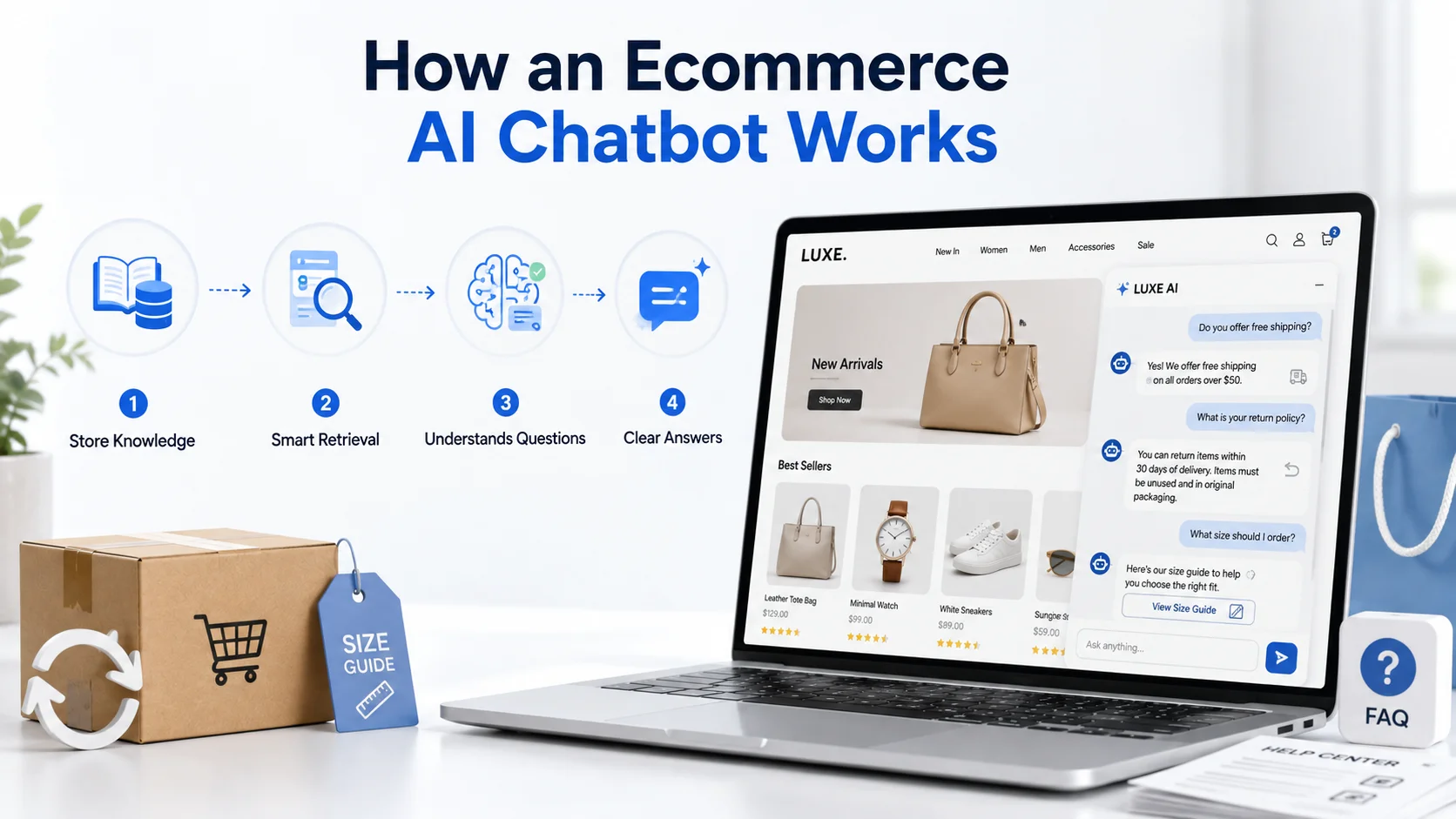
The visible conversation is only the final layer. Behind it, a useful ecommerce chatbot normally needs several things.
1. It Learns Your Store Information
The chatbot first needs reliable knowledge about the business. That may include:
Product pages
Collections and categories
Product specifications
FAQs
Shipping policies
Return and exchange policies
Warranty information
Size guides
Help-center articles
Additional product documents
A website-focused chatbot may crawl this information automatically. Other systems may rely on uploaded files, ecommerce integrations or manually configured knowledge sources.
2. The Knowledge Is Organized for Retrieval
When a shopper asks a question, the chatbot should not search every piece of content equally. It needs to retrieve information relevant to the specific request.
If the customer asks: “Can sale items be returned?” the chatbot should find the sale-product section of the return policy. If they ask: “Does this camera support 4K at 60fps?”
it should use the appropriate product specification. This is often handled through retrieval-based AI architectures in which relevant business knowledge is supplied to the language model before it generates an answer.
3. The AI Understands the Shopper's Question
Customers do not necessarily use the language your product pages use. Your page might say:
IP67 Water Resistance
The shopper may ask: “Can I use this outside in rain?” Your documentation might say:
Compatible with Model X Pro
The shopper asks: “Will this fit the Pro version?” Modern AI can help interpret these natural-language variations and connect them with the relevant store information.
4. The Chatbot Produces a Conversational Answer
Once the relevant information is found, the AI turns it into an understandable response. The strongest answer is usually not the longest one. A shopper who asks: “Do you ship to Canada?” does not need a 700-word summary of your shipping policy. They need the answer, any important conditions, and perhaps a link to further information.
AI Chatbot vs Traditional Ecommerce Chatbot
Traditional ecommerce bots are not useless. They work well for predictable workflows. For example: Choose: Shipping / Returns / Products / Contact. The advantage is control.
The disadvantage is that real shoppers do not always think in predefined menus. AI chatbots are more flexible because customers can describe what they want naturally. Consider: “I need a waterproof backpack that can fit a 16-inch laptop but isn't huge.”
A rule-based chatbot would require that shopping journey to be manually designed. An AI shopping assistant can potentially interpret the combination of requirements and use store product information to narrow relevant options.
Shopify describes virtual shopping assistants as AI-powered tools that use natural-language interaction and store/customer information to help shoppers discover products and move through purchase decisions.
The ideal ecommerce experience may combine both approaches: structured buttons where predictable actions make sense and AI conversation where shoppers need flexibility.
1. Help Shoppers Find the Right Products
Large ecommerce stores can overwhelm shoppers with choice. Imagine a running store with 300 pairs of shoes. A customer does not necessarily want to filter through: Brand → Gender → Category → Cushioning → Terrain → Price
They may simply want to ask: “I need lightweight running shoes for my first marathon under $180.”
An ecommerce AI chatbot can use the available product information to guide the shopper toward relevant choices. It may ask a follow-up question if necessary: “Do you prefer maximum cushioning or a lighter race-day feel?”
This is closer to how a knowledgeable salesperson would help in a physical shop. It also represents a wider ecommerce shift toward conversational product discovery. Shopify describes agentic commerce as shopping experiences in which AI helps consumers discover, compare and increasingly purchase products through conversation.
2. Answer Product Questions While Buying Intent Is High
Product questions often appear at the exact moment someone is deciding whether to buy. Examples include:
“Is this vegan leather?”
“Does this include the charging cable?”
“Will it fit a 16-inch laptop?”
“Can I use this outdoors?”
“Does this come assembled?”
The information may already be available, but asking the shopper to search a long product description creates unnecessary effort. The chatbot can retrieve the relevant product detail and explain it directly.
This is where accuracy matters. If compatibility is not confirmed anywhere in the store knowledge, the chatbot should not guess. It should say that the information cannot be confirmed and point the shopper toward human assistance.
3. Compare Products Conversationally
Comparison is another strong use case. A shopper might say: “What's the difference between the Standard and Pro versions?” A useful chatbot could summarize verified differences such as:
Dimensions
Materials
Storage
Features
Compatibility
Published pricing
The important part is helping the shopper understand which differences matter to their requirement. For example: “If portability matters most, the Standard model is lighter. If you need the larger battery and advanced connectivity listed in the product specifications, the Pro model includes both.”
That is more useful than repeating two product descriptions in full. Shopify's current guidance on AI shopping assistants similarly highlights product guidance, tailored shortlists and side-by-side comparisons as practical ecommerce applications.
4. Explain Shipping Before It Becomes a Checkout Objection
Shipping uncertainty can stop a purchase. Customers may want to know:
“Do you ship internationally?”
“How long does standard delivery take?”
“Do you ship to PO boxes?”
“Is express delivery available?”
An AI chatbot can explain the store's published delivery information while the customer is still browsing. This matters because delivery issues are a meaningful source of ecommerce friction.
Baymard's current research reports high extra costs and slow delivery among significant reasons for avoidable checkout abandonment. The chatbot should distinguish general shipping information from a guaranteed delivery date.
If your policy says standard delivery normally takes three to five working days, that is what the chatbot can explain. It should not promise: “It will definitely arrive Thursday,” unless the business has a real-time system that can reliably confirm that promise.
5. Make Returns and Exchanges Easier to Understand
Return policies are often long because they need to cover many situations. Customers usually have one specific question.
“Can I return this if I've opened the box?”
“What if I bought it on sale?”
“Can I exchange for another size?”
“Who pays return shipping?”
The chatbot can retrieve the relevant condition and explain it without forcing the shopper to read the entire policy. This can help before the purchase too.
A customer may be more comfortable buying clothing online when they clearly understand the exchange process. Again, the chatbot should explain the actual store policy rather than what return policies normally look like elsewhere.
6. Provide Customer Support Outside Normal Business Hours
Ecommerce stores are always accessible. Support teams usually are not. A shopper browsing late at night might have a simple question that does not need a human representative.
AI chatbots can provide first-line assistance at any time and collect information when human follow-up is required. Zendesk's 2026 CX research found that 74% of consumers now expect customer service to be available around the clock as AI changes service expectations.
This does not mean the business should pretend every issue can be resolved 24/7. The chatbot can say: “I can help with product, shipping and return questions now. This refund exception needs our support team, so I can help you pass it to them.” That is useful automation without creating false expectations.
7. Handle Repetitive Customer Service Questions
Online stores receive many repeat questions.
Shipping.
Returns.
Sizing.
Payment options.
Product compatibility.
Warranty conditions.
Instead of requiring an employee to manually answer each one, the chatbot can handle straightforward questions using approved store information. This frees human representatives to focus on unusual cases.
The shift is already becoming significant across customer service. Salesforce's 2025 State of Service research projected AI to handle half of customer-service cases by 2027, up from 30% in 2025
While Salesforce reported in May 2026 that adoption of AI agents among surveyed service organizations had grown from 39% to 66% over the preceding year. The goal, however, should not be maximum automation. It should be appropriate automation.
8. Support Shoppers Who Are Not Ready to Buy Yet
Not every visitor who opens the chatbot wants immediate customer support. Some are still comparing. They may ask:
“Which one would you recommend for a beginner?”
“Is the premium version worth it for occasional use?”
“What's the difference between these materials?”
These are buying-decision questions. A strong ecommerce chatbot can provide information without pressuring the shopper. That distinction matters. Good shopping assistance reduces uncertainty. Bad chatbot design turns every conversation into: “BUY NOW!” Customers can tell the difference.
9. Capture Leads or High-Intent Enquiries
Some ecommerce purchases require more discussion. This may happen with:
Wholesale orders
Customized products
High-value equipment
B2B ecommerce
Bulk quantities
Products requiring consultation
If the shopper reaches a point where a human conversation would help, the chatbot can collect appropriate information before handing the enquiry to sales.
For example: “You're looking for 50 units for a corporate order. I can collect your email and quantity requirement so the sales team has the details when they follow up.”
The chatbot should collect only information that is actually needed and handle that data according to the business's privacy practices.
10. Use Human Handoff When AI Has Reached Its Limit
One of the strongest ecommerce chatbot features is knowing when not to continue. Imagine this conversation:
Customer: “Can I return this product?”
The chatbot explains the standard policy.
Customer: “I already tried. Support rejected it, but the product arrived broken.”
The situation has changed. The customer is no longer asking a generic policy question. They have a specific dispute. This may require a human who can investigate the order and make a decision. A good handoff should preserve:
Conversation history
Customer question
Information already collected
Relevant product or issue context
The customer should not have to explain the same situation from the beginning.
What About “Where Is My Order?”
This is one of the most common ecommerce chatbot examples, but it is also frequently oversimplified. There are two very different versions.
Version 1: General Tracking Guidance
The chatbot can explain: “You can find your tracking link in your dispatch email.” This can be answered from your support knowledge.
Version 2: Actual Order Status
The customer asks: “Where is order #48392?” Now the chatbot needs access to that customer's actual order. That normally requires an authenticated integration with the e-commerce platform, order-management system or shipping provider.
Shopify's 2026 customer-service guide explicitly describes real-time order tracking as a use case that depends on access to order-management data. Website crawling alone does not provide that access. This distinction is important when evaluating chatbot software.
Website Knowledge vs Live Ecommerce Integrations
A useful way to think about an ecommerce chatbot is to separate three layers.
Website Knowledge
This includes:
Products
Collections
FAQs
Policies
Product descriptions
Shipping information
A crawler or knowledge upload can provide this.
Private or Additional Knowledge
This may include:
Size guides
Product manuals
Detailed support documentation
Internal approved FAQs
These can be added through secure knowledge sources where supported.
Live Ecommerce Data
This includes:
Customer-specific orders
Current shipment status
Live inventory
Account information
Refund status
This requires the appropriate integration, authorization, and security controls. A chatbot should never pretend the third layer exists because it has access to the first.
Can an Ecommerce Chatbot Recover Abandoned Carts?
It can sometimes help reduce the uncertainty that contributes to abandonment. For example, a shopper hesitating on a product page may ask:
“Will this fit?” or: “Can I return it if the size is wrong?”
Providing an immediate answer can remove an obstacle. Some ecommerce chatbot platforms also support proactive prompts or cart-recovery workflows when connected to the necessary store systems.
Shopify's current guidance includes conversational AI among tools that can engage shoppers during the buying journey and support cart-recovery workflows. But avoid claiming that simply installing a chatbot will automatically recover a particular percentage of abandoned carts.
Cart abandonment has many causes. Baymard's research shows that a substantial portion comes from customers who were simply browsing or not ready to purchase. The chatbot's job is to remove answerable friction, not force every visitor to buy.
How an AI Chatbot Can Improve Product Discovery
Traditional ecommerce search works best when shoppers know the right words. A conversational chatbot can handle a more natural request: “I need a birthday gift for someone who likes coffee, under $75.” That request contains:
Use case
Interest
Budget
A well-connected shopping assistant can use those criteria to identify relevant products. This approach is increasingly important as shoppers become comfortable using AI for discovery.
Shopify reported that AI-referred store sessions grew more than eightfold year over year by Q1 2026, while those visitors converted at higher rates than its organic-search referral benchmark.
That does not guarantee the same outcome for an on-site chatbot. It does show that conversational product discovery is becoming a meaningful part of how people shop online.
What Information Should You Give an Ecommerce Chatbot?
Start with information customers actually need.
Product Knowledge
Include accurate:
Names
Descriptions
Specifications
Features
Sizes
Compatibility
Materials
Categories
Store Policies
Include current:
Shipping
Returns
Exchanges
Warranty
Cancellation
Payment information
Product Guidance
Useful additional sources may include:
Size charts
Comparison guides
Manuals
Buying guides
Product FAQs
Compatibility documents
Support Content
Include clear instructions for common issues. Do not upload outdated documents simply because they exist. More knowledge does not automatically produce better answers. Better knowledge does.
How to Set Up an AI Chatbot for an Ecommerce Website
Step 1: Choose the Main Use Case
Decide whether your first priority is:
Product discovery
Pre-purchase questions
Customer support
Store-policy questions
Lead capture
A combination of several closely related needs
Do not automate the entire ecommerce operation on day one.
Step 2: Clean Your Store Content
Review the information that will feed the chatbot. Check for outdated prices, contradictory policies, old products, and unclear specifications. If the store does not know the correct answer, the chatbot will struggle too.
Step 3: Connect Product and Website Knowledge
Add relevant product pages, collections, FAQs and store policies. If the chatbot platform supports website crawling, make sure it has captured the pages that matter.
Step 4: Add Missing Knowledge
Upload size charts, manuals, detailed FAQs or other approved material that customers may need.
Step 5: Define AI Boundaries
Tell the chatbot what it can answer. More importantly, define what it should not answer without reliable information.
Step 6: Configure Human Handoff
Decide what happens when the chatbot reaches:
Complaints
Refund exceptions
Payment disputes
Complex product problems
High-value enquiries
Questions outside its knowledge
Step 7: Test Real Shopping Questions
Do not test only: “What is your return policy?” Test:
“wrong size can i send back?”
“this fit pro max?”
“need something waterproof under $100”
“what's difference between these 2?”
This is how real shoppers communicate.
Step 8: Launch and Review Conversations
Once live, use conversation data to identify what customers actually need. You may discover that your product descriptions are missing information the chatbot is repeatedly asked to explain. That insight can improve the store itself.
How to Measure Ecommerce Chatbot Performance
Avoid measuring success only by conversation count. A chatbot can generate thousands of conversations and still provide poor customer experiences. Useful indicators may include:
Questions answered successfully
Unresolved questions
Human-handoff rate
Product-discovery conversations
Qualified enquiries
Customer feedback
Repeated questions
Knowledge gaps
Conversion after chatbot interaction, where attribution is available
Support tickets after chatbot use
Pay attention to incorrect answers separately. One confident wrong answer about a product, refund or delivery promise can matter more than dozens of routine successful conversations.
What Should an Ecommerce Chatbot Never Do?
A customer-facing chatbot should not invent information merely to keep the conversation going. It should not:
Create nonexistent discounts
Invent product specifications
Guarantee unsupported delivery dates
Pretend an item is in stock without live data
Claim an order was changed when no action occurred
Promise refunds it cannot authorize
Make unsupported safety or suitability claims
Hide the option to reach a person
An answer such as: “I don't have enough information to confirm that.” is sometimes exactly the right answer.
Privacy and Security Matter More When Integrations Expand
A chatbot answering public product questions deals mainly with public business information. A chatbot accessing customer orders is different. It may encounter:
Names
Email addresses
Shipping details
Order numbers
Account information
The more private data the chatbot can access, the stronger the authentication, authorization and data-handling controls need to be.
Shopify's 2026 chatbot guidance specifically recommends evaluating providers' data policies, what customer information they can access or retain and their security/privacy controls.
Do not connect customer data simply because an integration is technically available. Connect only what the chatbot genuinely needs.
Choosing the Right AI Chatbot for an Ecommerce Website
Do not choose based entirely on a polished demonstration. Test the platform using your real store. Look at:
Product knowledge: Can it understand your actual catalogue?
Natural questions: Can customers ask normally rather than memorizing commands?
Knowledge updates: What happens when products or policies change?
Human handoff: Can difficult conversations reach your team?
Ecommerce compatibility: Does it work with your store platform?
Integrations: Can it securely access the live systems you genuinely need?
Analytics: Can you identify common questions and knowledge gaps?
Multilingual support: Can it assist important international markets if needed?
Privacy and security: How are conversations and business knowledge handled?
Accuracy: What happens when the answer does not exist?
That last question should be part of every chatbot evaluation.
Shopify and WooCommerce Chatbots
The core chatbot concept applies to both platforms. For a Shopify store, the chatbot can use product, collection, FAQ and policy knowledge and may connect with Shopify systems where supported.
For WooCommerce, the same principle applies to WordPress product and store information. Platform integration becomes especially important when you want more than general knowledge. For example:
“What is your shipping policy?” - Knowledge base.
“Where is my order?” - Live integration.
“Does this product come in red?” - Potentially website/product data.
“Is red currently available in my nearest warehouse?” - Potentially live inventory integration.
Know which layer each question requires.
How Agent Best AI Works for Ecommerce Websites
Agent Best AI provides a website-based AI chatbot specifically designed to learn from ecommerce content.
Businesses can enter their store URL and allow AgentBest.ai to crawl product pages, collections, categories, FAQs, policies and other relevant store information. Additional knowledge such as product guides, size charts, shipping documents, return information, manuals and support FAQs can also be added.
The ecommerce chatbot can then use that approved information to help visitors find products, understand differences between available options, answer pre-purchase questions and explain store policies. Complex or sensitive conversations can be transferred to a human team member.
Agent Best AI currently supports ecommerce websites including Shopify and WooCommerce and uses a no-code website-widget deployment workflow. The knowledge can also be updated or the website recrawled when products, pricing, policies or other business information changes.
The distinction about live data still applies. A chatbot using store content can answer questions from that knowledge. Customer-specific order status, live inventory or transaction actions require the relevant system access and integration.
AI Chatbots and the Future of Ecommerce
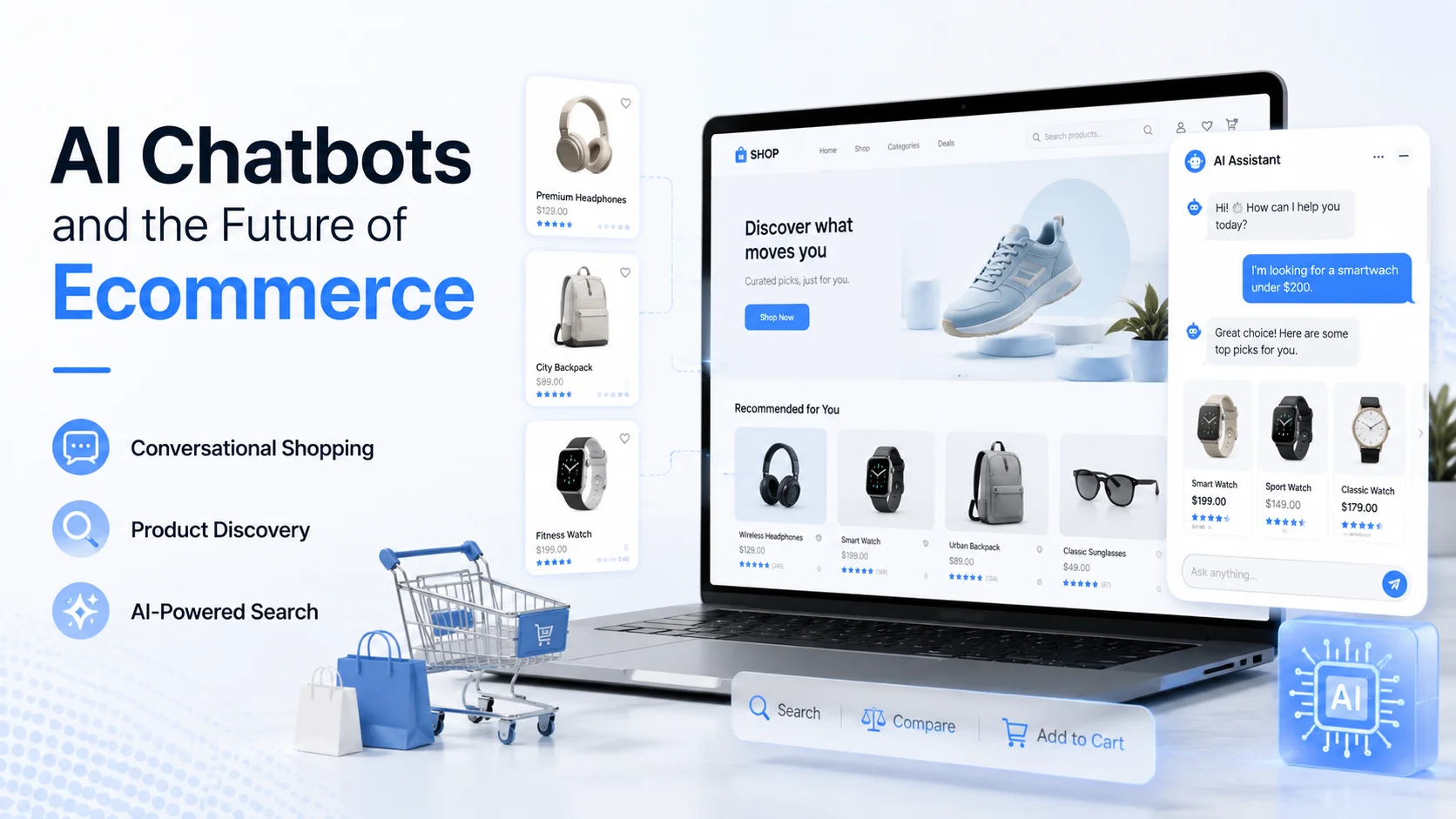
The direction of ecommerce in 2026 is moving beyond simple “support bots.” Conversation is becoming part of product discovery itself.
Shopify's current definition of agentic commerce goes even further: AI agents can help shoppers research, compare and potentially complete purchases through conversational environments.
Shopify reported strong year-over-year growth in both AI-driven store traffic and orders from AI-powered searches during Q1 2026. An on-site ecommerce chatbot is not automatically an autonomous commerce agent. But the underlying customer behavior is related.
Shoppers are becoming more accustomed to saying: “This is what I need. Help me find the right option.” rather than navigating every filter and page themselves. Online stores should prepare for that expectation by keeping product information accurate, structured and accessible to AI systems.
Common Ecommerce Chatbot Mistakes
The first mistake is connecting the chatbot to poor product data. The second is trying to automate everything. Another is assuming a chatbot that can explain an order policy can also access an individual order. Businesses also create problems when they:
Use old product information
Maintain conflicting policies
Test only simple FAQs
Make human support hard to reach
Ignore mobile usability
Let the AI invent missing information
Never review conversations after launch
The best chatbot implementation often starts small. Get the most important conversations right first. Then expand.
Final Thoughts
An AI chatbot for ecommerce website can become much more than a customer-support widget. It can help shoppers discover products, compare options, answer buying questions, understand shipping and return policies, and find relevant information without searching through page after page.
It can also provide first-line support when your team is unavailable and transfer conversations when human judgment is required. But the chatbot is only as useful as the business knowledge and systems behind it.
Give it accurate product information. Keep policies current. Connect live systems only when necessary. Test real shopping conversations. Make human support accessible. Most importantly, do not measure success by how often the AI talks.
Measure whether customers find it easier to make informed decisions. The strongest ecommerce chatbot does not try to replace the entire shopping experience. It removes the small questions, uncertainties, and information gaps that make the buying experience harder than it needs to be.